By default, Threat Intelligence Exchange/Trellix Agent with integrated Trellix Data Exchange Layer broker uses RSA based ciphers. Follow these steps to switch from weak cipher (RSA) to strong cipher (ECDHE):
Windows based setup
Navigate to
<Install_Dir>\McAfee\dxlbrokerand open dxlbroker.conf.defaults in a text editor.Scroll down to the section where you can edit the ciphers that the broker can be restricted to. Ensure that the broker is restricted only to the cipher -
ECDHE+aRSA+AESGCM:ECDHE+aRSA+SHA384:ECDHE+aRSA+SHA256. A sample screenshot is shown below: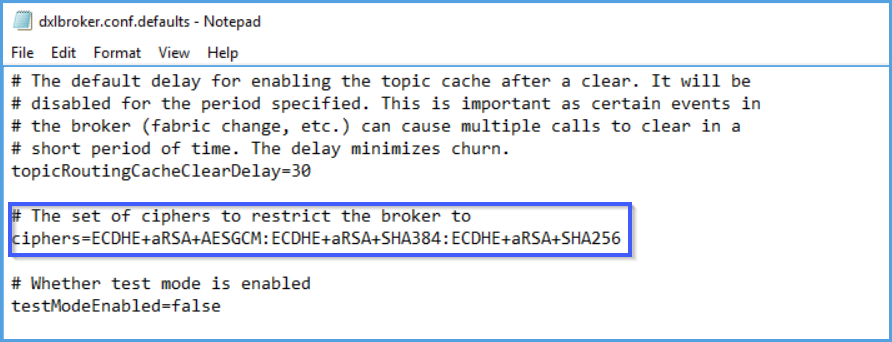
Save the text file and close it.
Restart the TIE server and the ePO service to effectively use this cipher.
Linux based setup
Open dxlbroker.conf.defaults file located in
/opt/Mcafee/dxlbroker/confusing a text editor.Note
You need to open the file as a root user to be able to edit the file and save changes.
Scroll down to the section where you can edit the ciphers that the broker can be restricted to. Ensure that the broker is restricted only to the cipher -
ECDHE+aRSA+AESGCM:ECDHE+aRSA+SHA384:ECDHE+aRSA+SHA256. A sample screenshot is shown below: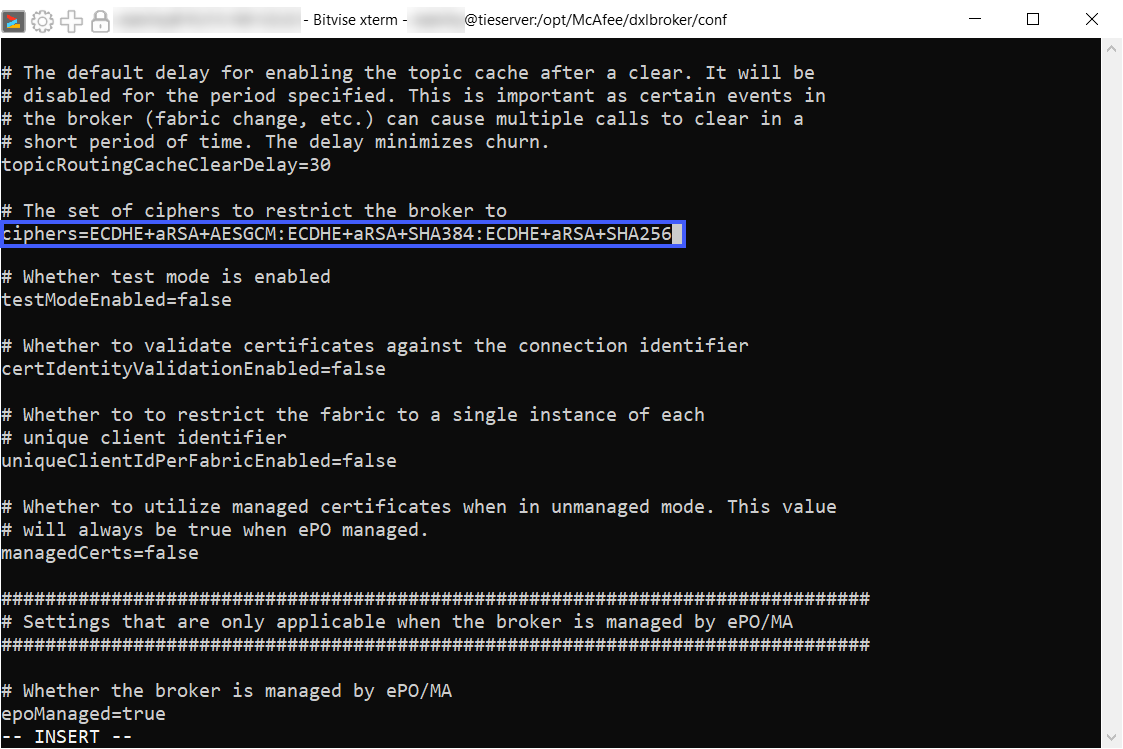
Save the changes.
Restart the TIE server and the ePO service to effectively use this cipher.