The Real-time protection in Windows server 2019 flags the Manager Apache Solr database as a threat and removes the file. If you have installed the Manager in Windows server 2019, you will have to turn off Real-time protection.
You can turn off Real-time protection either from the Windows Settings or from Windows PowerShell.
Task
-
Follow the steps below to turn-off Real-time protection from Windows Settings:
-
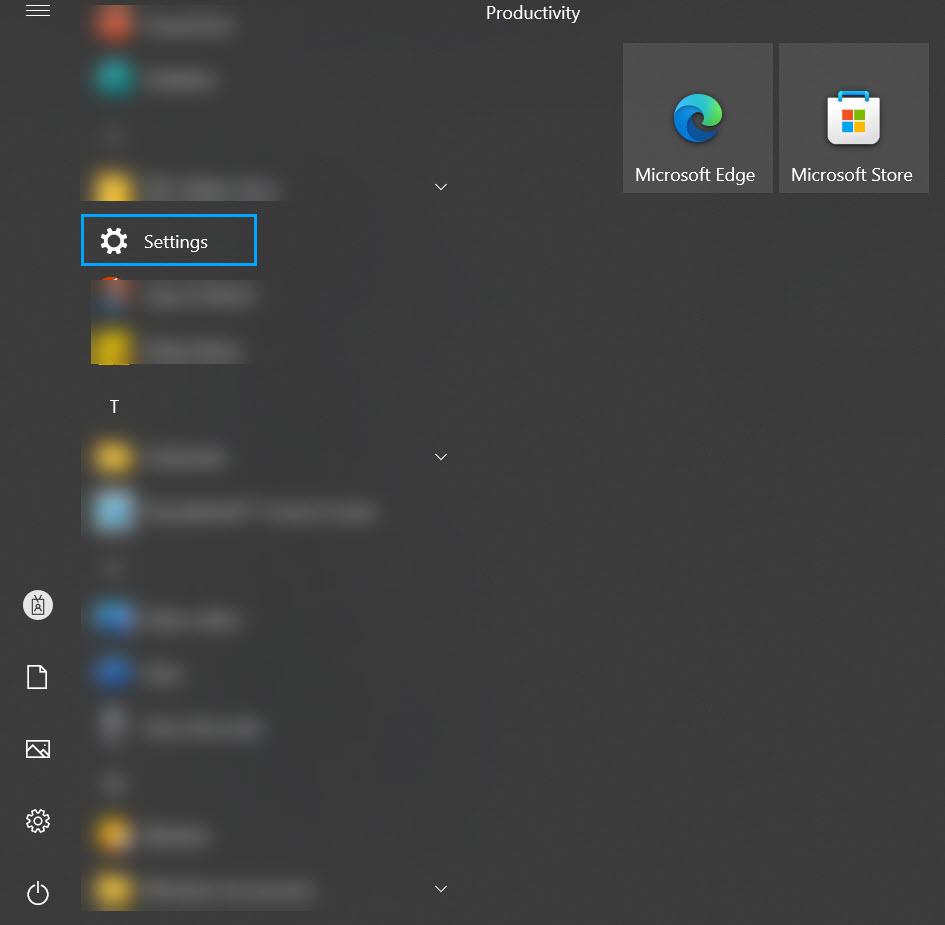
Open
Settings from the
Start Menu of the Manager server.
-
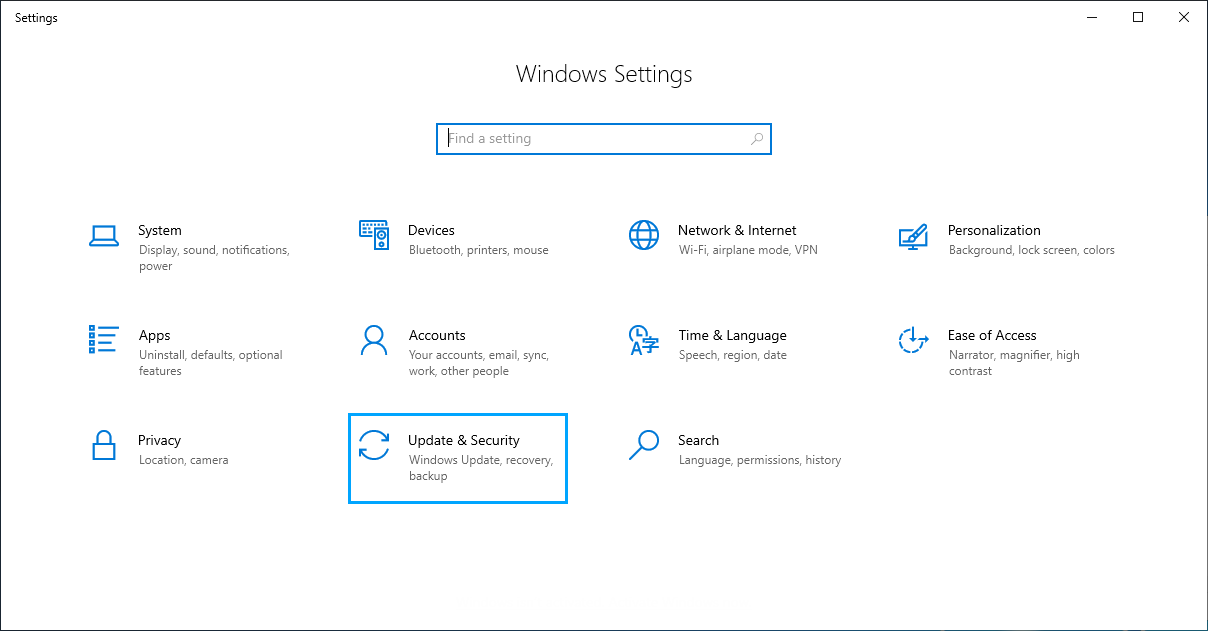
Open the
Update & Security settings.
-
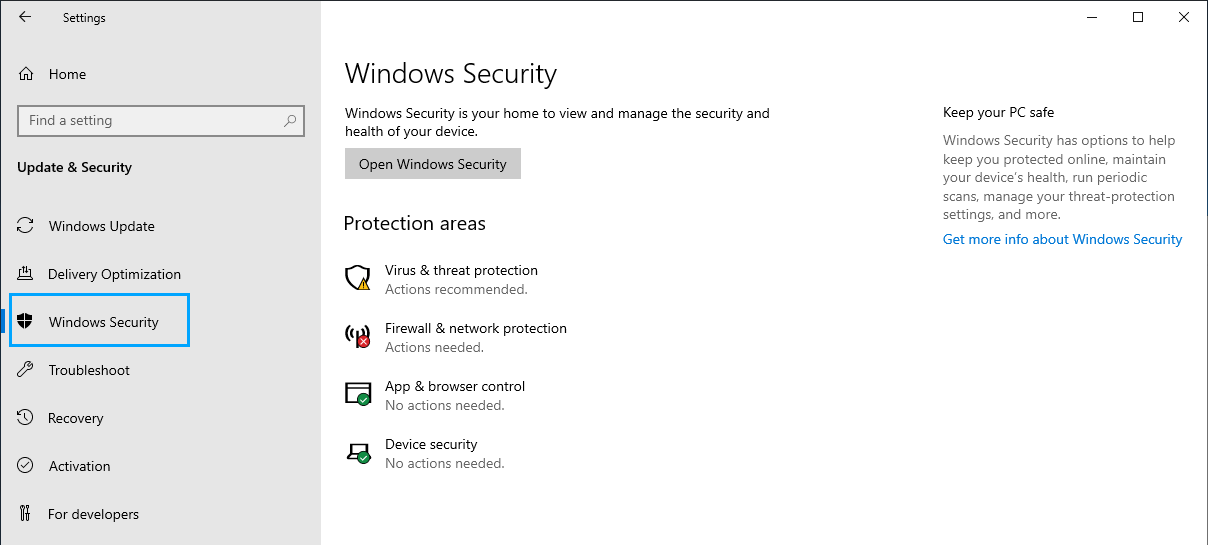
Select
Windows Security.
-
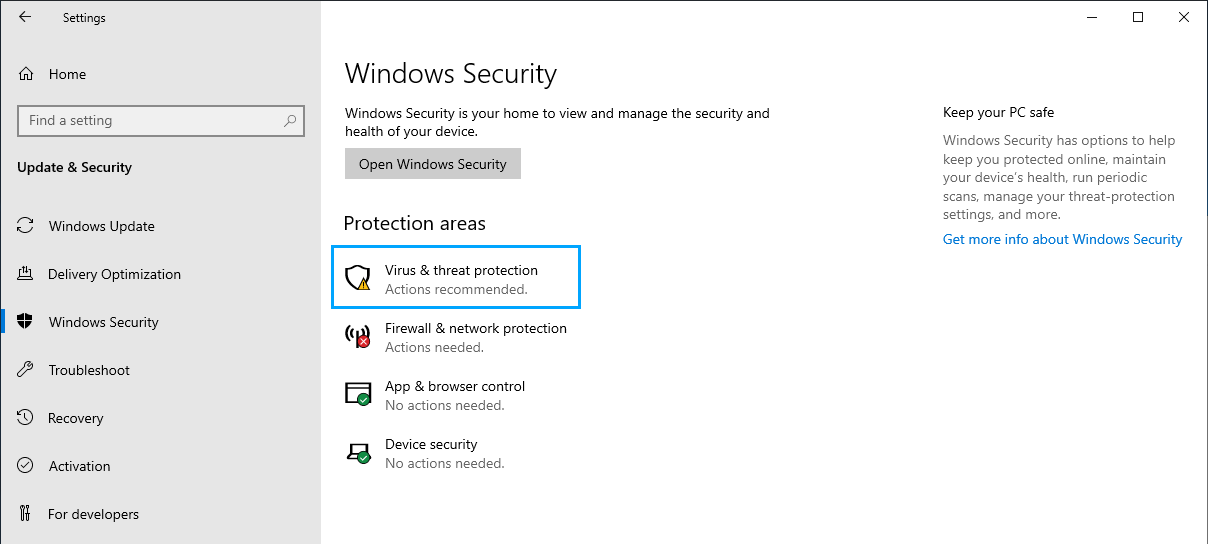
Click
Virus & threat protection from
Protection areas.
-
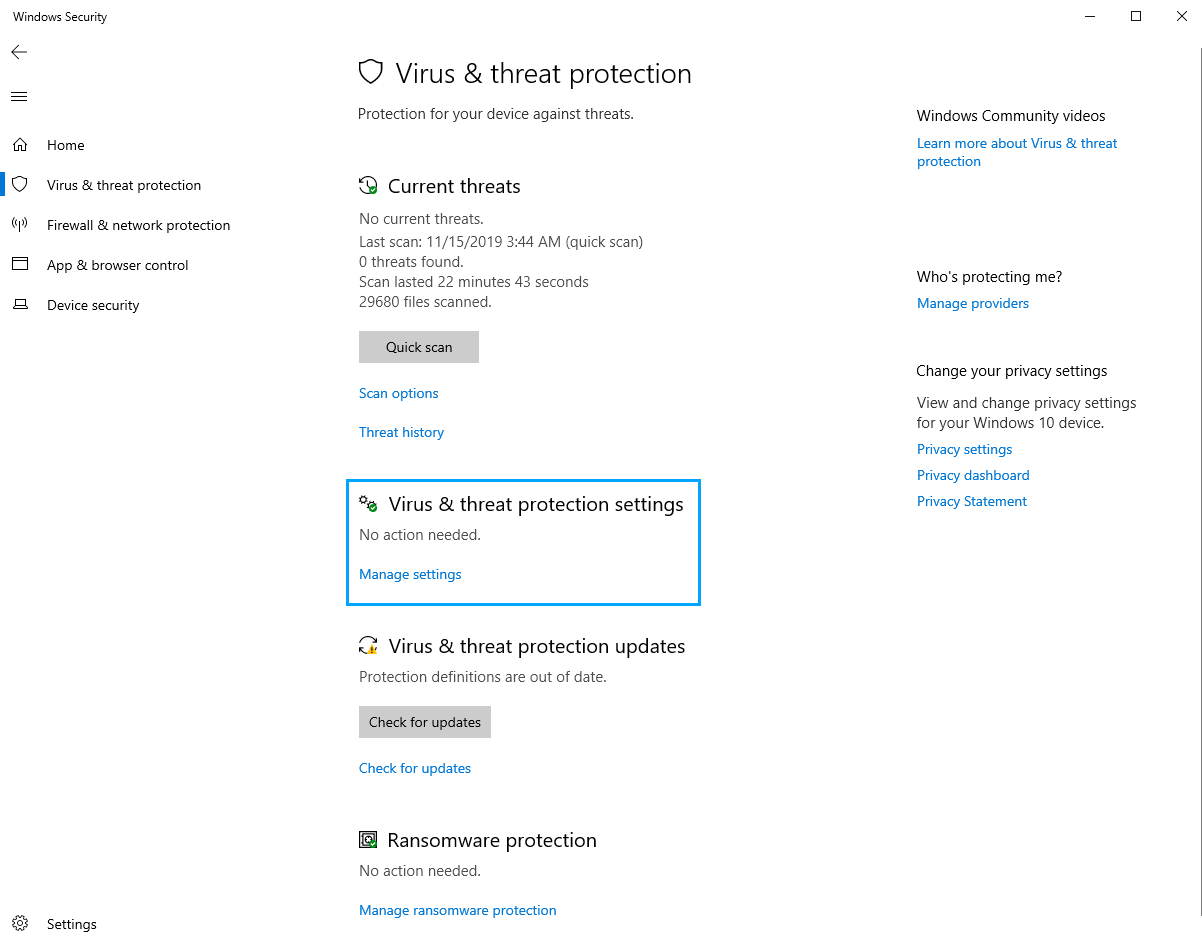
Click
Manage settings in
Virus & threat protection settings.
-
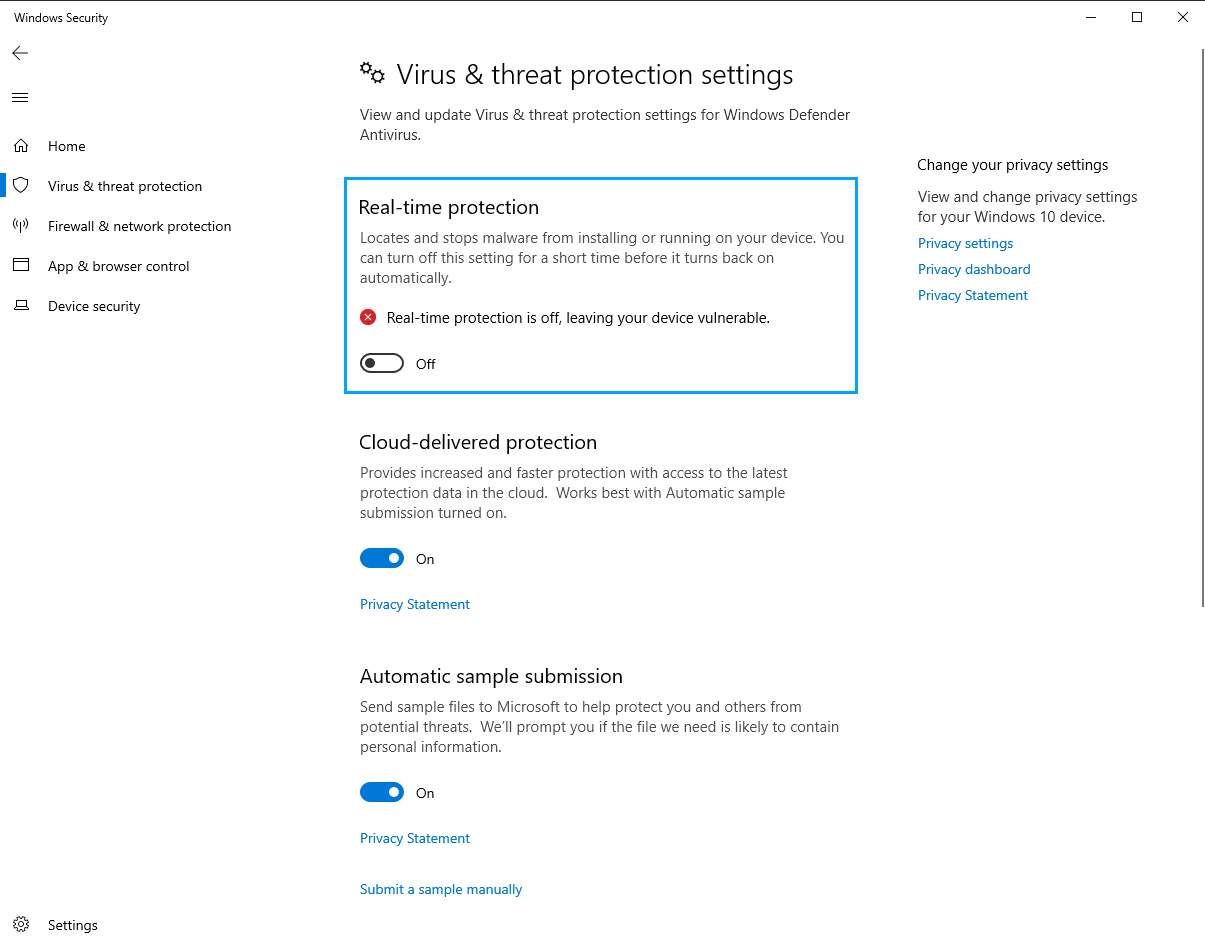
Turn
Off Real-time protection.
-
Open
Settings from the
Start Menu of the Manager server.
-
Follow the steps below to turn-off
Real-time protection using Windows PowerShell:
-
From the
Start Menu of the Manager server, run
Winows PowerShell as an Administrator.
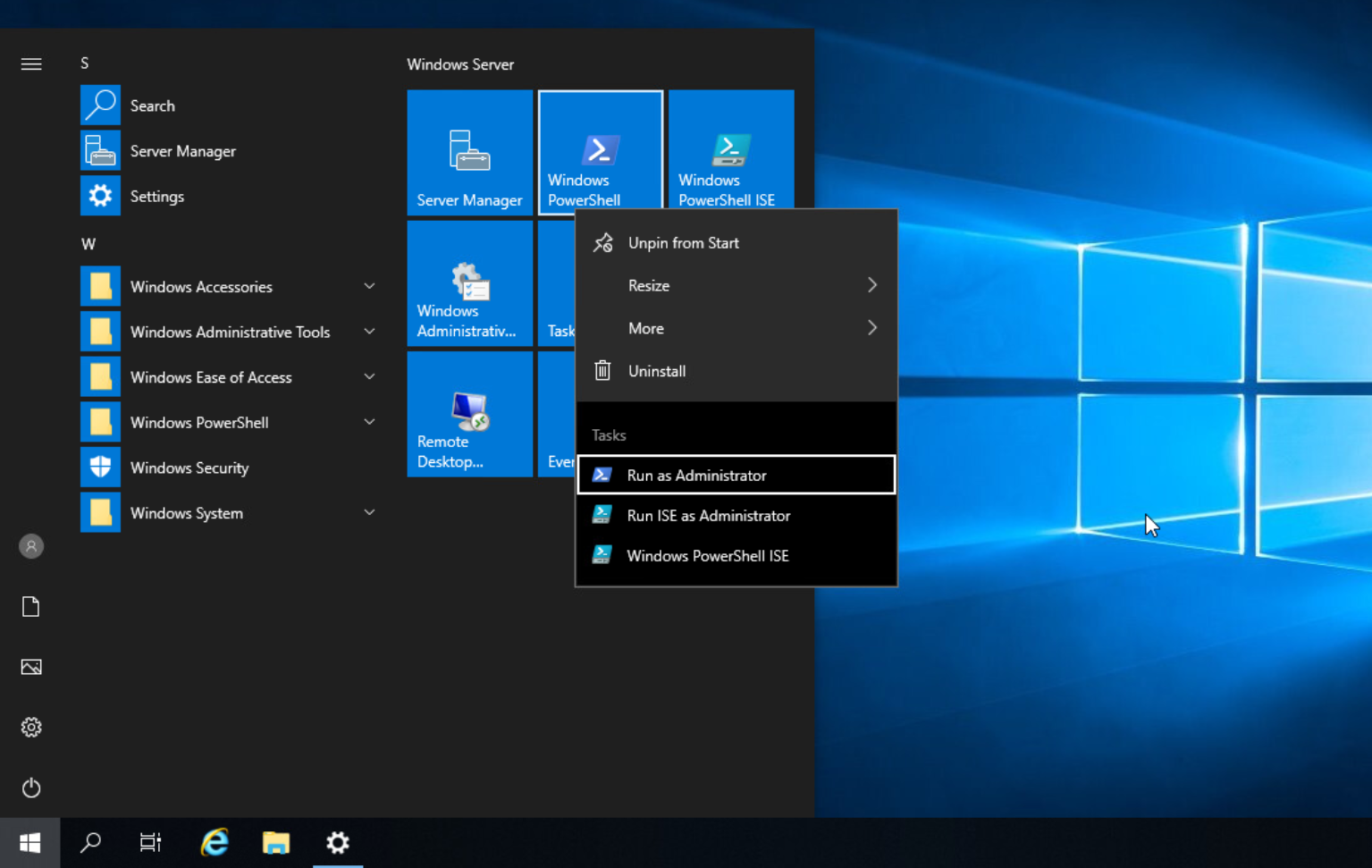
Windows PowerShell opens with administrative privileges. -
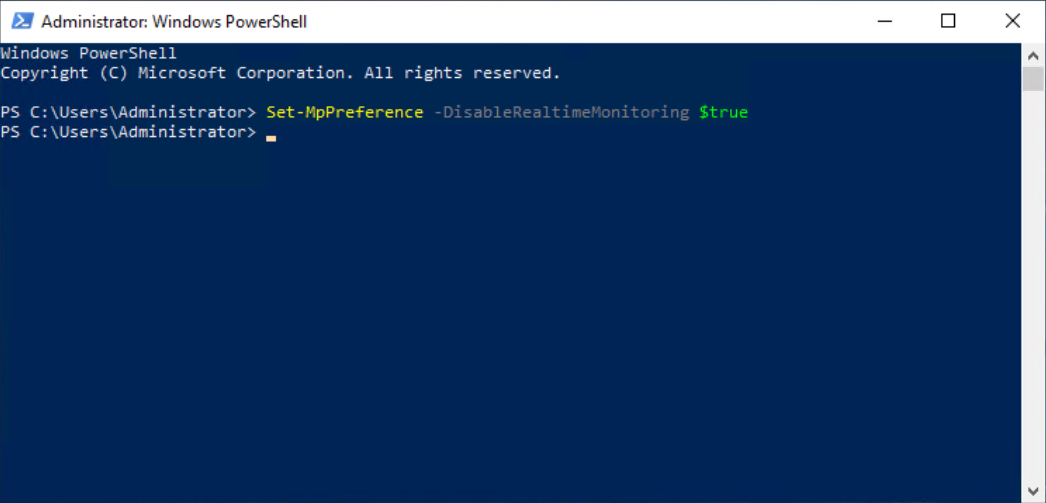
Type any one of the following commands and press
Enter to turn-off Real-time protection on the server:
Set-MpPreference -DisableRealtimeMonitoring $trueOrSet-MpPreference -DisableRealtimeMonitoring 1
-
From the
Start Menu of the Manager server, run
Winows PowerShell as an Administrator.