The new docs.trellix.com features a modernized UI and AI-powered conversational search. Content is currently available in English, with additional languages launching in early November 2026. We hope you enjoy the updated experience.

Unassign a license from a Sensor

Prev Next

To unassign the license, perform the following steps:

  1. Go to Manager → <Admin Domain Name> → Setup → Licenses.

  2. Click the System tab.

  3. Select the license you wish to unassign.
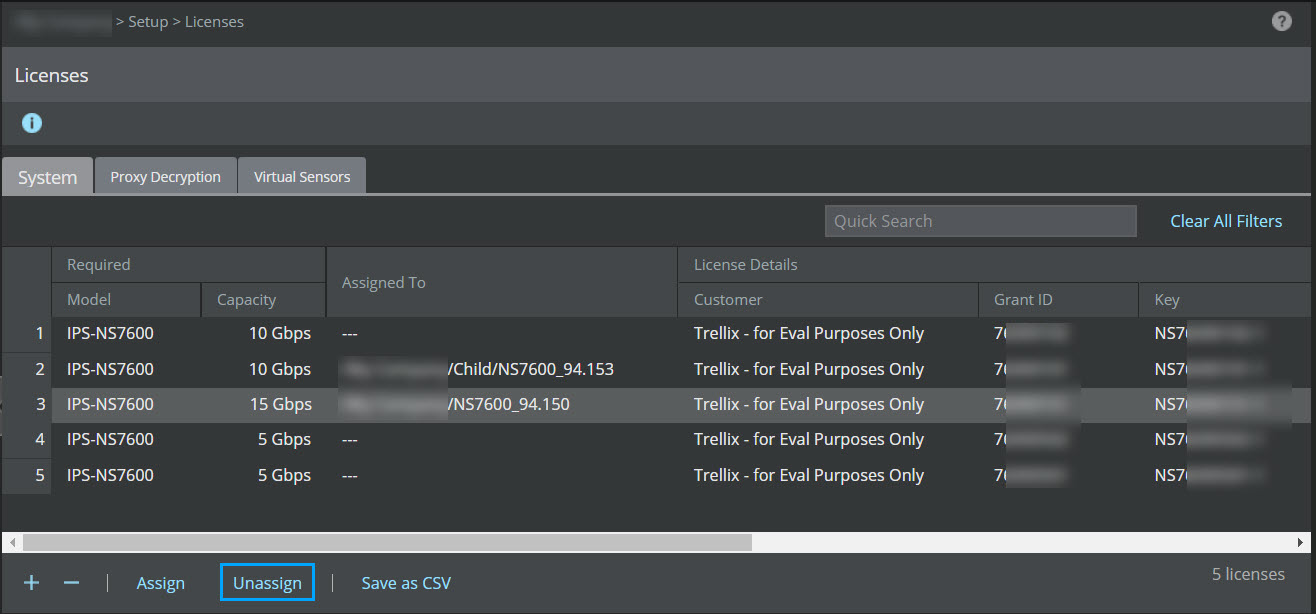
    1_Unassign_license_7600.jpg
  4. Click Unassign.

  5. Click Ok.

    2_Unassign_license_7600.jpg

    Once a license is unassigned from a Sensor, the Manager will not be able to deploy pending changes, including new signature sets and policy updates to the Sensor.