Upload EIA package to the ePolicy Orchestrator - On-premises server. This package contains the files necessary to install EIA on managed systems.
From the ePolicy Orchestrator - On-premises console, select Menu → Software → Main Repository.
Main Repository in ePO console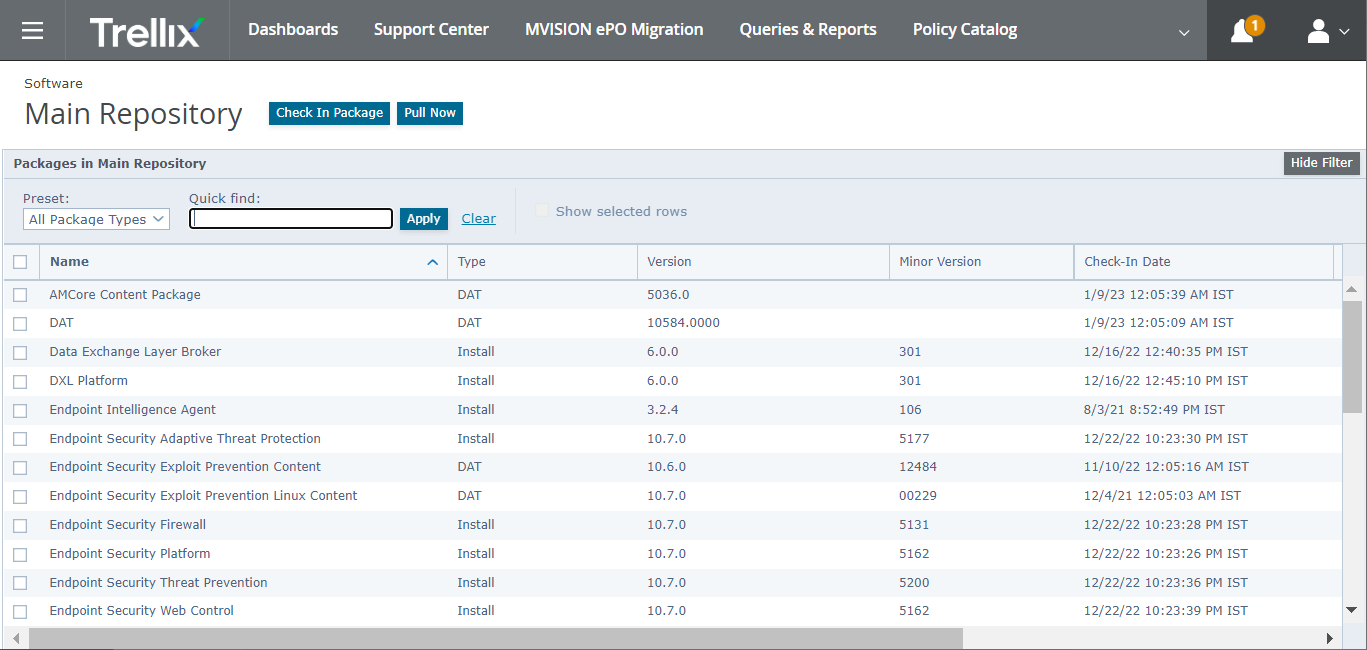
Click Check In Package.
The Check In Package page is displayed.
From the Package Type list, select Product or Update (.ZIP), then browse and select ePO_Deploy.zip.
Uploading package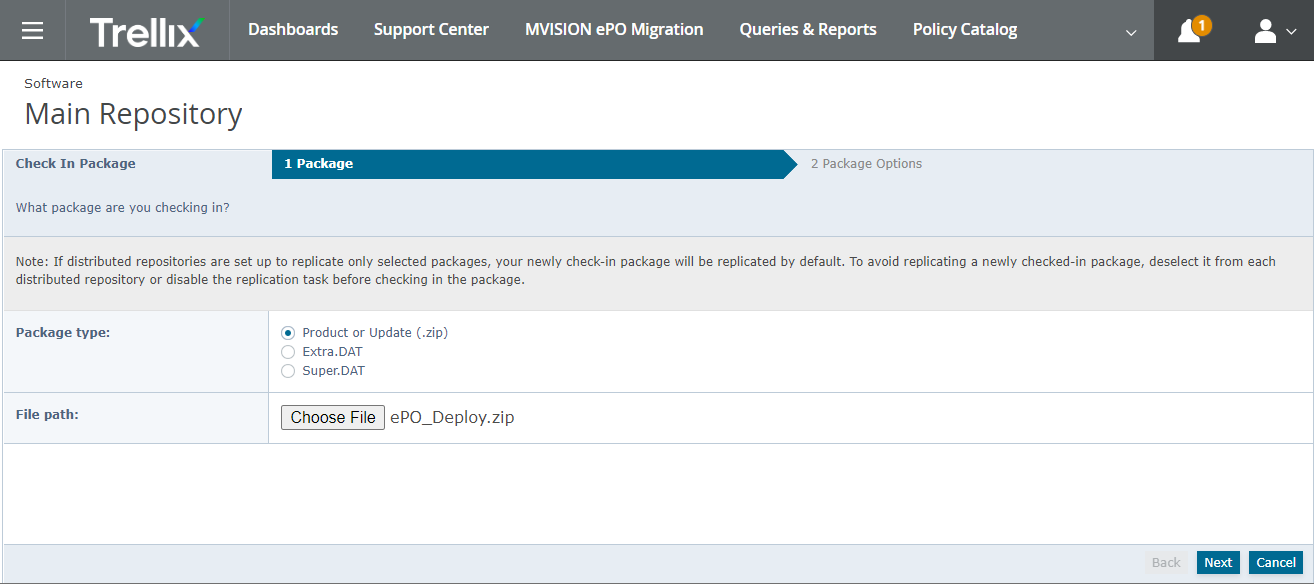
Click Next.
Click Save.
The package is added to the Main Repository.