You can consolidate and view a group of alerts based on specific fields in the Attack Log page. To view a consolidated group of alerts perform the following steps:
Task
- Select Analysis → <Admin Domain Name> → Attack Log.
-
On
Attack Log page, click the arrow in the triangular icon in the column header of the field by which you wish to group the alert and select
Group by this field.
Grouping alerts 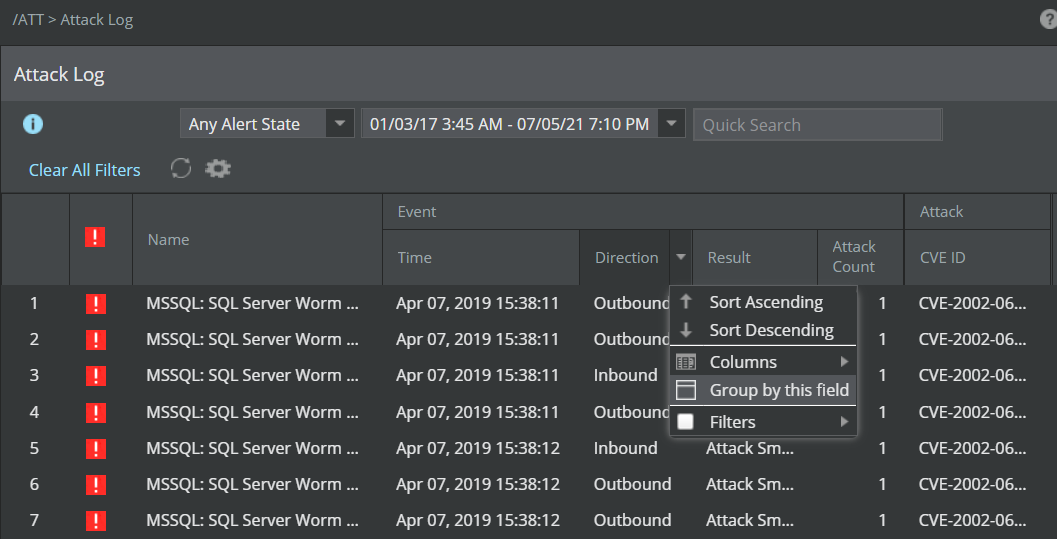
A window is displayed for the selected field. For example, if you select the Group by this field option for the Direction field, the Group By Direction window is displayed.Select a Value to group alerts 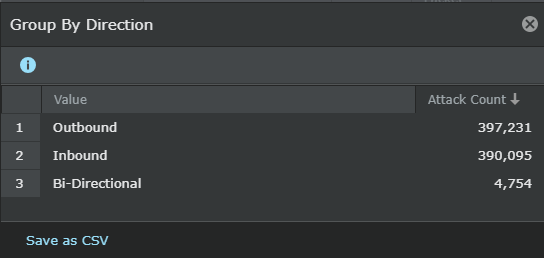
The following display options are available in the column header.Option Definition Group By <field name> Displays the list of items available for the selected field. For example, the Group By Direction window displays the following items: - Inbound
- Outbound
- Unknown
Attack Count Displays the total count of the attacks for each group. -
In the window, double click the row of the item you want to view the grouped alerts for. The window closes and the grouped alerts are displayed on the
Attack Log page.
Alerts grouped in Inbound direction 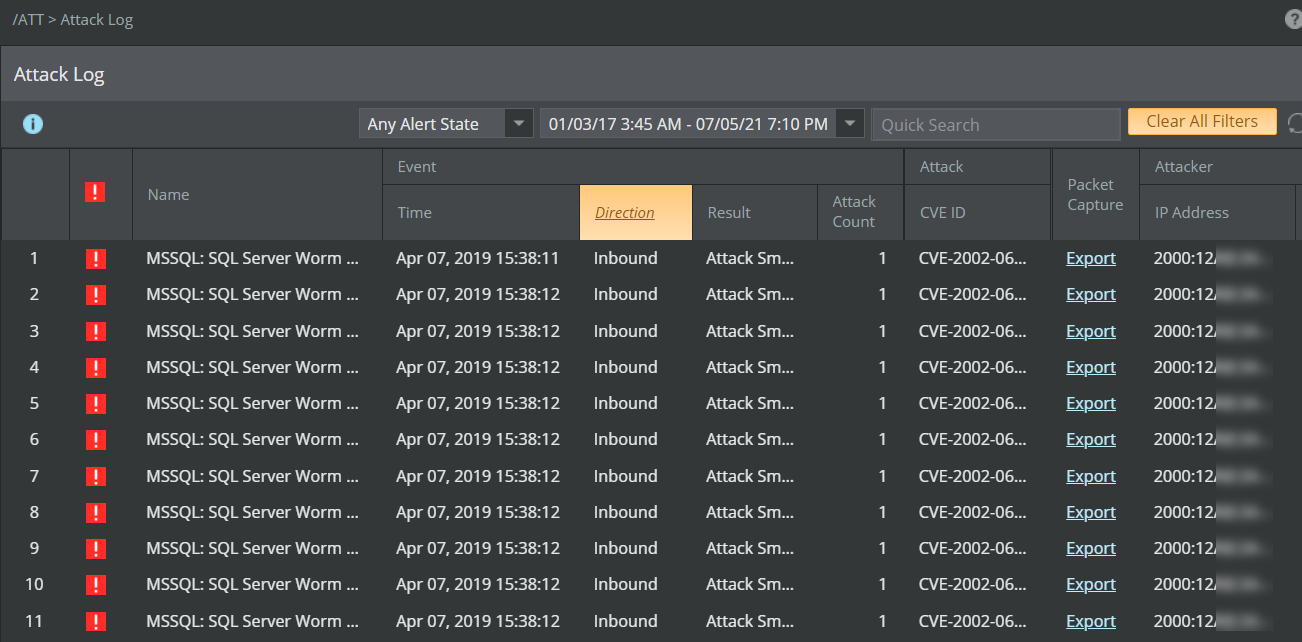
Note
The column header color changes to orange, which indicates that the alerts are grouped by that option and only those alerts are displayed in this page.
In this example, after grouping the alerts, you can further group them to the next level of grouping by selecting the Group by this field option on any other column header where this option is available. For example, after grouping the alerts based on Inbound transmission from the Direction field, you can further filter the group based on Medium BTP level from the BTP field in the Attack column. As a result, the Attack Log page displays only those alerts having both inbound direction and medium level BTP.Alerts can be grouped by all the fields in the Attack Log page, except the following:
- Time,Attack Count and Alert ID under Event column
- Trellix IPS ID under Attack column
- Packet Capture
- Layer 7 Data
Clear All Filters.Note
In a Central Manager setup, you can group the display of alerts by the Manager column in the Attack Log page.