Before you begin
You must have enabled XFF Header Parsing in one of the ports in the Sensor.
To view the original attacker IP address, you will need to go to the Attack Log in the Manager. To view details of the proxy server, you will need view alert details for that alert.
Task
- Select Analysis → <Admin Domain Name> → Attack Log.
-
From the list of alerts, locate and click one that displays the original attacker IP address.
Attack Log page shows the original attacker IP address 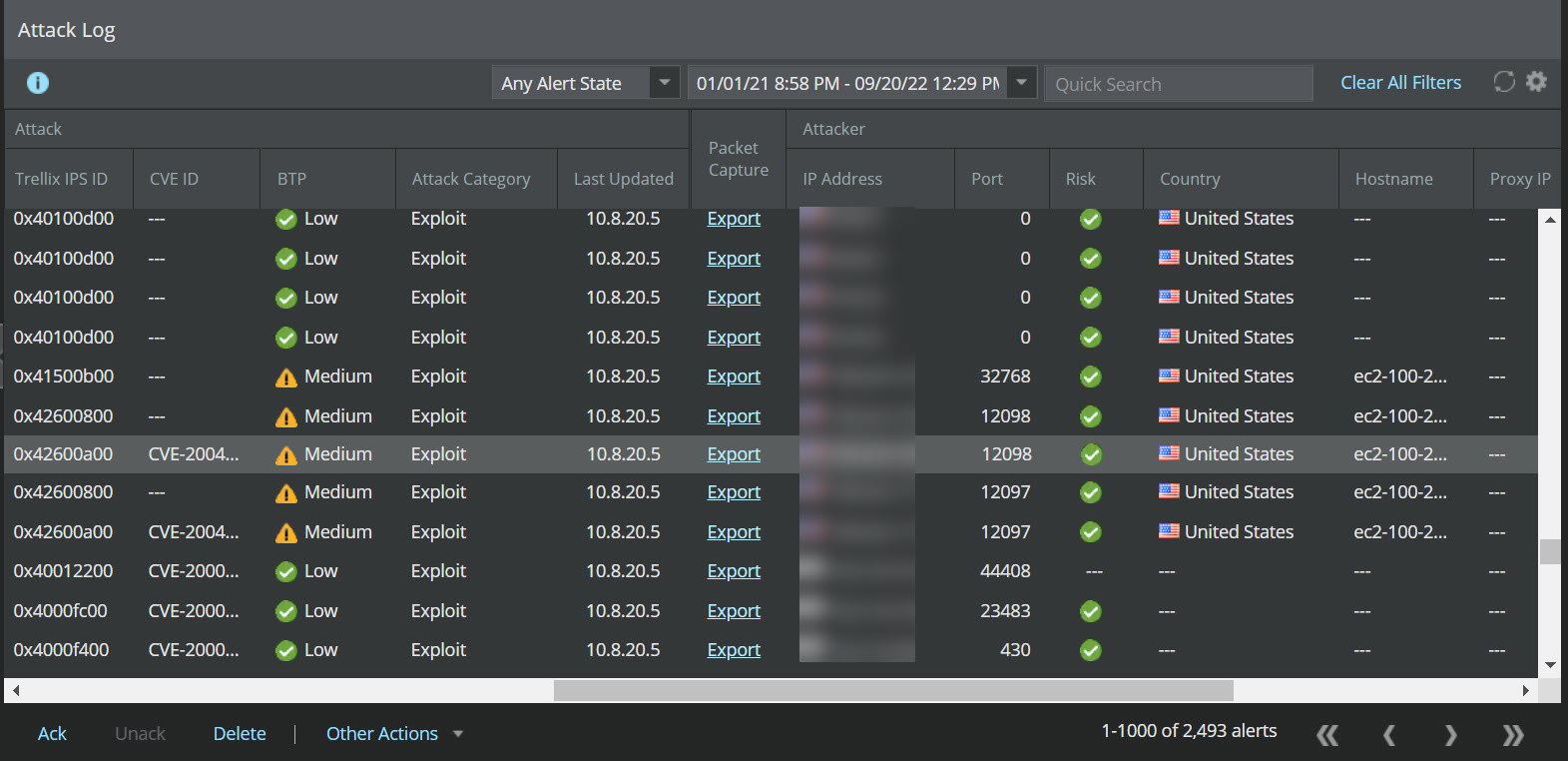
-
Double-click the alert.
The alert details panel opens.
Proxy server in the alert details panel 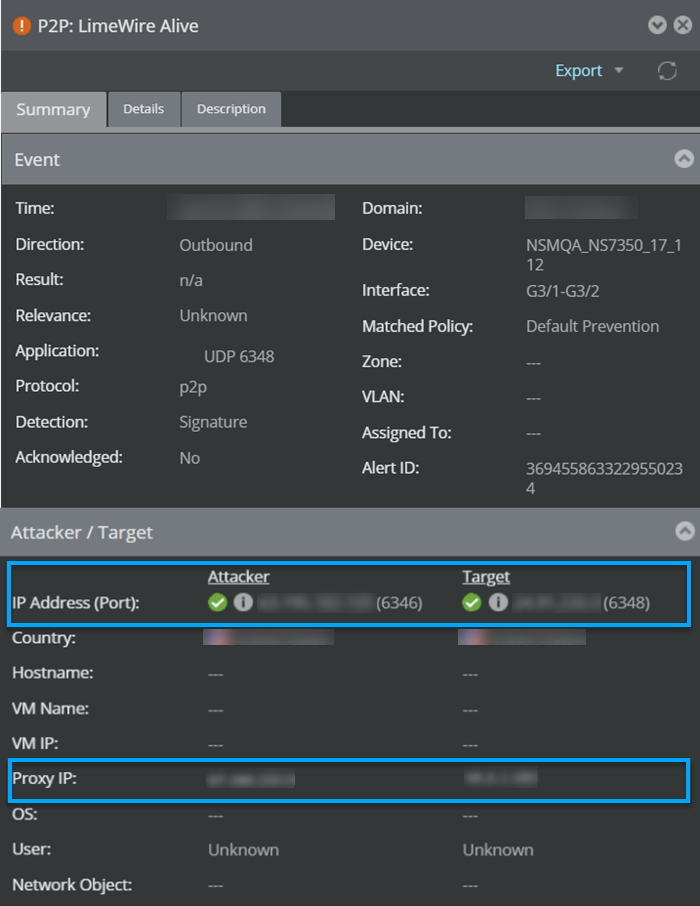
- In the Attack Log page, you will find the IP address listed in the Proxy IP column under the Attacker and Target columns.
- The Proxy IP displays the proxy server IP address.