To view summary details of the Manager, do the following:
In the Manager, select Manager → <Root Admin Domain Name> → Summary.
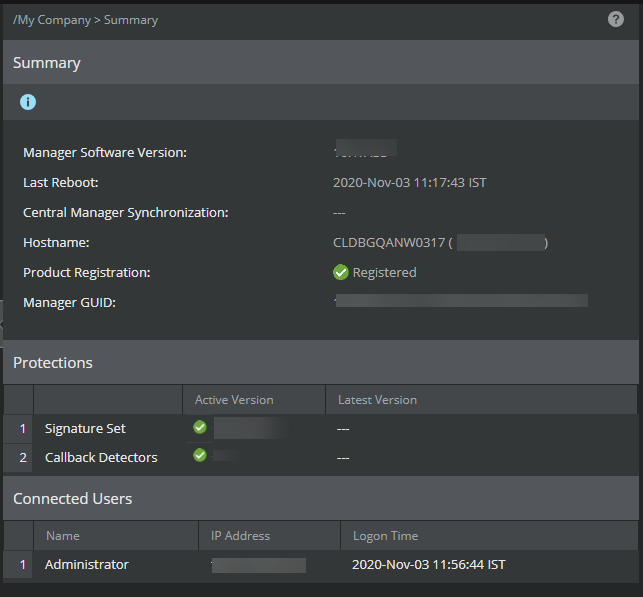
The Summary page displays.
| Status | Description |
|---|---|
| Manager Software Version | Displays the current Manager software version. |
| Last Reboot | Specifies the most recent time the Manager service was started |
| Central Manager Synchronization | Displays the synchronization status of the Central Manager with the Manager. |
| Host Name | Displays host name and IP address of the Manager server (if host name is not available, only the IP is displayed) |
| Manager GUID | Displays the unique identifier of the Manager server |
| Product Registration | Displays if the Manager is registered with Trellix or not. |
| Protections | Displays the signature set and callback detectors information. |
| Signature Set | Displays the active Signature Set version available in Manager and the latest Signature Set version available for download |
| Callback Detectors | Displays the active Callback Detectors version available in Manager and the latest Callback Detectors version available for download |
| Connected Users | Displays the current open Manager user sessions information. |
| Name | Displays the user of the Manager session. |
| IP Address | Displays the client machine IP address used to access the Manager. |
| Logon Time | Displays the start time stamp of the Manager session. |
| Register Product | Allows you to register the Manager with
Trellix.
|