Use this file to discover all available pages before exploring further.
The new docs.trellix.com features a modernized UI and AI-powered conversational search. Content is currently available in English, with additional languages launching in early November 2026. We hope you enjoy the updated experience.
Press CTRL+K to open search
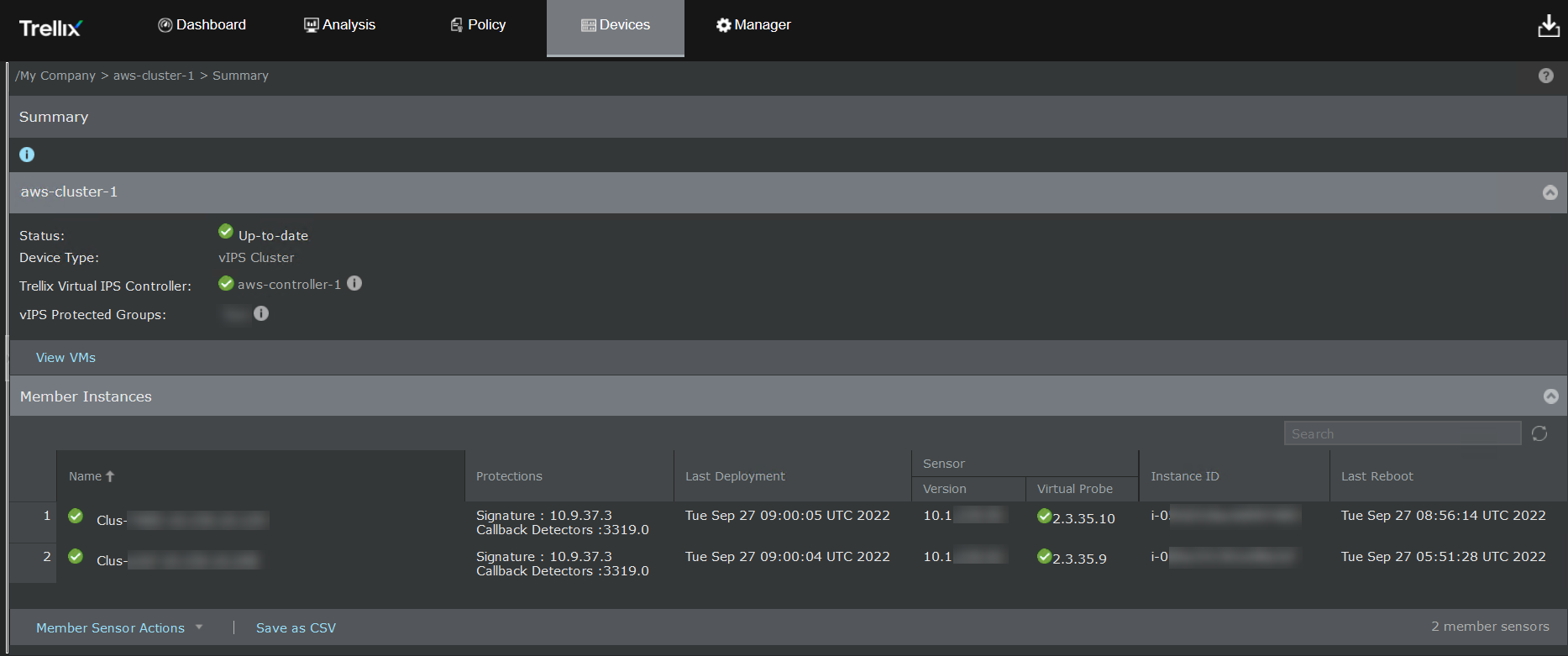
View the Virtual IPS Sensors launched in a Cluster
You can view the health of the vIPS Sensor cluster in the
Health Check section in Manager. The list of active and inactive Sensors is available in the
Summary page of the Manager as either
Connected or
Disconnected. You can view the Virtual IPS Sensors launched in a Cluster under
Devices → <Admin Domain Name> → Devices → Summary. The Sensor details are displayed in the
Member Instances section. Hovering over the colored icon displays the status of the Sensor.