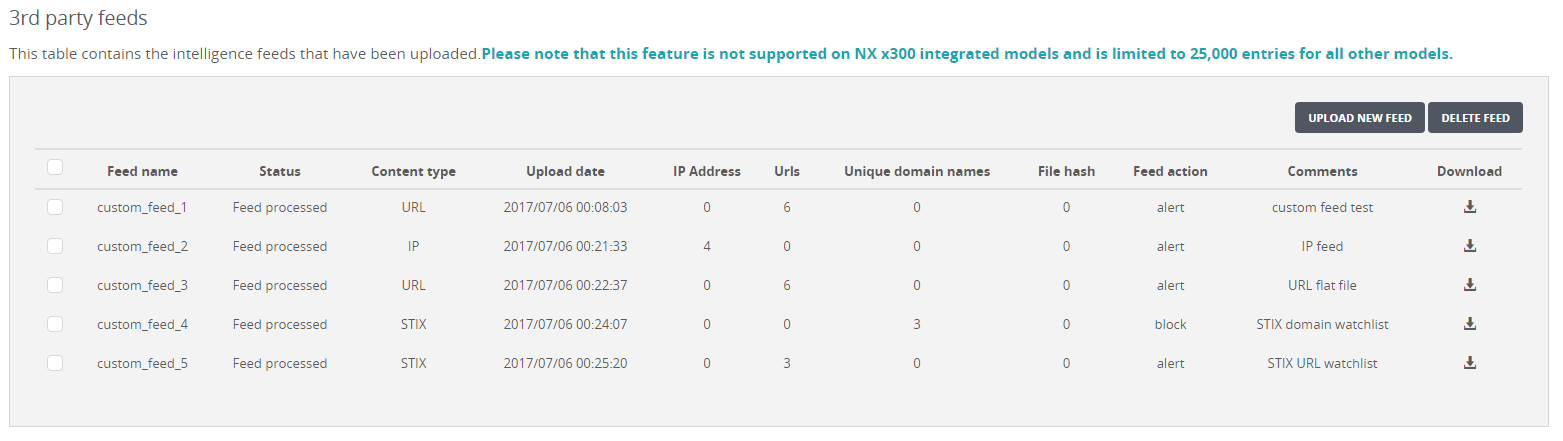
In the following example of the Appliance Settings: Third Party Feeds page, the managed Network Security appliance contains five custom feeds.
To view custom feed details:
In the Web UI, choose Settings > Appliance Settings.
Select the managed Network Security appliance and then select 3rd Party Feeds.
The page lists the custom feeds that are uploaded.
In the table, view the details of each type of custom blacklist entry that was configured for a custom feed.