In the Alerts > Riskware page of a Network Security appliance, you can drill down to identify the matched alerts that are detected as nonmalicious for a riskware event. The total number of riskware alert entries that include PUP, PUA, adware, or a particular program as the name of the signature detected by the MVX engine are categorized and tracked on the Riskware page.
The Network Security appliance supports three types of riskware alerts—Riskware Object, Riskware Callback, and Riskware Infection. A Riskware Object alert indicates that the endpoint (desktop, laptop, tablet, server, or other computer asset) downloaded known riskware. A Riskware Callback alert indicates that the endpoint is sending confirmed callback traffic to a command-and-control server. This alert occurs if a riskware object was downloaded and launched on an endpoint. A Riskware Infection indicates that a Web browser has initiated an outbound connection to a malicious (usually external) website.
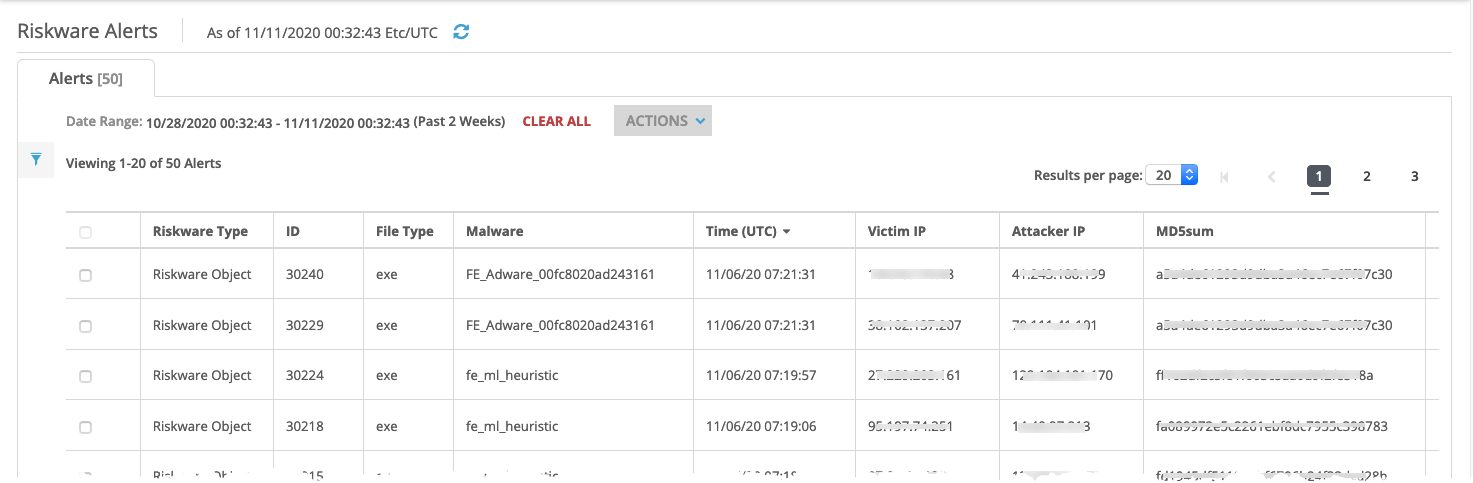
The following example displays riskware alert entries in the Riskware page.
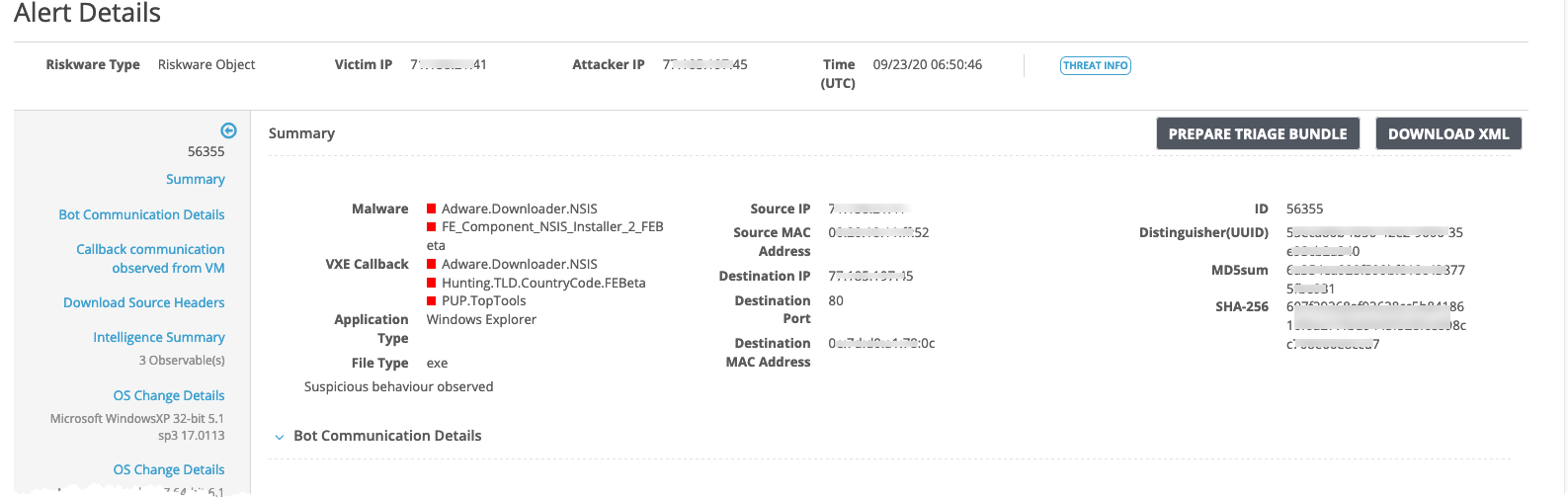
From the Riskware page, you can drill down to the Alert Details page. The following example displays the drill-down details of a particular non-malicious alert for a riskware object.
Prerequisites
Admin or Operator access to the Network Security appliance