Task
- Select Manager → <Admin Domain Name> → Setup → GUI Access → LDAP Authentication.
-
Click
.png) .
The Add an LDAP Server page is displayed.
.
The Add an LDAP Server page is displayed.Add an LDAP server 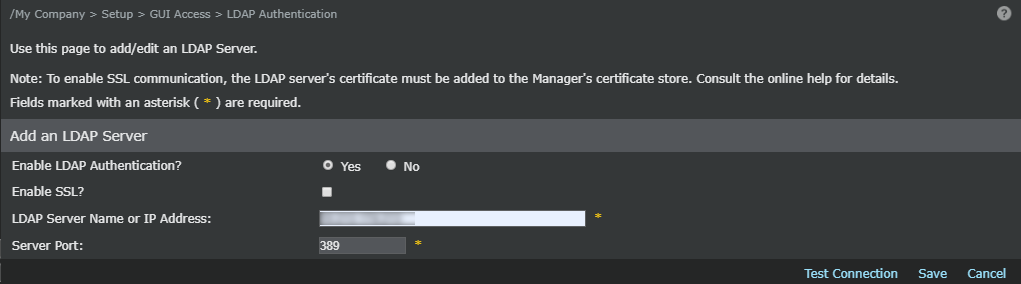
-
Update the following fields to complete adding a new LDAP server:
Option Definition Enable LDAP Authentication? Select Yes to continue adding the LDAP server. Enable SSL? Not applicable when not using SSL. LDAP Server Name or IP Address Type the LDAP server IPv4 or IPv6 address. Caution
Only use a valid server name, since Trellix IPS does not check to see if the names are valid. A valid server name is the name of the host on which LDAP server is configured.
Server Port Type the port number between 0 and 65535. Default port is 389. Test Connection (Optional) Click to verify that the Manager can connect to the LDAP server. Save Click to save the changes. Cancel Click to cancel the changes and exit.