You can add comments to a row of Audit Viewer data.
To add a comment to a row of Audit Viewer data:
Review an acquisition in the Audit Viewer. See Viewing the acquisition data .
Make sure the data to which you want to add comments is visible in the grid. See Selecting data to review .
Select a row in the Audit Viewer grid.
Click the open detail pane button (
 ) in the upper right corner of the Audit Viewer page.
Locate the Tag and Comment section at the bottom of the Details tab in the detail pane.
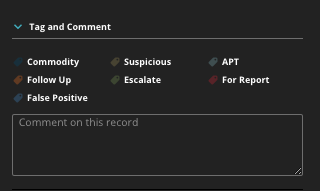
Enter your comment for the selected row in the comment box.