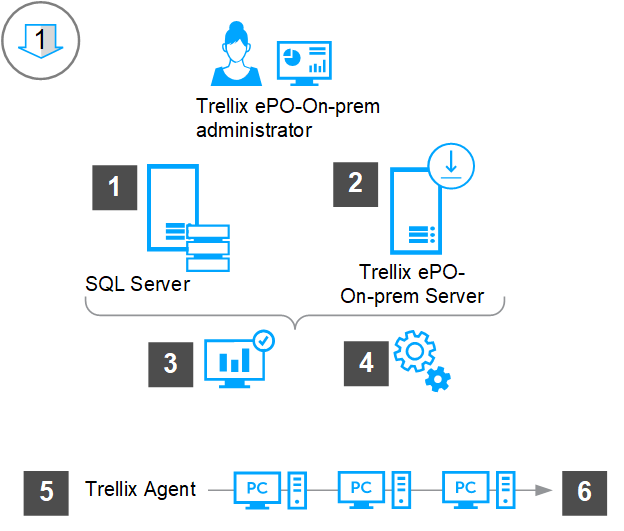
Before you can install ePO - On-prem software for the first time, you must ensure your SQL Server software is configured for TCP/IP access and install a supported operating system on the ePO - On-prem server.
Ensure your SQL Server is configured for TCP/IP access.
Download and extract the ePO - On-prem software from https://www.trellix.com/en-us/downloads/my-products.html or the Trellix download site using a grant number.
Verify the latest Microsoft updates are running on the SQL Server and the ePO - On-prem server.
Run the setup utility on the ePO - On-prem server to install ePO - On-prem. As part of the installation process the ePO - On-prem Pre-Installation Auditor checks for compliance issues.
Choose a deployment method to deploy Trellix Agent.
Confirm that systems are managed by ensuring that Trellix Agent can successfully connect to ePO - On-prem.