Before you begin
Perform the following steps to install the fail-open switch modules 6 thru 10 in the fail-open chassis (model 11). You can install up to four fail-open switches in a single chassis. If you are installing fail-open switch model 1, refer to the section, 1. (Models 1 thru 13) Install the fail-open switch.
Task
-
Install the ears of the chassis.
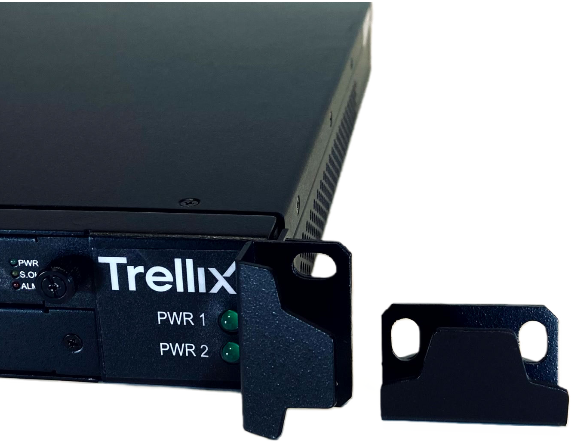
- Slide the switch into one of the openings in the chassis, until the faceplate of the switch rests against the chassis.
- Secure the switch to the chassis by inserting screws provided through the holes on the fail-open switch faceplate and into the panel.
- Place the 1U chassis against the front of a standard 19-inch rack.
- Secure the chassis by inserting screws through holes on ears of the chassis.
-
(Optional) Install up to three additional switches by following these steps:
- Remove screws holding each of the removable blank plates from the front of the chassis.
- Perform steps 2 and 3 for installing a switch in the chassis for additional fail-open switches.