Perform the following steps to add a syslog server.
Steps:
Login to the web interface.
Go to, System → General → Log Server.
Enter the syslog server IP and click Add.
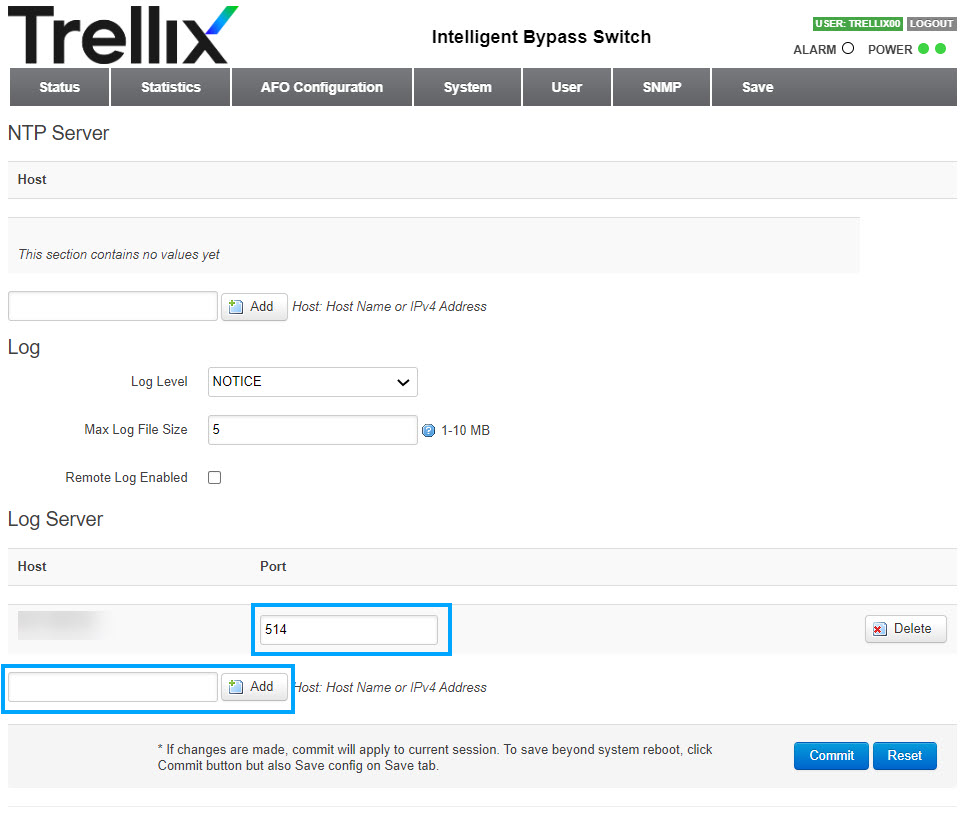
By default, the port is 514.
Under Log Level, select Notice from the drop-down list.
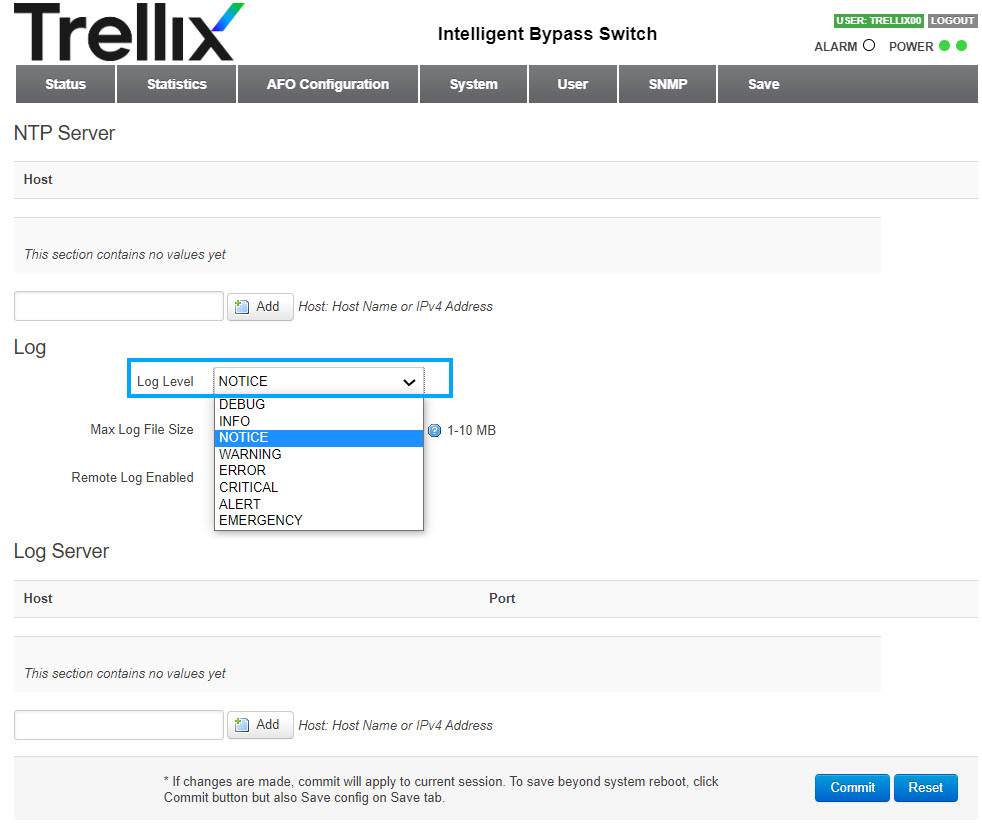
Click Commit.
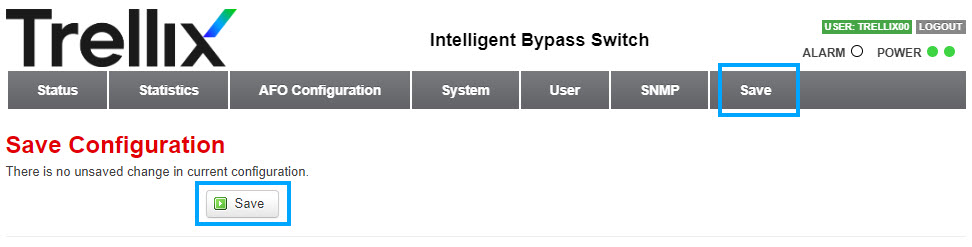
To save your configuration, select the Save tab.
Click Save.
Result: You have added a Syslog server to log different types of events occurring in the Active Fail-Open kit.