Perform the following steps to configure a RADIUS user.
Steps:
Login to the web interface.
Go to User → RADIUS.
Click Enable.
Note
When RADIUS is enabled, TACACS+ cannot be enabled at the same time.
Note
By default, the Local Login is enabled. But, if the Local Login is unchecked, the local login users (including the default Trellix user) will not have access to the Active Fail-Open chassis.
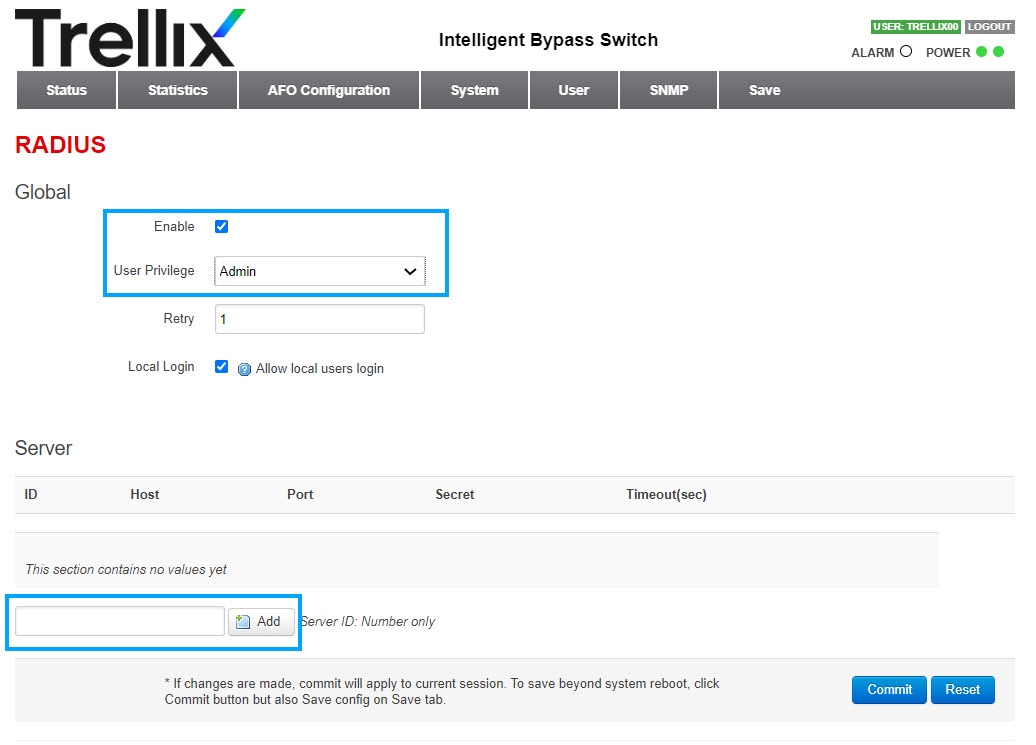
Under User Privilege, select Readonly/Normal/Admin from the drop-down list.
Under Server, enter a RADIUS server ID (For example, Server ID: 1).
Click Add.
A new server ID row is added.
Enter the Host (Radius server IP), Secret (Password), and the Timeout(sec).
Note
The password should have a minimum of 8 characters and a maximum of 128 characters.
The RADIUS server IP cannot be repeated. Only when the authentication port is different, the server IP can be repeated.
By default, the authentication port is 1812.
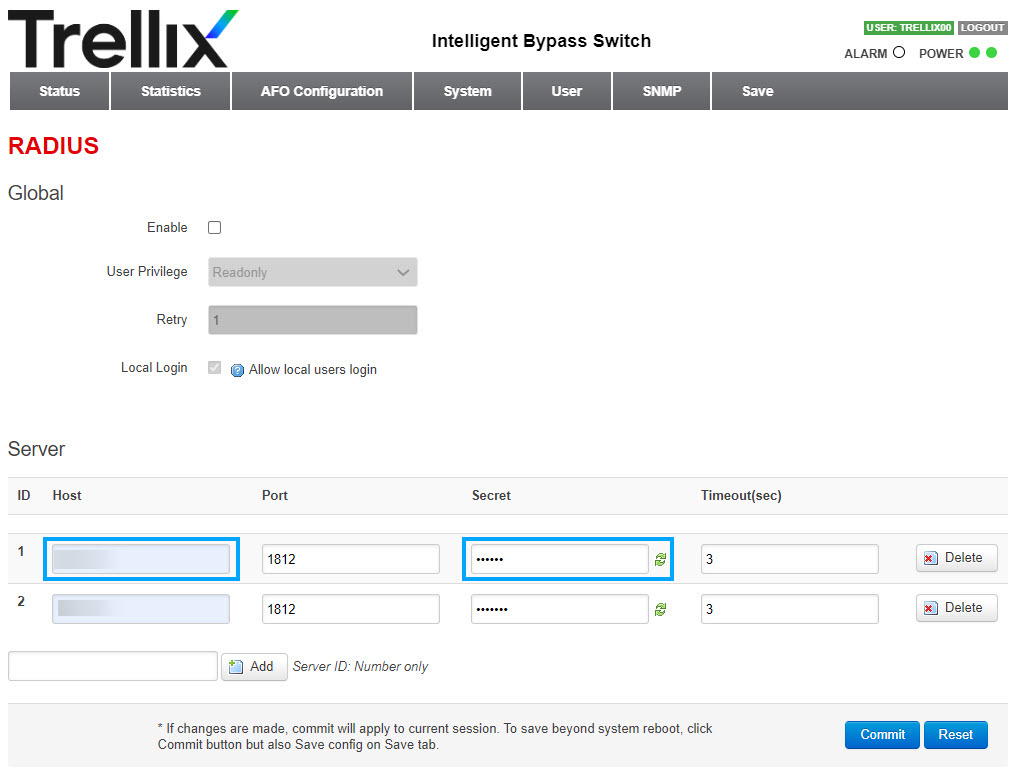
Click Commit.
To save your configuration, select the Save tab.
Click Save.
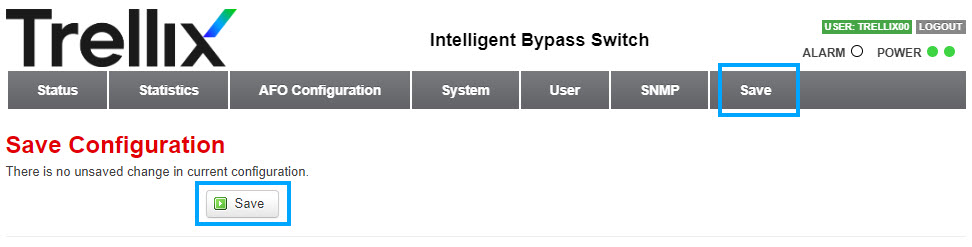
Result: RADIUS user is configured successfully.