Task
-
Select
Policy → <Admin Domain Name> → Intrusion Prevention → Objects → Rule Objects.
Rule objects for the selected admin domain are listed.
Rule Objects page 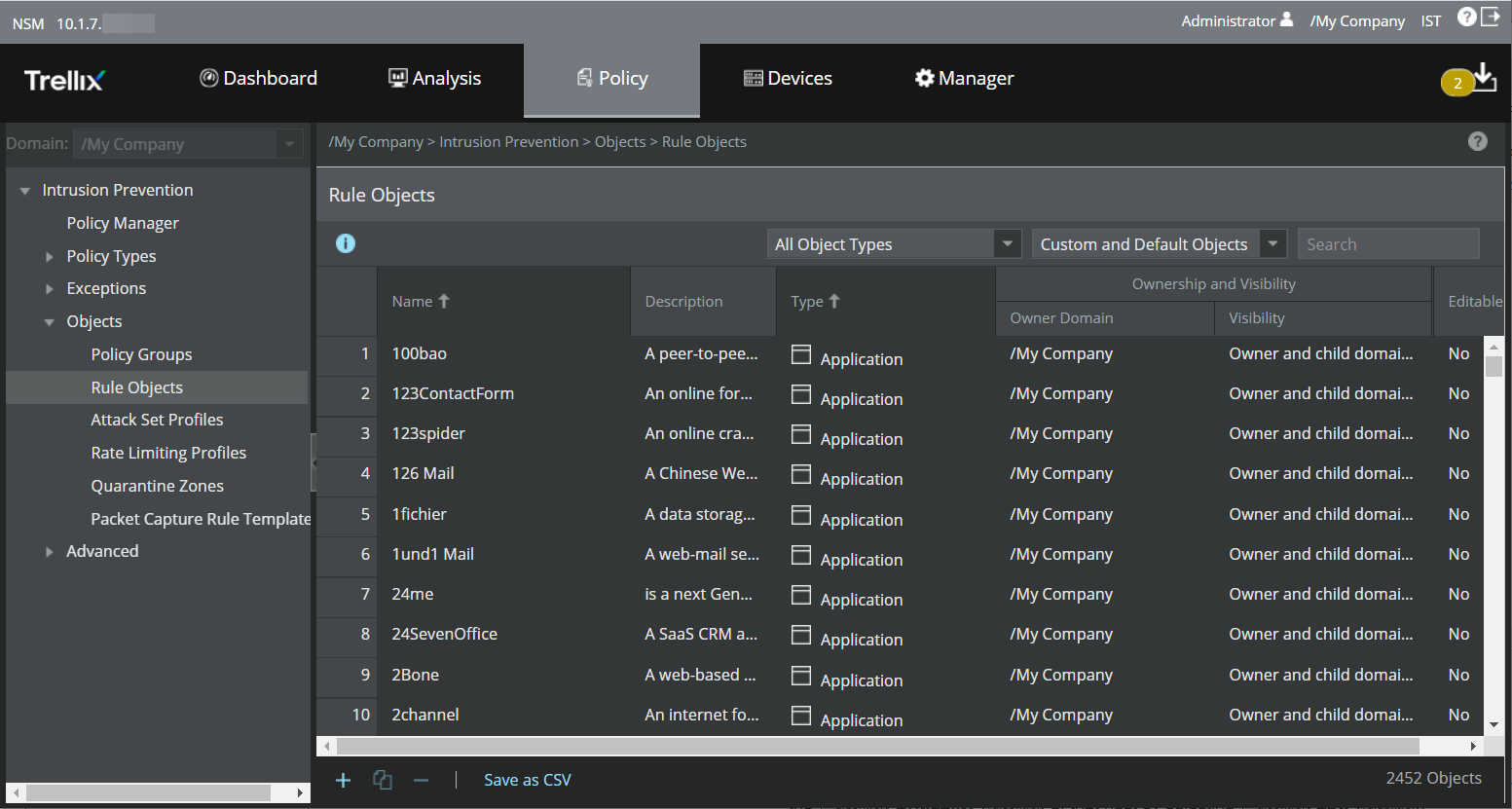
-
Click
.png) . This displays two tabs, namely the
Properties tab and the
Rule Members tab.
. This displays two tabs, namely the
Properties tab and the
Rule Members tab.
Note
An additional tab named Adaptive (Ignore Rules only) appears while adding IPv4 and IPv6 based rule objects.
Selecting Criticality for each of your assets 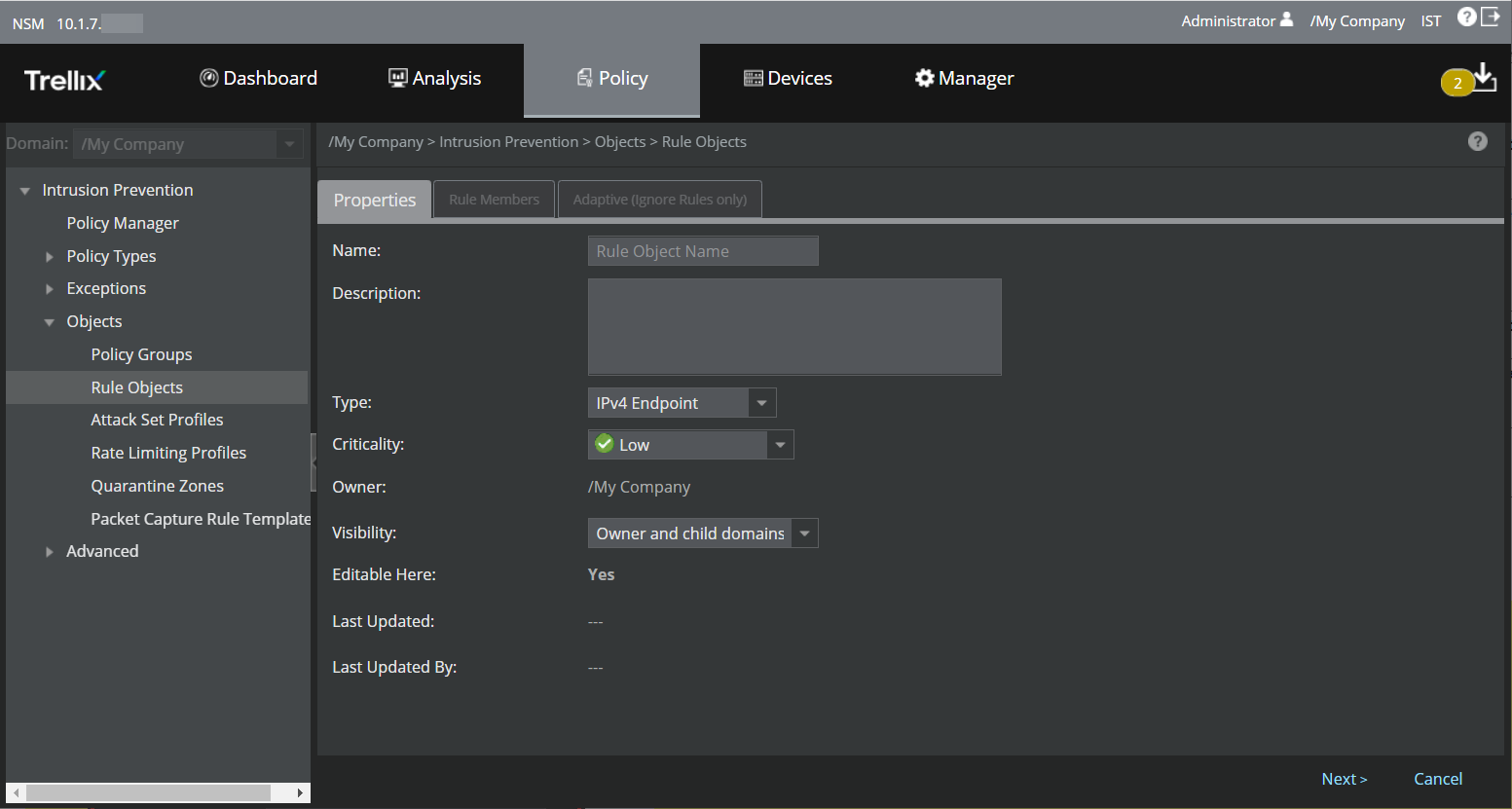
The following table describes the options in the Properties tab that are common to all rule objects.
Option Definition Name Enter a unique name to easily identify the rule object. Description Enter the description for the rule object. Type From the drop-down list, select the type of rule object you want to create. For information on a specific object type, refer to the corresponding sub-section.
Criticality [Optional] If you have chosen rule object type as IPv4 Endpoint or IPv6 Endpoint, you can specify the Criticality of that host by selecting Low, Medium or High from the drop-down list. By default, criticality is Low. Determining criticality of a host enables you to categorize all IPv4 Endpoint and IPv6 Endpoint addresses based on their importance to your organization. Owner Indicates the admin domain to which a rule object belongs. All the default rule objects belong to the root admin domain. Visibility From the drop-down list, select the option for the visibility level of the rule object. The available options are Owner and child domains and Owner domain only. Editable Here Yes indicates that the rule object is a custom rule object belonging to the current admin domain. If it is No, you cannot edit the rule object because it is a default rule object or a custom rule object defined at a parent admin domain. Last Updated Displays the date and time when a rule object was last updated Last Updated By Displays the user who modified a rule object Once you assign criticality to a rule object and an alert involving it is raised, the criticality that you assigned shows up under specific columns in Attack Log. These columns are labeled Attacker Risk and Target Risk. Attacker Hostname and Target Hostname displays the names of the rule object.Display of attacker risk 
- Enter the rule object options based on rule object you have selected in the Type drop-down list. For information on the subsequent steps to add a rule object, refer to the corresponding sub-sections.