To assign the license to the Sensor, perform the following steps:
Go to Manager → <Admin Domain Name> → Setup → Licenses.
Click the System tab.
Select the required license from the list and click Assign.
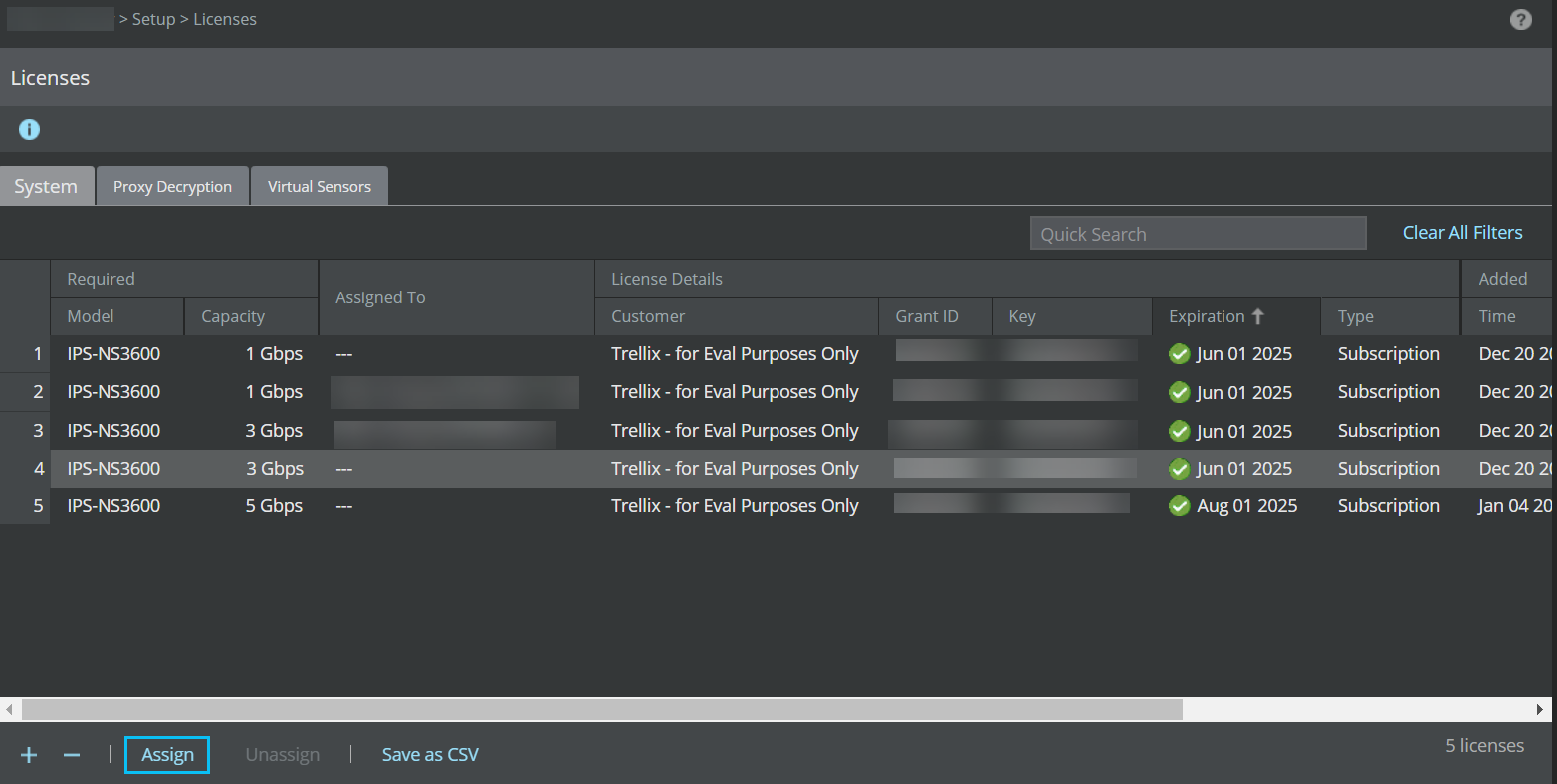
The Assign License pop-up window opens.
Click the Assign To drop-down and select the Sensor.
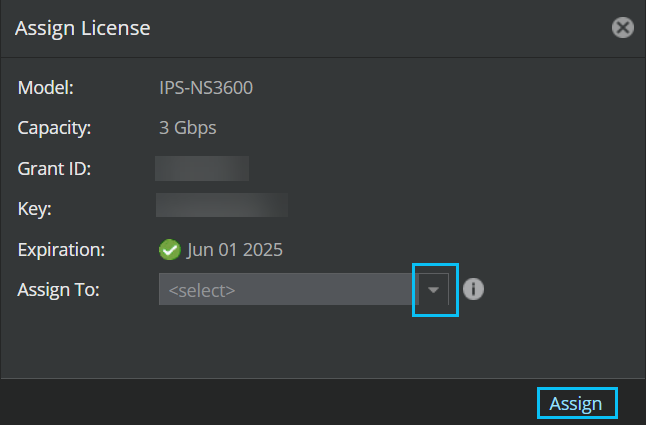
Click Assign to assign the license to the Sensor.
Make sure to reboot the Sensor when the capacity of the license is changed.