Before you begin
To assign tags from the Manager, make sure you have enabled the Enable Endpoint Tagging? checkbox in the ePO Integration page in the Manager.
You are able to assign tags to endpoints managed by Trellix ePO - On-prem through the Threat Explorer of the Manager. These assignments reflect in Trellix ePO - On-prem in real-time.
Task
Go to Analysis → <Admin Domain Name> → Threat Explorer.
Note
You must select a domain in which integration with Trellix ePO - On-prem is enabled. The integration must also have endpoint tagging enabled in the Manager.
Click an IP address from the Top Attackers or Top Targets panel.
Details about the IP address appear.
Endpoint Information tab
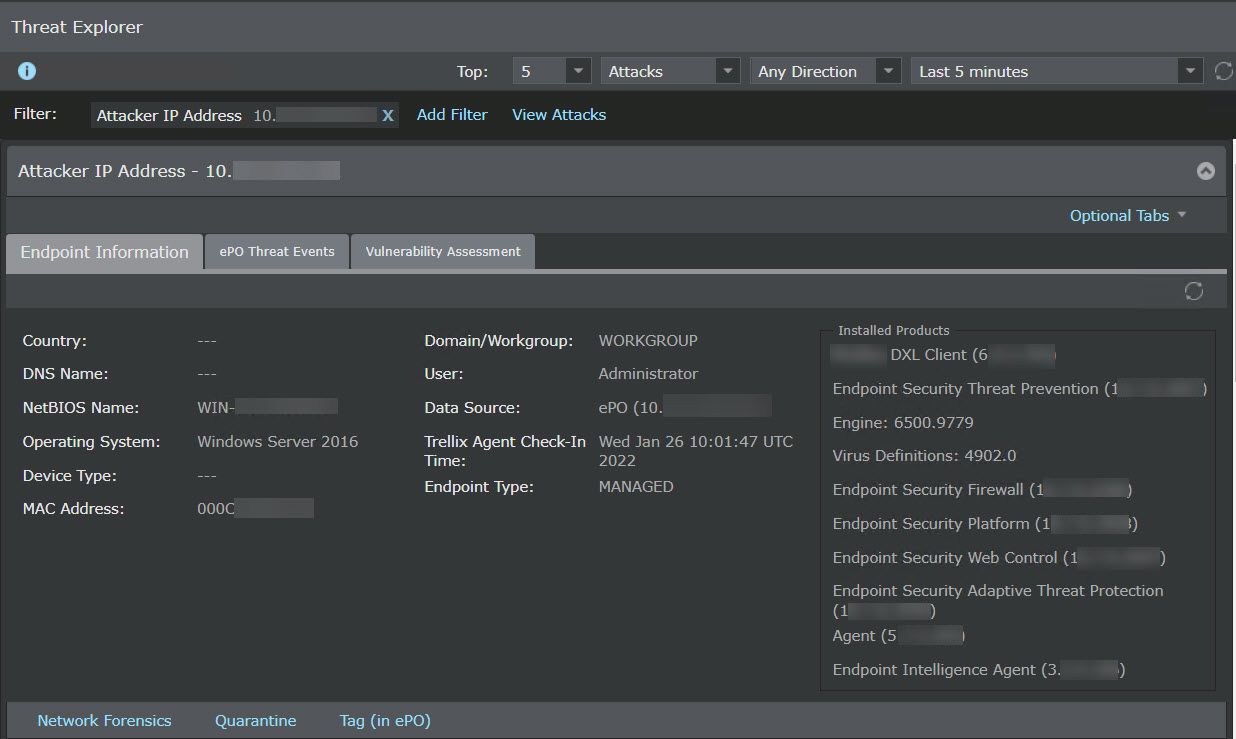
Within the Endpoint Information tab, look for the Endpoint Type.
You are able to assign tags only to endpoints that denote the Endpoint Type as MANAGED, which means that that endpoint is managed by Trellix ePO - On-prem using the Trellix Agent.
If the endpoint is managed, click the Tag (in ePO) button.
The Tag Endpoint pop-up window appears with the IP address of the endpoint that you are about to tag, the ePO server that you have integrated with, and a drop-down list of tags you can assign. These tags are created in Trellix ePO - On-prem.
Drop-down contains the list of tags created in Trellix ePO - On-prem
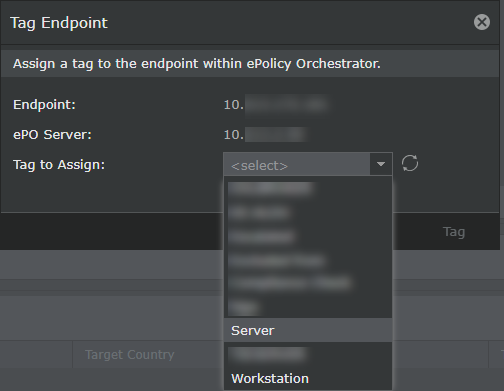
Select the tag you want to assign and click Tag.
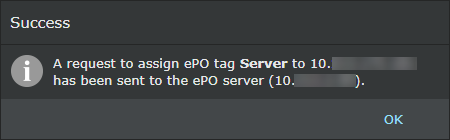
If the assignment is successful, you receive a message stating the same.
Tagging successful
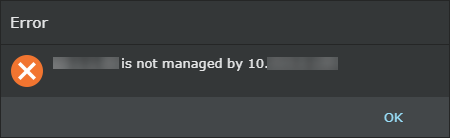
If you have selected an unmanaged endpoint or the tagging is unsuccessful for another reason, you receive a message stating the failure.
Tagging fails when the endpoint is not managed by Trellix ePO - On-prem
Results
The tag is assigned to the endpoint. You will be able to view it in Trellix ePO - On-prem. To see the steps you need to follow to view the tags, see View tags in Trellix ePO - On-prem.