This procedure describes how to cable a Sensor to run in In-line mode.
Plug the cable appropriate for use with your transceiver module into one of the Monitoring ports labeled x (for example, 1).
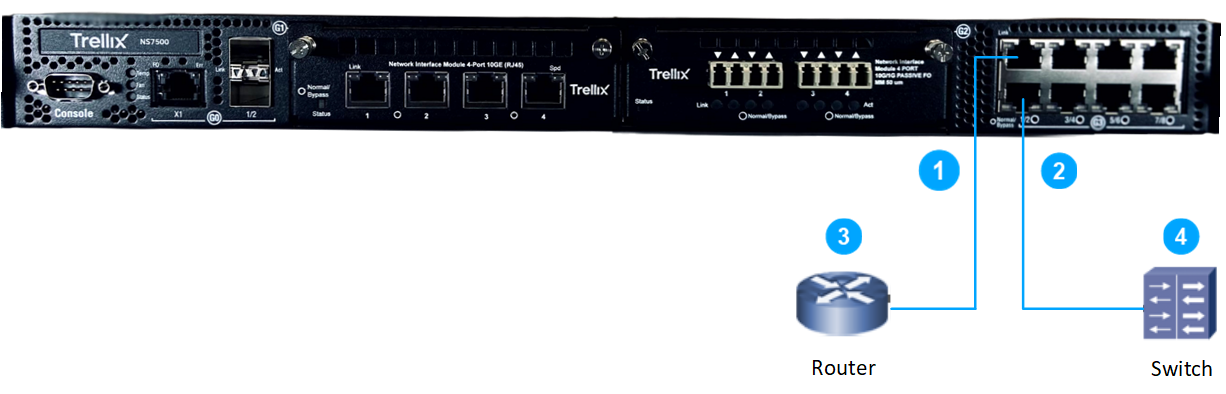
Plug the cable appropriate for use with your transceiver module into one of the Monitoring ports labeled y (for example, 2).
Connect the other end of each cable to the network devices that you want to monitor. For example, if you plan to monitor traffic between a switch and a router, connect the cable connected to 1 to the router (3) and the one connected to 2 to the switch (4).