Follow these steps to use the Web UI to override only the actions of selected alert policy exceptions.
Prerequisites
Admin or Operator access to the appliance.
To override only the actions of selected alert policy exceptions:
Choose Settings > Alert Policy Exceptions.
Select the alert policy exceptions you want to edit.
For each selected policy exception, select the Action field and choose a different override action:
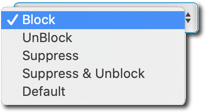
For more information, see Alert policy exception actions.
Click Update.