When deploying your Gigabit Ethernet ports in Inline Fail Open mode, you must verify cable connections and status of the optical bypass switch and compact flash controller required for this functionality.
Note
Fail-open operation for GE ports requires use of the optional Bypass Switch provided in the Gigabit Fail-Open Bypass Kits (sold separately).
Tip
For more information on steps on how to properly connect your Sensor for GE Inline Fail-Open functionality, see Trellix Intrusion Prevention System Installation Guide.
When configuring Gigabit Ethernet ports in Inline Fail Open mode, you must answer the following prompts:
- Confirmation 1: bypass connection confirmation. Confirm whether (Yes) or not (No) you have already connected the required bypass switch and compact flash controller.
- Confirmation 2: handling of TCP flow violations. Confirm whether you want to permit (Yes) or drop (No) violating packets.
- Verify Configuration: bypass switch status verification. Next to the operating
Mode field, check the status of the port pair as well as the bypass switch (Switch). Refer to the table below for status fields.
Verify configuration 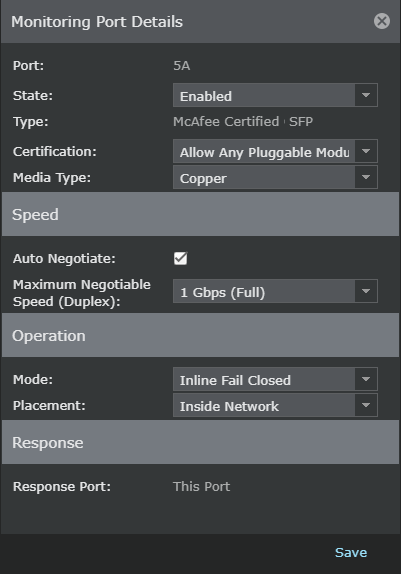
Note
Fail-open operation for GE ports requires use of the optional Bypass Switch provided in the Gigabit Fail-Open Bypass Kits. You should not select the Inline Fail Open option if the optional external Bypass Switch is not present.
- Verify Status on Virtual Device: fail-open status verification. Once you have configured a GE port pair for fail-open functionality, view the current status under each applicable port pair on the virtual device.
Note
The fail-open status on the virtual device is only seen when inline fail-open mode has been configured.
Verify status 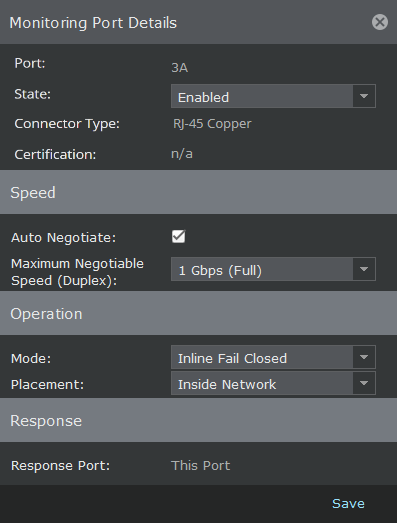
The port status and operating mode status for GE Inline fail-open mode are detailed as follow:
| Inline fail-open port status | Operating mode status |
|---|---|
| Inline Fail Open | The inline fail-open device is in inline fail-open mode. |
| Inline Bypass | The inline fail-open device is in inline bypass mode. The bypass switch has been activated. The device does not monitor during this time. |
| Unknown | Unable to get the status of the inline fail-open device from device. Check the System Faults. |
| Switch Absent | Fail-open controller is not present, controller cable is not present, or optical bypass switch is not present. Verify that all three components are connected properly. If everything is connected correctly, check the System Faults. |
| N/A | Not Applicable; the operating mode is not in inline fail-open mode. |