You can enable URL Reputation at the interface level of a Sensor. At the interface level, you can inherit the settings from the admin domain or customize it for the interface.
Task
- In the Manager, select Policy → <Admin Domain Name> → Intrusion Prevention → Policy Manager.
-
Double-click the interface for which you want to configure URL Reputation.
A <Device Name/Interface> panel appears for the selected interface.
-
In the
Inspection Options section of the
<Device Name/Interface> panel, select a policy from the
Policy drop-down list.
To create a new policy, click the
.png) icon or double click on the policy to edit an already assigned policy.
icon or double click on the policy to edit an already assigned policy.
-
Click the
icon.
The Properties tab for a new policy appears.
-
Enter the
Name and
Description, select the
Visibility, and click
Next.
The page shifts to open the Inspection Options tab.
- Click the GTI Reputation Services tab.
-
Click the
URL tab.
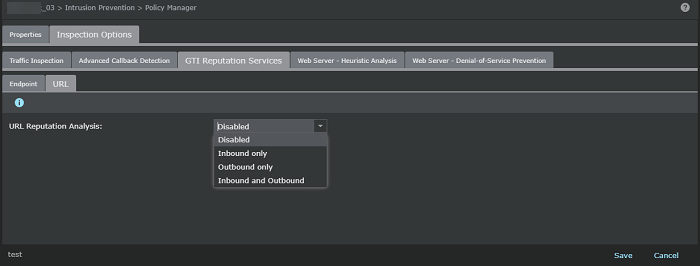
-
Enable
URL Reputation Anaysis in the required direction.
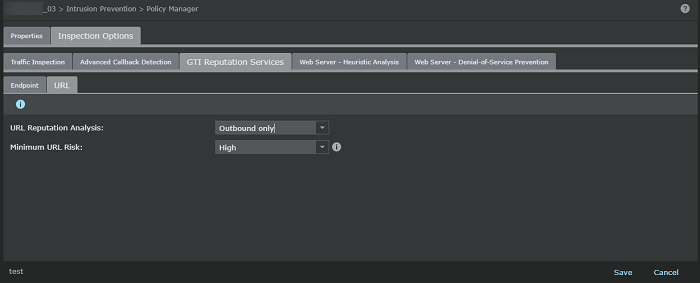
- Select the required risk level for the URL Reputation.
- Click Save in the <Device Name/Interface> panel to save the configuration changes.
- Do a configuration update for the corresponding Sensor.