Several packet search protocol instances are provided with Trellix IPS. You can create a packet search protocol instance. These applications use protocols that are neither defined by an RFC nor by any Trellix-defined protocol specification.
Task
-
In the Custom Attack Editor, select
Other Actions → Manage Grepping Protocols.
The Manage Grepping Protocols dialog box opens.
- Go to Custom tab.
-
Type a name. This name is listed in the "Select Protocol" step during signature creation.
Type a verbose name. This name is for reference purposes.
- Select the transport protocol as either TCP or UDP.
-
Type a port number in the
Ports field, then click
Add. Repeat for multiple port numbers.
Note
You cannot add a port number that is already used by a defined protocol, such as 21 (FTP) or 80 (HTTP). Also, if you create a packet grep instance for port 888, you cannot create another packet grep instance for that port.
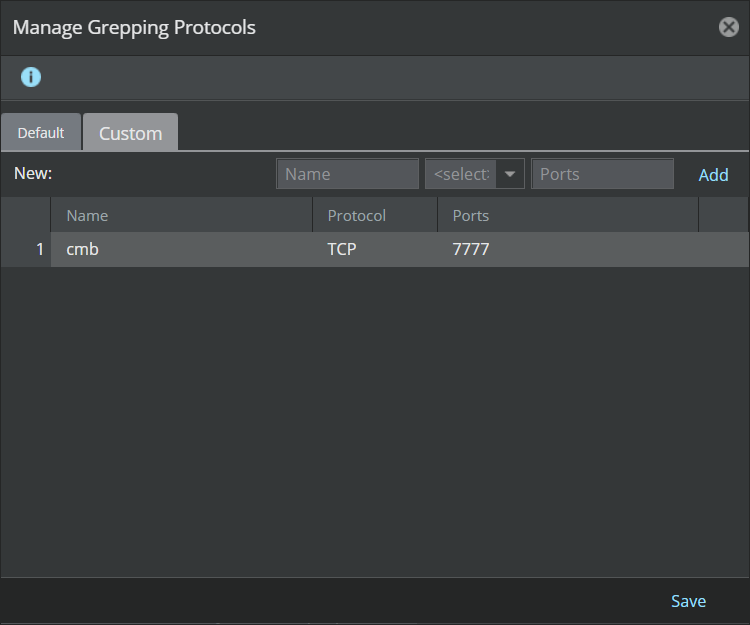
- Click Save when finished.
- Create a new signature instance that utilizes your created packet grep instance.