After you create the attack definition, you create the signature for the attack.
Task
-
In the
New Custom Attack interface, click on the
Signature-<signature name> tab.
New Signature 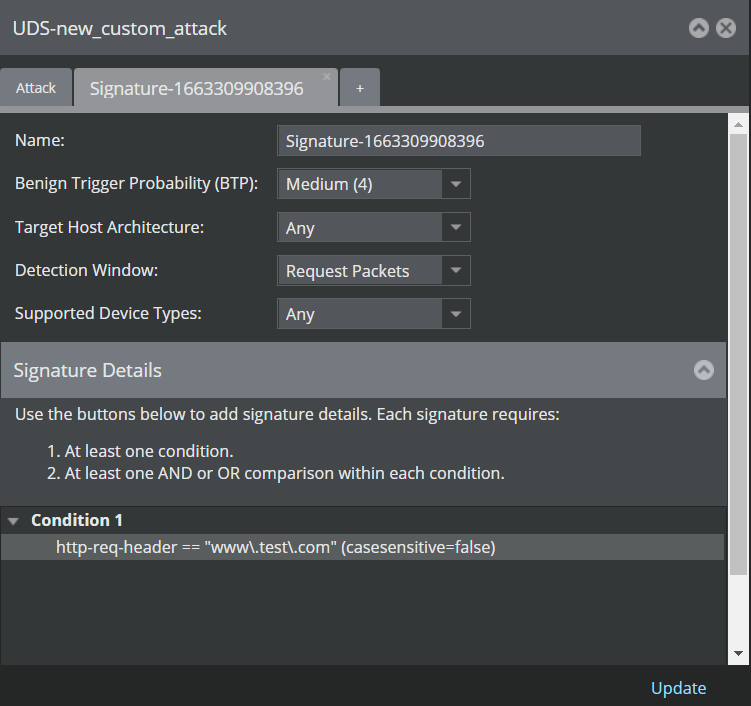
- (Optional) Clear the Signature Name and type a new name for your signature.
- For this example, you can leave the Benign Trigger Probability and Target Host Architecture with the default values.
- For this example select Request Packets as the Detection Window.
- Based on the Sensor model that you plan to use for this example, select the Target Device Type.
- Proceed to add the condition for your signature.