The Devices → <Admin Domain Name> → Global → Device Manager page provides a consolidated view of all devices configured in the Manager such as NS-series Sensors, M-series Sensors, Mxx30 Sensors, Virtual IPS Sensors, and NTBA Appliances. You can view all devices configured in an admin domain including those configured in the child admin domains. The information-rich Device Manager grid view displays general device information, system health and other options such as viewing faults, license assignment to devices etc. from a single page. The Manager also enables you to take actions such as Sensor reboot, shutdown, Sensor CLI password reset, Sensor software upgrade from the Device Manager, delivering a comprehensive view of your deployment as well as unification of key configuration options on a single page.
Device Manager
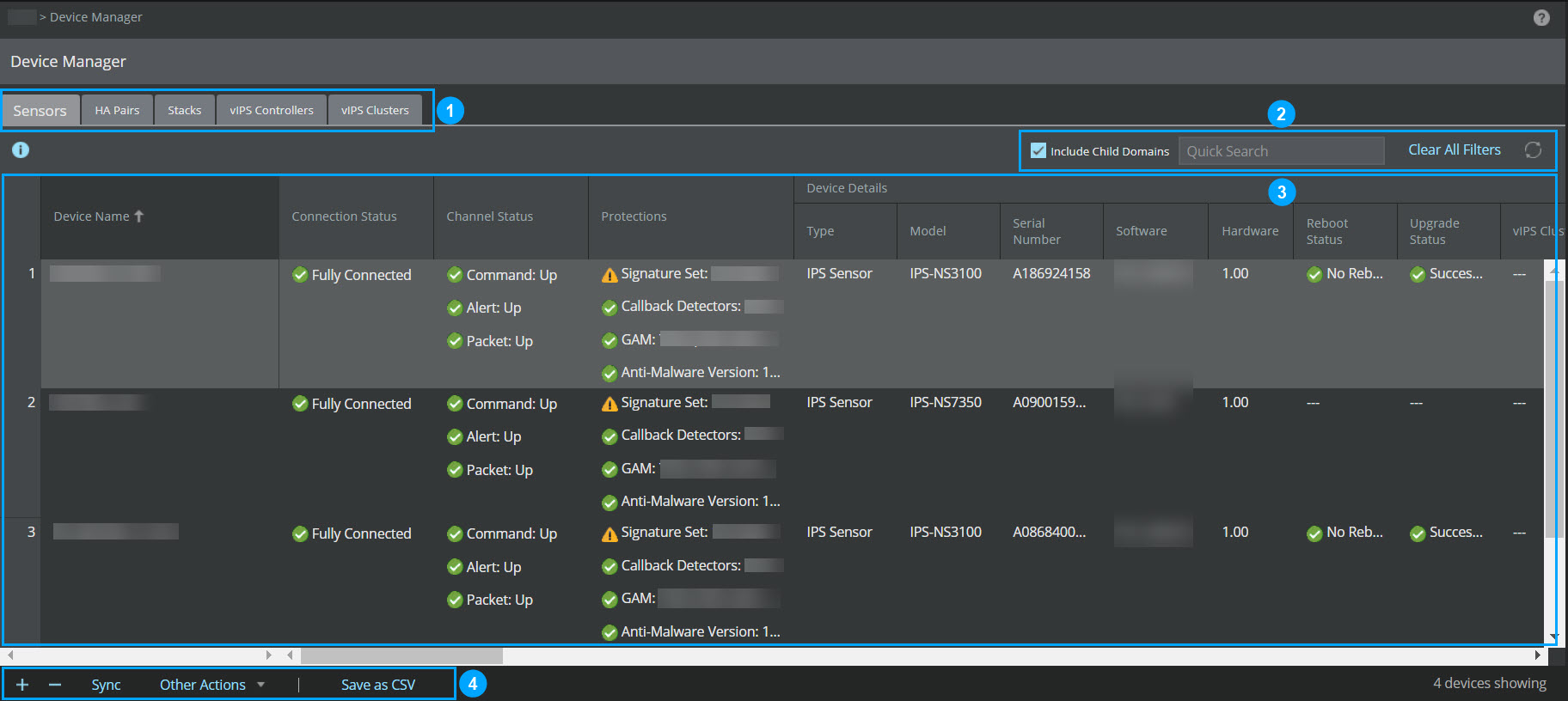
Callout | Description |
|---|---|
1 | Tabs namely, Sensors, HA Pairs, Stacks, vIPS Controllers, and vIPS Clusters.
|
2 | Top-right menu |
3 | Grid view |
4 | Bottom-left menu |
The following options are available in all the tabs of the Device Manager page:
Options | Description |
|---|---|
Top-right menu | |
Quick Search/Search | Enter the keyword in the Quick Search/Search field and the results are automatically displayed. |
| Refreshes the tab. |
Bottom-left menu | |
| Add new devices. For more information, see Add a Sensor to the Manager and Creating a HA Pair. |
| Delete a device. In case of Sensors tab, you can delete a single or multiple devices based on the selection. A Successful/Failed Deletion(s) dialog box displays the status and device details. |
Save as CSV | Downloads the device details for all the devices as a .csv file. |

.jpg)
.jpg)