Before you begin:
If you are operating on an air-gap network, you must contact Trellix Support to access the Offline Portal (OLP) and download Content Updates and Guest Images from the portal.
To download and install the guest image:
Go to CLI configuration mode:
hostname > enable hostname # configure terminal
Install the guest image:
hostname (config) # guest-images download-and-install
View the download progress:
hostname (config) # show guest-images download
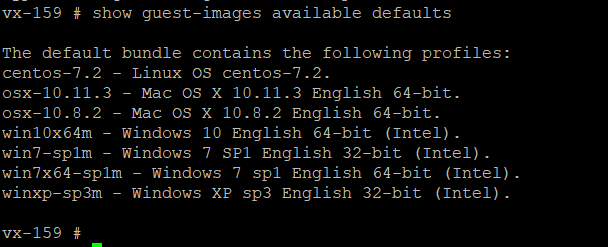
View the list of downloaded guest images:
hostname (config) # show guest-images available default
If your download fails, you must delete the download that is in progress using the guest-images download delete command and restart the download using guest-images download-and-install command.