Follow these steps to edit the rules on a network policy for SSL interception using the Network Security appliance Web UI. You can change the port pair and the action.
Note
You cannot modify the IPv4 or IPv6 address and mask length for the network policy rule. To change the IP address and mask, you must delete the rule and create a new one.
You can edit rules for a network policy only using the Web UI.
In the Web UI, choose Settings > SSL Intercept.
Click CIDR Policy Rules Configuration (optional).
In the table, locate the network policy rule you want to edit.
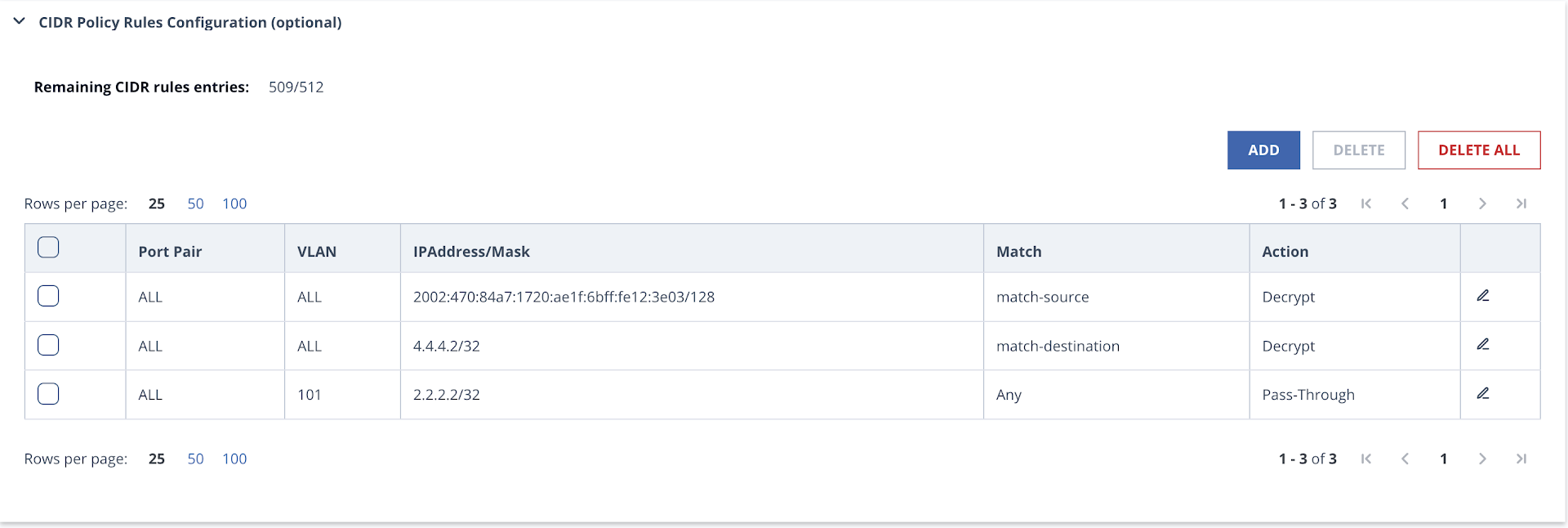
Click the edit icon in the last column.
Click Edit. The Edit Rule window opens.
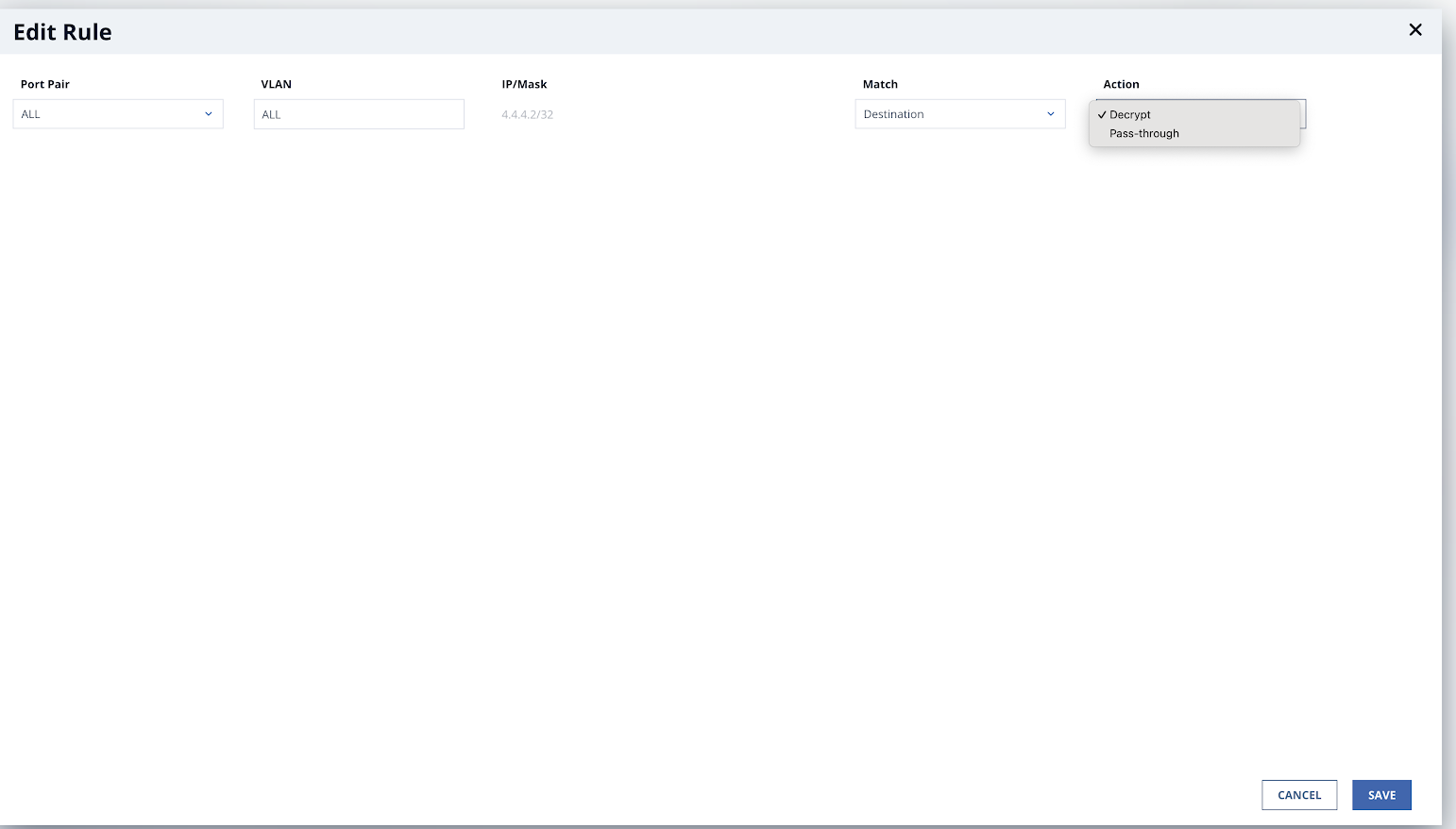
In the Port Pair drop-down list, change the network port pair.
In the Action drop-down list, change the action.
Decrypt
Pass Through
Click Save.
The following message appears:
