You can enable McAfee EIA integration for a particular device or domain at the Device level.
Task
Select Devices → <Admin Domain Name> → Devices → <NTBA Appliance> → Setup → EIA Integration.
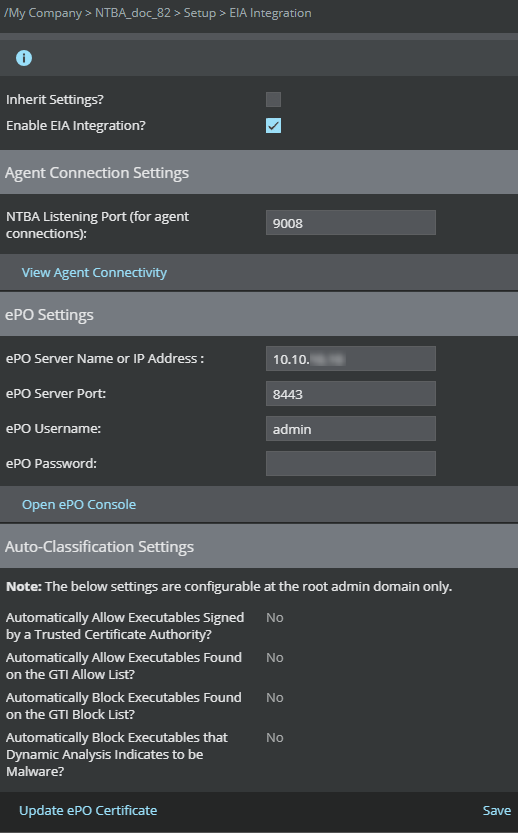
The EIA Integration page is displayed.
Enabling McAfee EIA integration at Device level
Note
If the Inherit Settings checkbox is selected (default), the settings from the Global level for the selected admin domain will be inherited by the device.
Deselect the Inherit Settings checkbox and select the Enable EIA Integration checkbox to configure settings for a particular device.
Follow the procedure as explained in Enable McAfee EIA integration globally to configure McAfee EIA at the device level.