Prerequisites:
Configure an IPv4 address for your 100G Active Fail-Open chassis.
Make sure you can access the 100G Active Fail-Open chassis web interface using a web browser.
You can enable tap mode for your 100G Active Fail-Open chassis if you use a tap to route network traffic to the Sensor monitoring ports.
Steps:
Login to the web interface of the 100G Active Fail-Open chassis.
Use default credentials to access the web interface.
To manage bypass/tap mode manually, go to AFO Configuration → Module <number> → Heartbeat Setting.
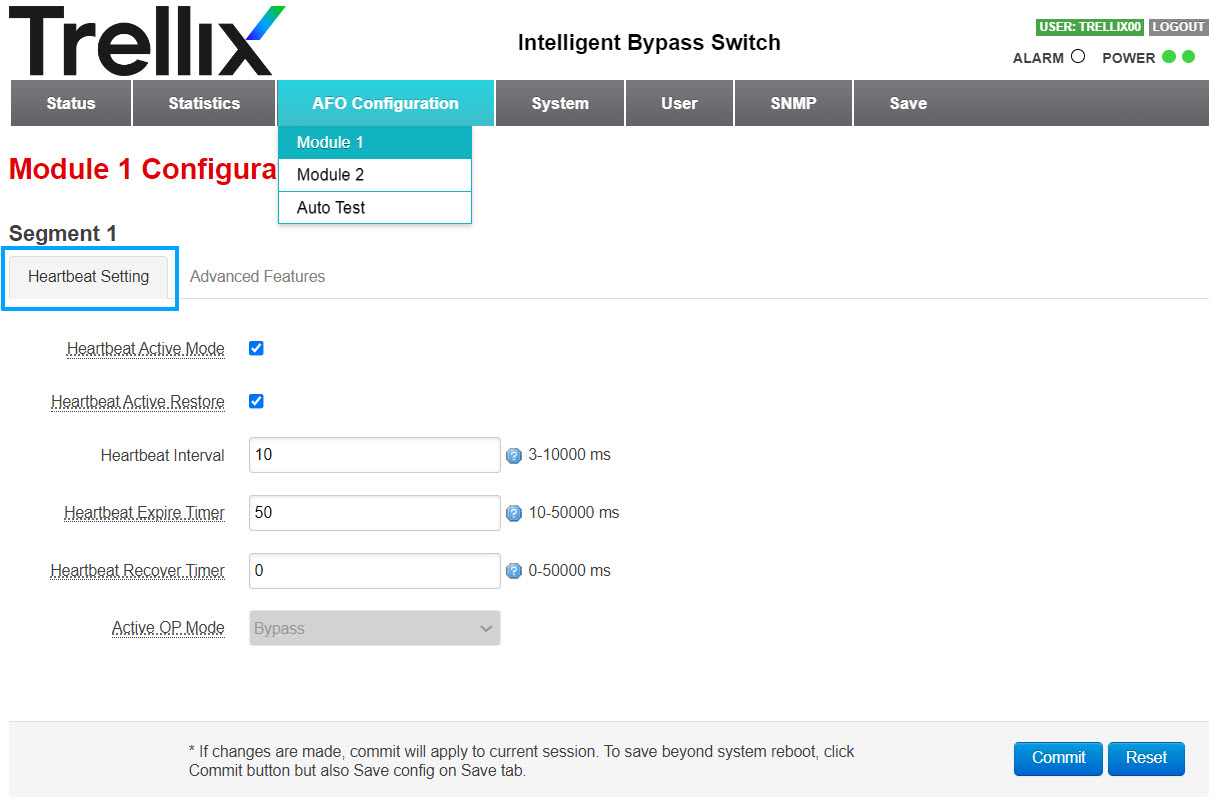
To enter bypass/tap mode manually, de-select Heartbeat Active Mode.
Note
By deselecting this option, no heartbeat packets will be sent from the Active Fail-Open module to the Sensor monitoring ports.
To restore the normal Active Fail-Open kit function, select this option.
In Active OP Mode, select TAP mode from the drop-down.
Note
By default, Inline mode is selected.
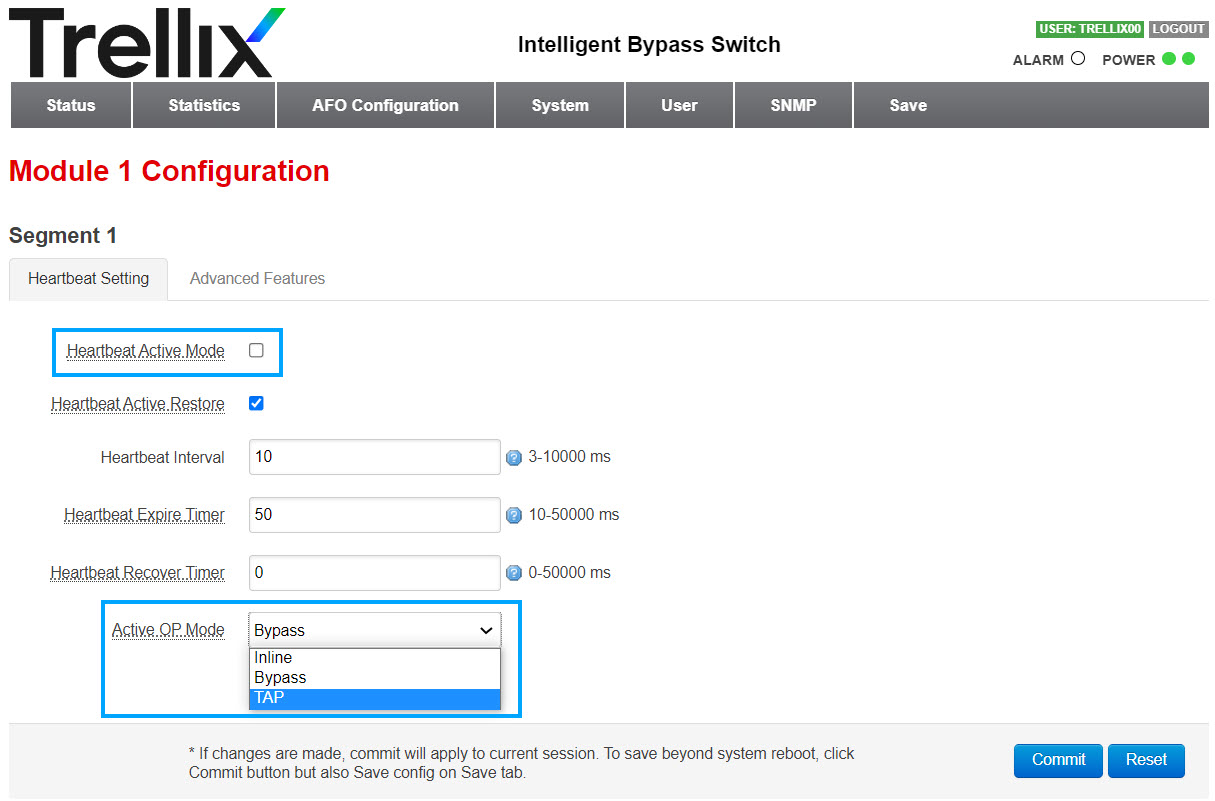
Click Commit.
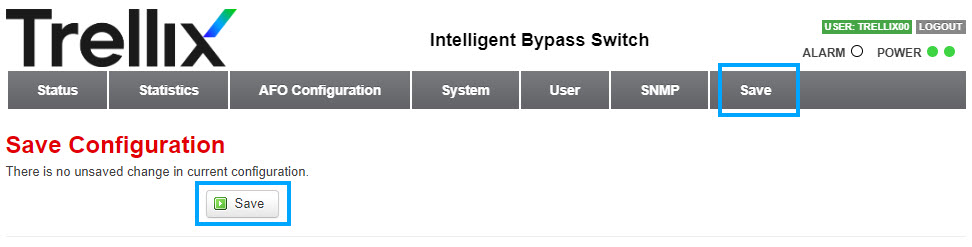
To save your configuration, select the Save tab.
Click Save.
Result: You have set your Active Fail-Open module to operate in tap mode.