Prerequisites:
Configure an IPv4 address for your Active Fail-Open chassis.
Make sure you can access the Active Fail-Open chassis web interface using a web browser.
You can enable tap mode for your Active Fail-Open chassis if you use a tap to route network traffic to the Sensor Monitoring ports.
Steps:
Log on to the web interface of the Active Fail-Open chassis.
Use default credentials to access the web interface.
Note
Make sure that you have selected the correct module. You can also change the module from the CLI command prompt using the
set_seg x yCLI command. Herexis the module number andyis the segment.Click the Bypass tab to access the Bypass configuration page.
Click the HB active mode drop-down menu and select Off.
In the Active bypass section, select tap.
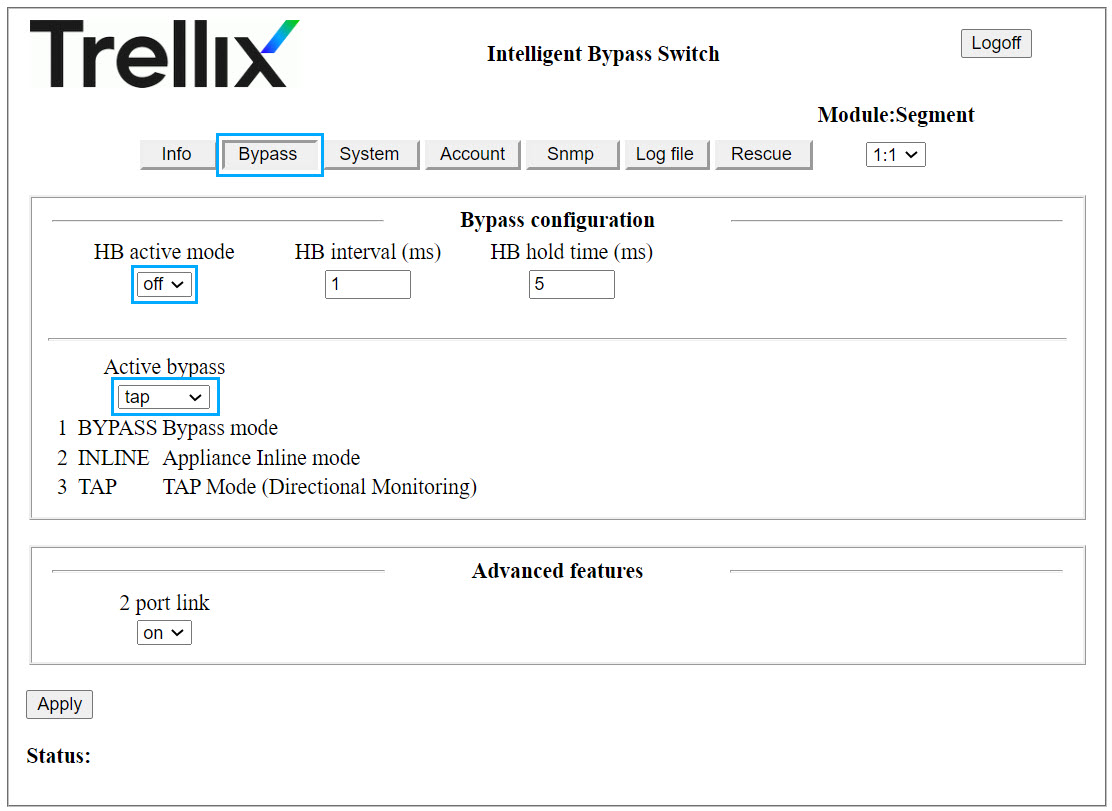
Click Apply to save your configuration.
Result: You have set your active fail-open to tap mode of operation.