You can enable Vulnerability Manager integration at the child admin domain level in the Manager. To do so perform the following steps.
Task
-
Select
Manager → <Child Admin Domain Name> → Integration → Vulnerability Assessment → MVM → Vulnerability Scanning → Enable.
The Enable page is displayed.
-
Select
Yes or
Inherit Settings? for the
Allow Vulnerability Scans to be Initiated from the Manager? option to enable integration or inherit settings made in the parent admin domain.
Enable page in child admin domain level 
-
Click
Save.
Update successful message 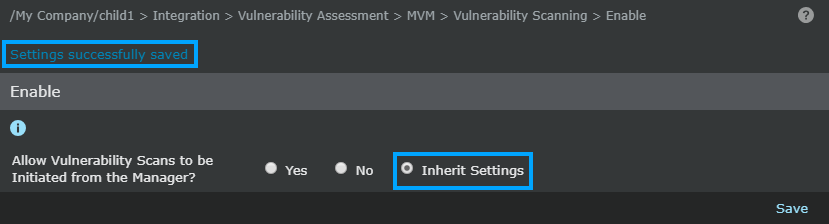
Note
By default all child admin domains inherit the Vulnerability Manager configuration settings from its parent domain.
The screen is refreshed, and a message that the changes have been successfully saved is displayed.