Follow this procedure to export a device's configuration to a file:
Task
-
Click
Devices → <Admin Domain> → Devices → Maintenance → Export Configuration
.
The Export Configuration page is displayed.
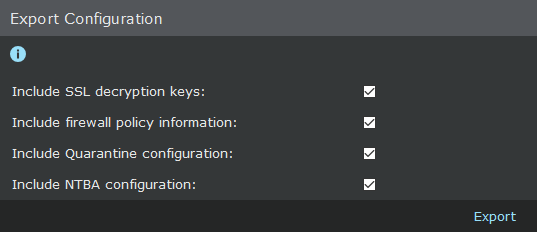
- Select the relevant checkboxes, click Export, and save the file in the desired location in the local machine.