This is the second (optional) step in configuring Manager for relevance analysis. This step is optional if you are using Vulnerability Manager scans, because you can import Vulnerability Manager scan reports either manually or automatically as per schedule. Other third party scans only be imported manually.
You can manually import scanner reports from supported scanners like Vulnerability Manager or NessusWX to the Manager. For importing other third-party vulnerability scanner reports (like Qualys or nCircle), refer to the GenVulReportFlat.dtd file which can be downloaded by clicking on the Trellix DTD file hyperlink at Manager → <Admin Domain Name> → Integration → Vulnerability Assessment → Non-MVM Report Import.To manually import a vulnerability scanner report in Manager, do the following:
Task
-
Select
Manual Import from
Alert Relevance menu options (Manager → <Admin Domain Name> → Integration → Vulnerability Assessment → MVM → Alert Relevance → Manual Import or
Manager → <Child Admin Domain Name> → Integration → Vulnerability Assessment → MVM → Alert Relevance → Manual Import for performing this action from root or child admin domains).
Manually Imported Scan Reports area 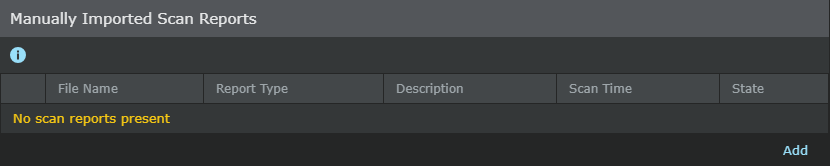
-
In
Manually Imported Scan Reports, click
 .The
Import a Scan Report window appears.
.The
Import a Scan Report window appears.
Import a Scan Report dialog 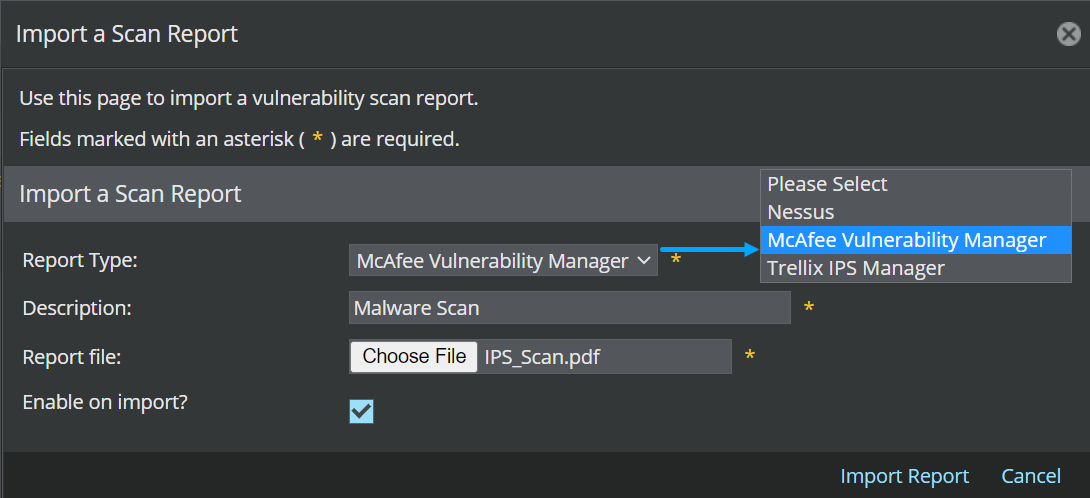
-
Select a
Report Type from the drop-down list.
Note
The report can be from any of the supported scanners or formats.
- Provide a Description corresponding to the selected scanner report type.
- Click Choose File and choose a Report file. You can select a report file from the local machine.
- To import the report to Manager database, select Enable on import? checkbox.
- Click Import Report to import the scanner report.
-
The scanner report is imported to Manager database, and displayed in the
Manually Imported Scan Reports page.
Note
The imported report is stored in Manager database in Trellix IPS Manager XML format. In the Manually Imported Scan Reports window, if you select the link in File Name field, you can view the report in Trellix IPS Manager XML format in a separate window.