To import the CA-signed certificate chain, perform the following steps:
Task
-
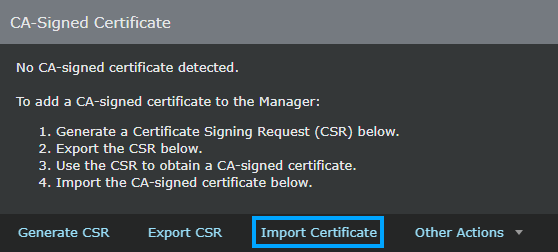
To import the CA-signed certificate chain for the Manager, go to
Manager → <Root Admin Domain> → Setup → Certificates.
To import the CA-signed certificate chain for the Sensor, go to Devices → <Root Admin Domain> → Devices → <Device Name> → Setup → Trust Certificates.
-
In the
CA-Signed Certificate
section, click
Import Certificate.
Note
If the Manager or Sensor already contains CA-signed certificate, the Import Certificate option will be disabled.
Note
The Import Certificate button becomes active only after you generate and export the CSR.
-
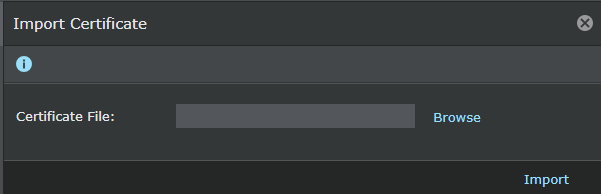
In the
Import Certificate dialog box, click
Browse.
-
Browse to the directory that contains the certificate chain, click
Open.
Note
The CA-signed certificate chain should be in .pem format.
-
Click
Import for the manager and each sensor connected to the manager.
The Manager validates the CA-signed certificate chain with the CSR. If the validation is successful, the certificate chain details are displayed in the CA-Signed Certificate section.