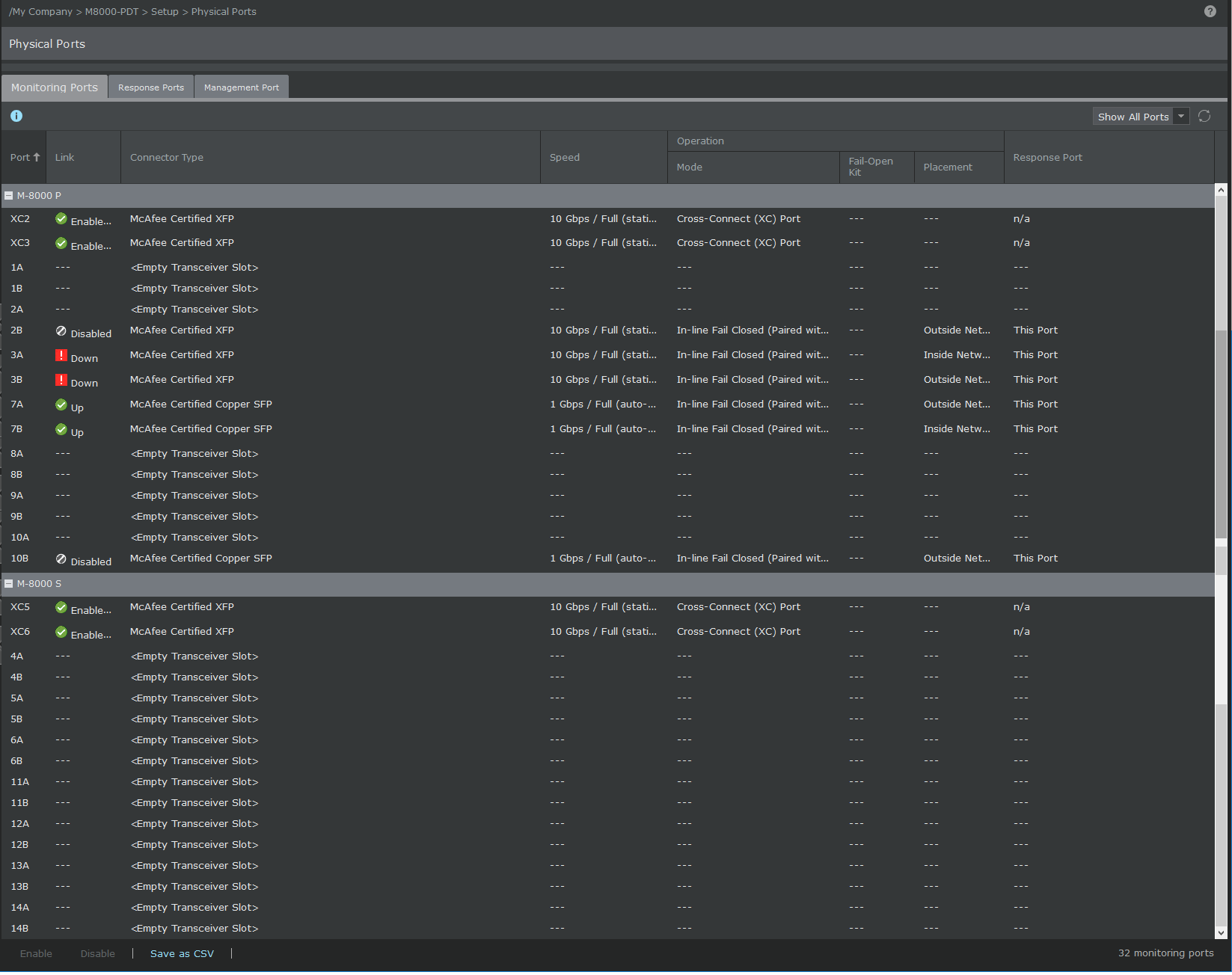
To view or configure the settings of the monitoring ports for Trellix IPS M-series devices, you can access the configuration page by navigating to Devices → <Admin Domain Name> → Devices → <Device Name> → Setup → Physical Ports.
A page is displayed with the list of ports available for the device you selected. Following is a port description for the Sensors.
- M-8000: Twenty eight detection ports (sixteen 10/100/1000 SFP ports and twelve 10 Gigabit Ethernet XFP ports) and one response port.
- M-6050: Sixteen detection ports (eight 10/100/1000 SFP ports and eight 10 Gigabit Ethernet XFP ports) and one response port.
- M-4050: Twelve detection ports (eight 10/100/1000 SFP ports and four 10 Gigabit Ethernet XFP ports) and one response port.
- M-3050: Twelve detection ports (eight 10/100/1000 SFP ports and four 10 Gigabit Ethernet XFP ports) and one response port.
- M-1450: Eight detection ports and one response port.
- M-1250: Eight detection ports and one response port.