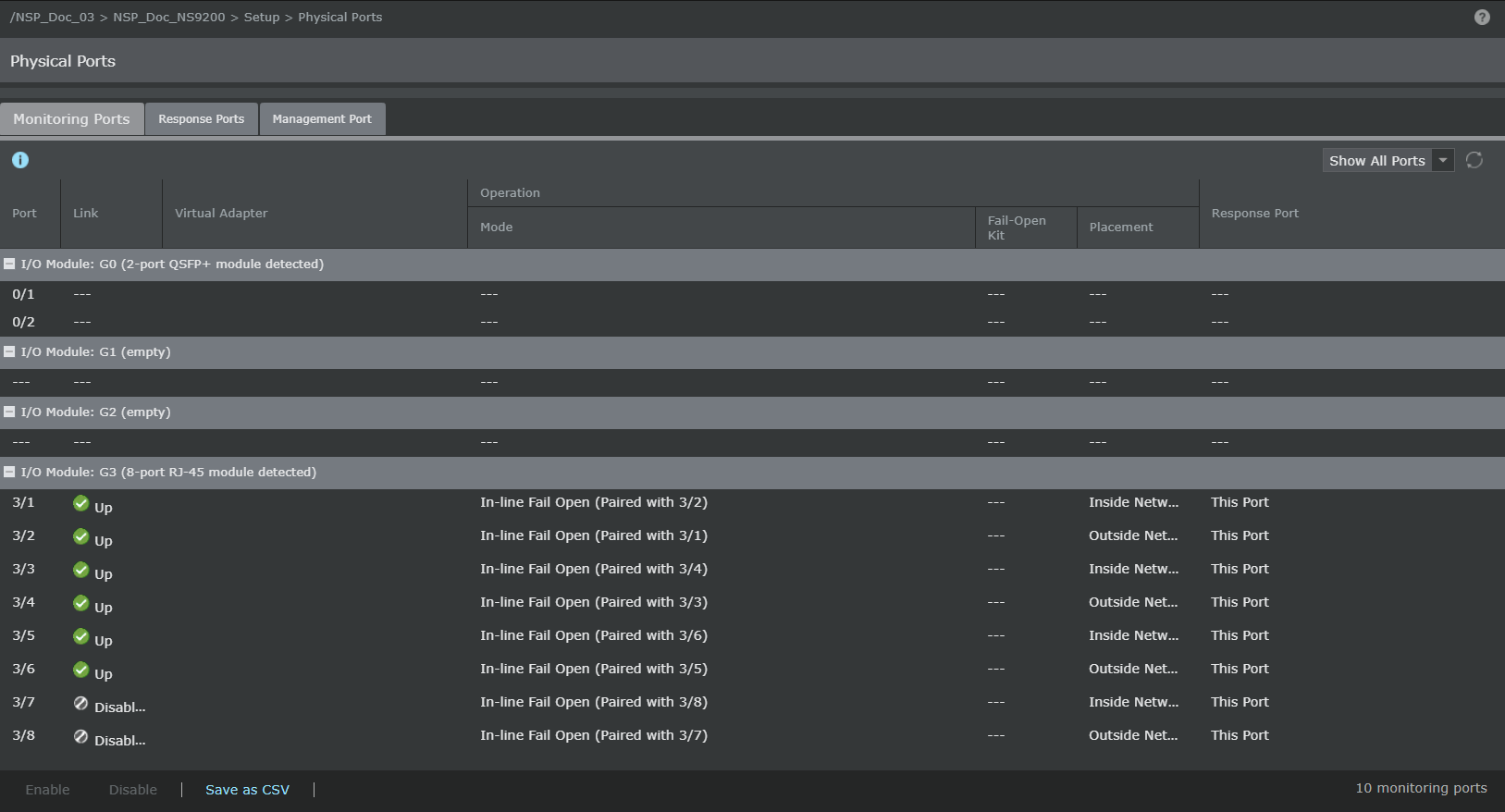
You can view or configure the settings of the monitoring ports for Trellix IPS NS‑series devices on the configuration page. To access the configuration page for a standalone Sensor, go to Devices → <Admin Domain Name> → Devices → <Device Name> → Setup → Physical Ports.
To access the configuration page for Sensors in a stack, go to Devices → <Admin Domain Name> → Devices → <Device Name> → Member Sensors → <Stackname-node id> → Setup → Physical Ports.
A page is displayed with the list of ports available for the device you selected. Following is a port description for the Sensors.
- NS9500 — Six fixed detection ports (two QSFP28 100 or QSFP+ 40 Gigabit Ethernet ports and four RJ‑45 10/100/1000 Mbps Ethernet Monitoring ports)
QSFP28 100/QSFP+ 40 Gigabit Ethernet ports (modular up to 2),10 Gigabit Ethernet ports (modular up to 16), 40‑Gigabit Ethernet ports (modular up to 8), QSFP+ 40 Gigabit Ethernet ports (modular up to 4), RJ-45 10/100/1000 Mbps Ethernet Monitoring ports (modular up to 12) and one response port.
- NS9300 — Sixteen fixed detection ports (eight RJ‑45 10/100/1000 Mbps Ethernet Monitoring ports)
10 Gigabit Ethernet ports (modular up to 32), 40‑Gigabit Ethernet ports (modular up to 16), and one response port.
- NS9200 — Ten fixed detection ports (eight RJ‑45 10/100/1000 Mbps Ethernet Monitoring ports and two QSFP+ 40 Gigabit Ethernet ports)
10 Gigabit Ethernet ports (modular up to 16), 40‑Gigabit Ethernet ports (modular up to 4), and one response port.
- NS9100 — Ten fixed detection ports (eight RJ‑45 10/100/1000 Mbps Ethernet Monitoring ports and two QSFP+ 40 Gigabit Ethernet ports)
10 Gigabit Ethernet ports (modular up to 16), 40‑Gigabit Ethernet ports (modular up to 4), and one response port.
- NS7500 — Ten fixed detection ports (eight RJ‑45 10/100/1000 Mbps Ethernet Monitoring ports (internal fail-open) and two 10 GigE/1 GigE (SFP+) ports)
10 Gigabit Ethernet ports (up to 18), one RJ-11 port that controls the SFP+ port pair in passive fail-open mode, and one response port.
- NS7350/NS7250/NS7150 — Ten fixed detection ports (eight RJ‑45 10/100/1000 Mbps Ethernet Monitoring ports (internal fail-open) and two 10 GigE/1 GigE (SFP+) ports)
10 Gigabit Ethernet ports (modular up to 18), one RJ-11 port that controls the SFP+ port pair in passive fail-open mode, and one response port.
- NS7300/NS7200/NS7100 — Ten fixed detection ports (eight RJ‑45 10/100/1000 Mbps Ethernet Monitoring ports (internal fail-open) and two 10 GigE/1 GigE (SFP+) ports)
10 Gigabit Ethernet ports (modular up to 18), one RJ-11 port that controls the SFP+ port pair in passive fail-open mode, and one response port.
- NS5200/NS5100 — Twenty two fixed detection ports (eight RJ‑45 10/100/1000 Mbps Ethernet Monitoring ports (internal fail-open), two 10 GigE/1 GigE (SFP+) ports and twelve SFP ports)
6 RJ-11 control ports internally wired to 12 SFP ports for external passive fail-open.
One RJ-11 port that controls the SFP+ port pair in passive fail-open mode, and one response port.
- NS3500 — Four fixed RJ‑45 10/100/1000 Mbps Ethernet Monitoring ports (internal fail-open) and one response port.
- NS3200/NS3100 — Eight fixed RJ‑45 10/100/1000 Mbps Ethernet Monitoring ports (internal fail-open) and one response port.