Remove the fan panel cover.
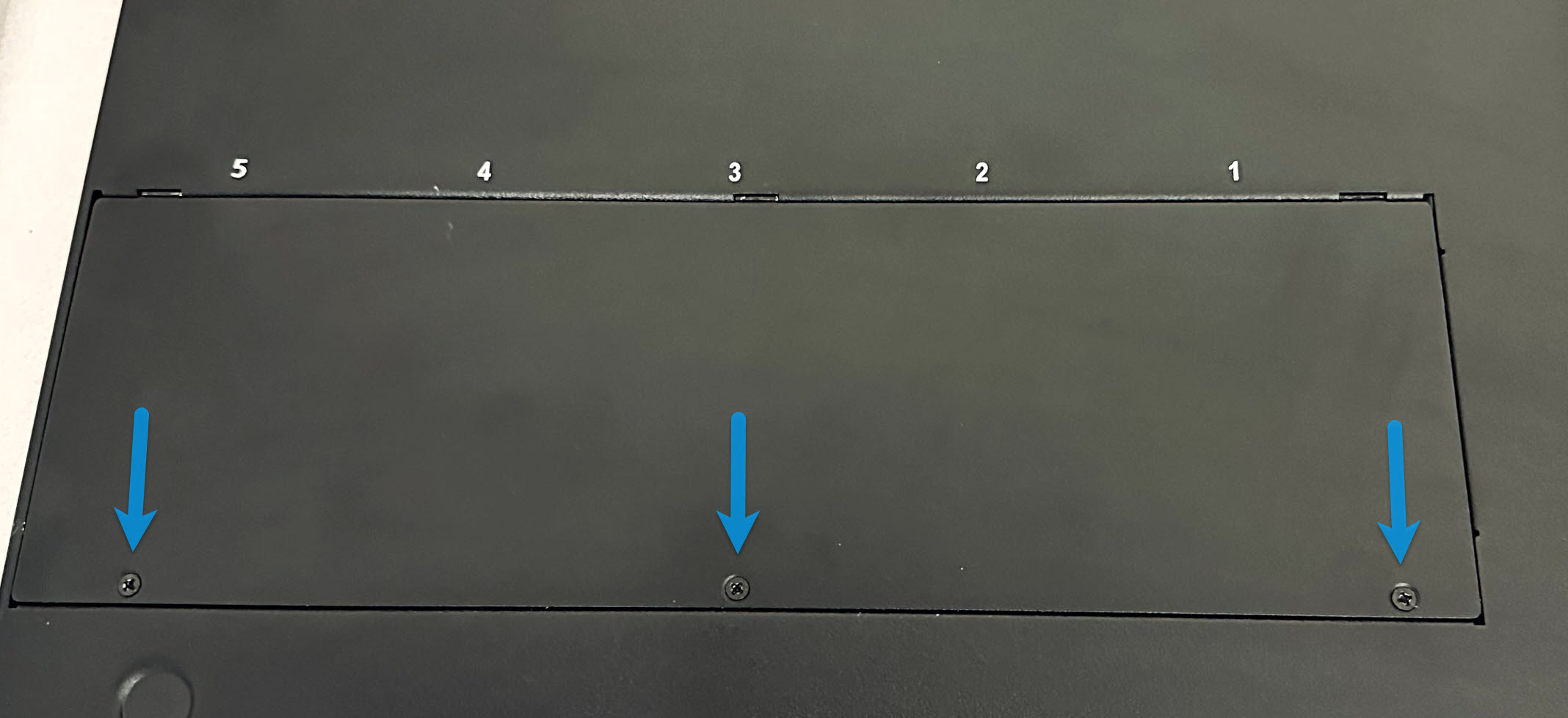
Remove the 3 screws (as shown below) from the cage panel. Place the screws in a safe place.
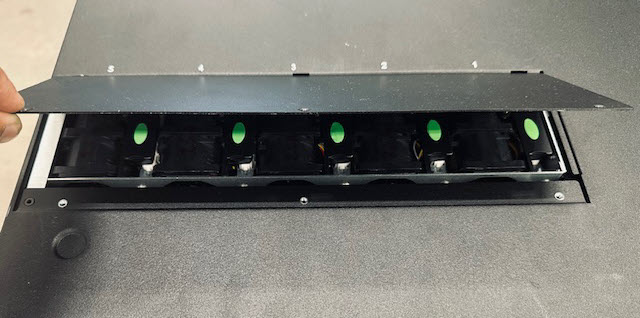
Lift the fan panel cover and from the top cover. This will give access to the fan modules.
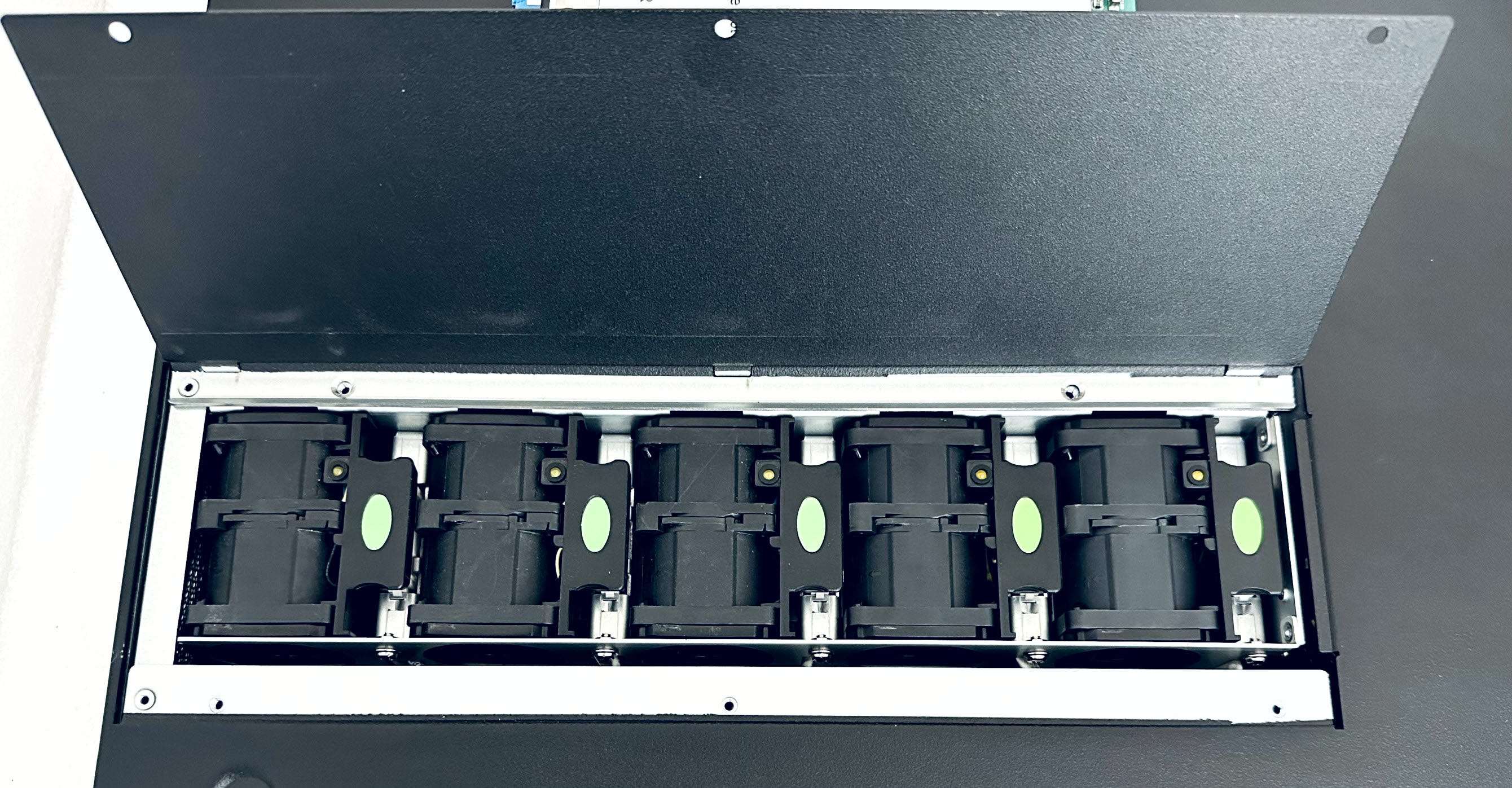
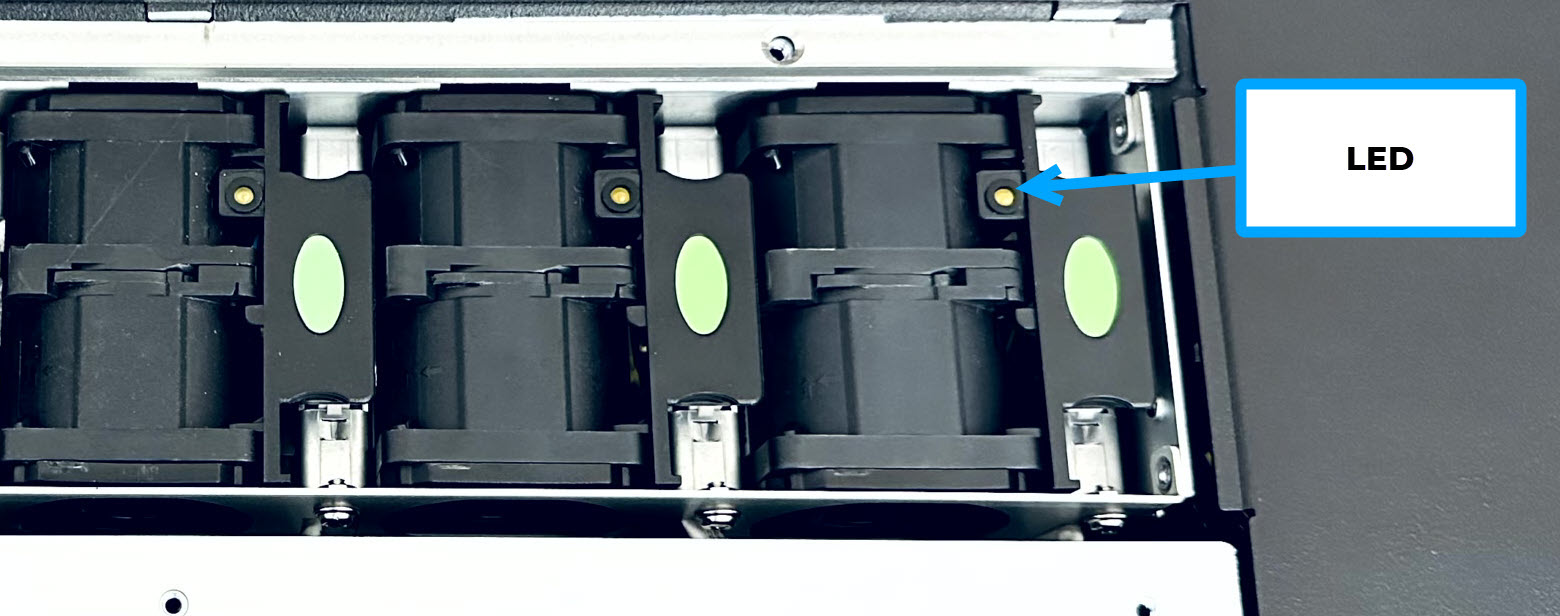
Locate the faulty fan. The Amber LED should be illuminated.
Important
The Sensor should be in POWERED ON state.
Grip the edge on each side of the green dot as shown in
A, and lift the fan straight up as shown inBuntil it clears the chassis.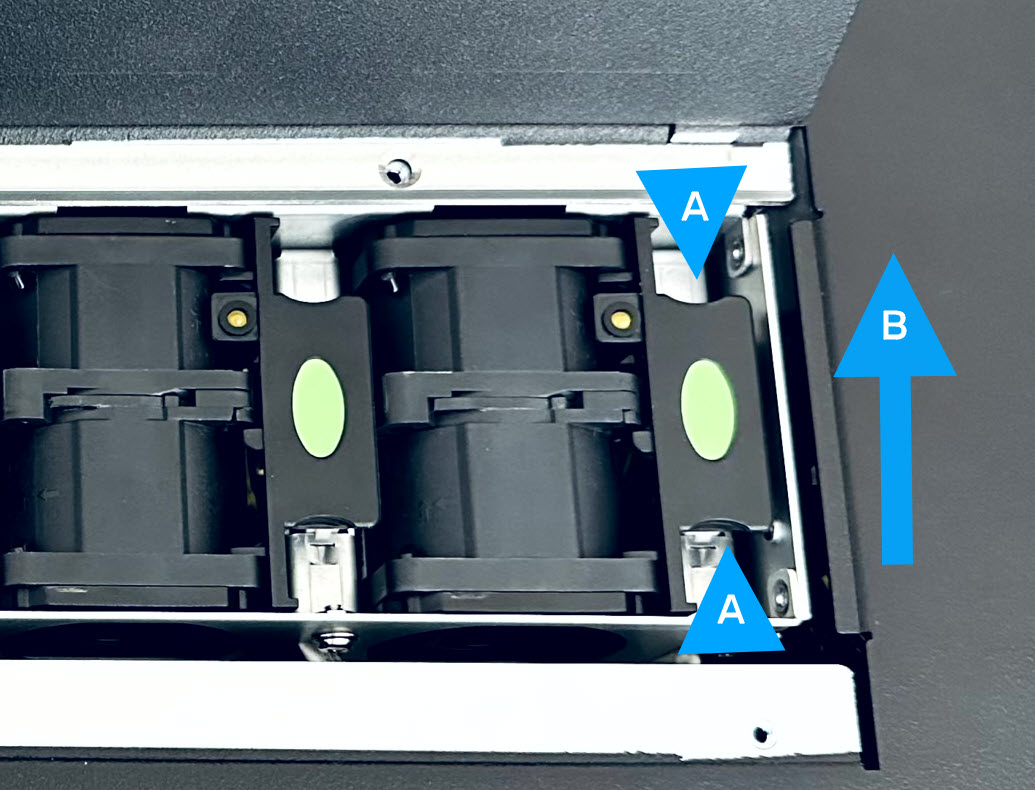
Remove the fan from the chassis
Remove the fan module
- Published on Oct 1, 2026
- 1 minute(s) read
Was this article helpful?