The new docs.trellix.com features a modernized UI and AI-powered conversational search. Content is currently available in English, with additional languages launching in early November 2026. We hope you enjoy the updated experience.

Save stack details as CSV

Prev Next

To save the stack details from the Manager, perform the following steps:

Task

  1. Go to Devices → <Admin Domain Name> → Global → Device Manager → Stacks page.
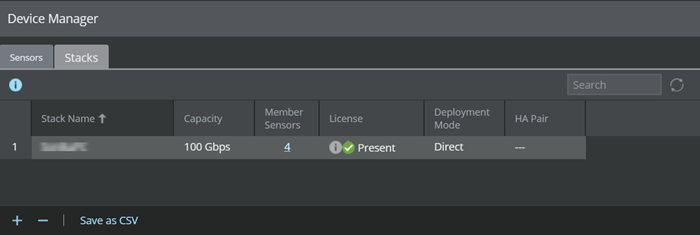

  2. Select the stack for which you want to get the details.
  3. Click Save as CSV.
    A .csv file is saved to your system.