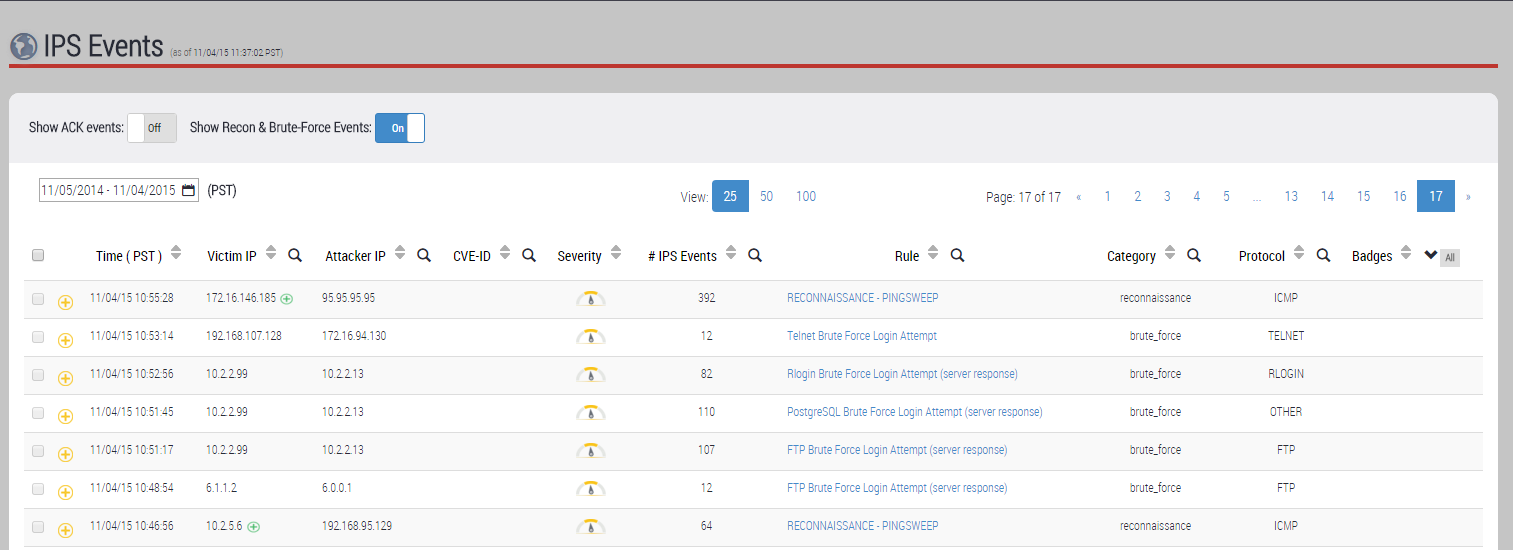
On the IPS Events page, you can show or hide reconnaissance events and brute-force events. IPS brute-force and reconnaissance events are hidden by default. To show reconnaissance events only, filter the list on the threat category.
Prerequisites
Log in to the Web UI of the IPS appliance as Analyst or Admin.
Procedure
Choose IPS > IPS Events.
Select the time frame you want to view by using the calendar icon (
 ).
).Set Show Recon & Brute‑Force Events to the On position. The list expands to include IPS reconnaissance events and brute-force events.
Click the search icon (
 ) in the Category heading.
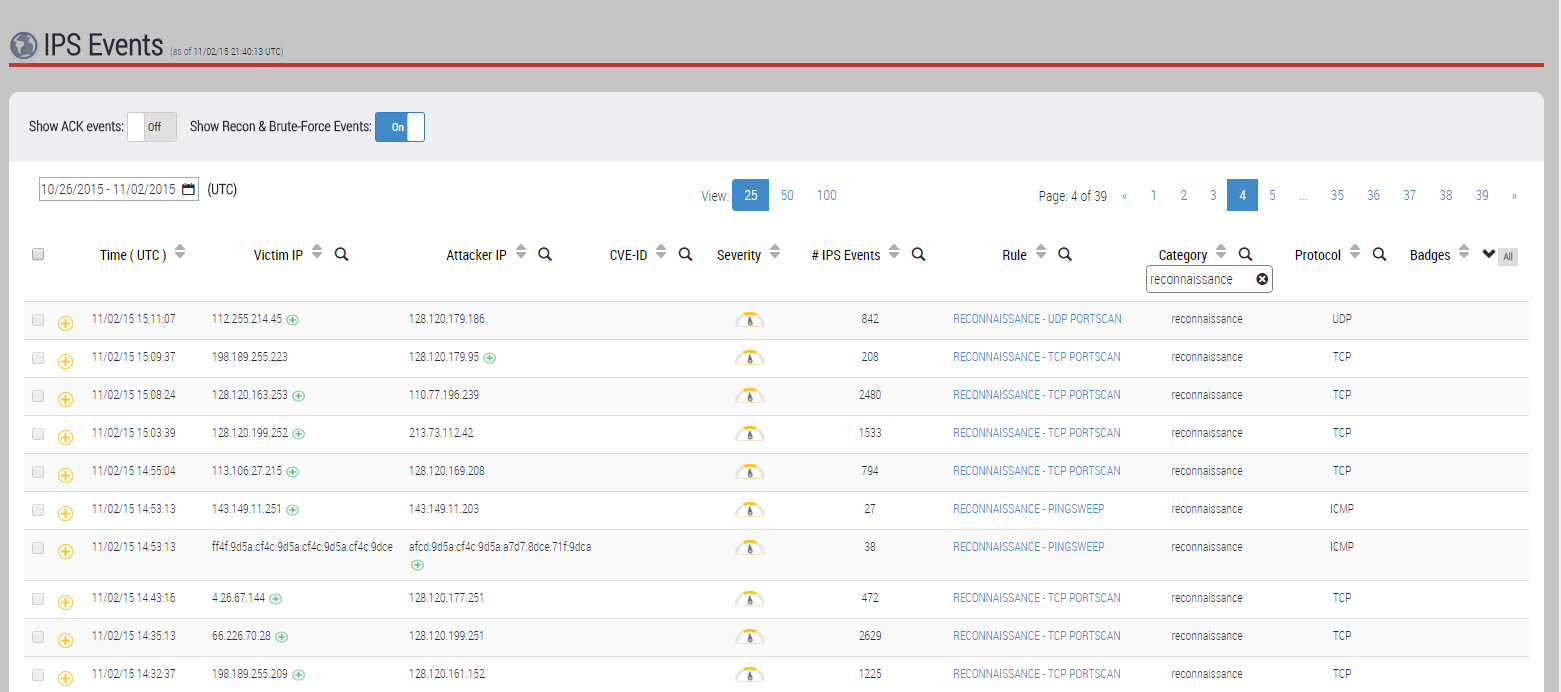
In the text box below the Category heading, type reconnaissance.
Press Enter.
The list displays reconnaissance events only.
(Optional) To filter the list further so that it displays only ping sweep events, only TCP reconnaissance events, or only UDP reconnaissance events, click the search icon (
) to filter the Protocol field on icmp, tcp, or udp.