To manage link failure, detect on Net0/Net1 ports by performing the following steps:
Steps:
Log in to the web interface of the 100G Active Fail-Open chassis.
Use default credentials to access the web interface.
Go to, AFO Configuration → Module <number> → Advanced Features.
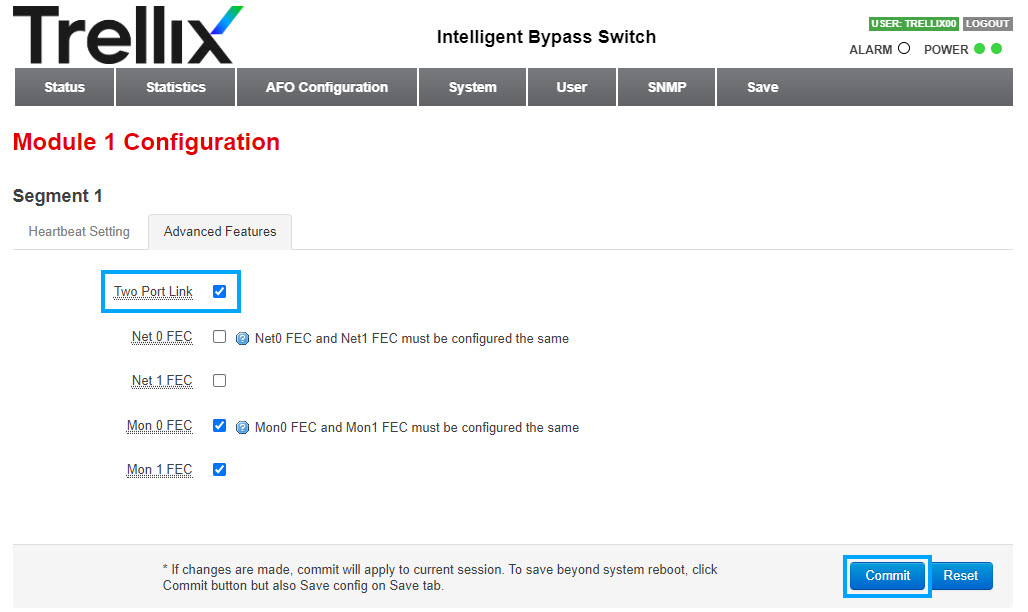
To disable, deselect the Two Port Link.
By default, the Two Port Link is enabled.
Click Commit.
To save your configuration, select the Save tab.
Click Save.
Result: The Two Port Link is disabled.