The Manager must update the Windows registry for a proper integration. However, the user account used to run Manager service does not have permissions to write to the Windows registry by default. For updating the permissions:
Task
- On the server running the Manager, run regedit.exe.
- Select My Computer → HKEY_LOCAL_MACHINE → SOFTWARE.
- Right-click and select Permissions.
-
Add the user account used to run the Manager service. Allow full permission for this folder. Click Apply and OK.
Updating permissions 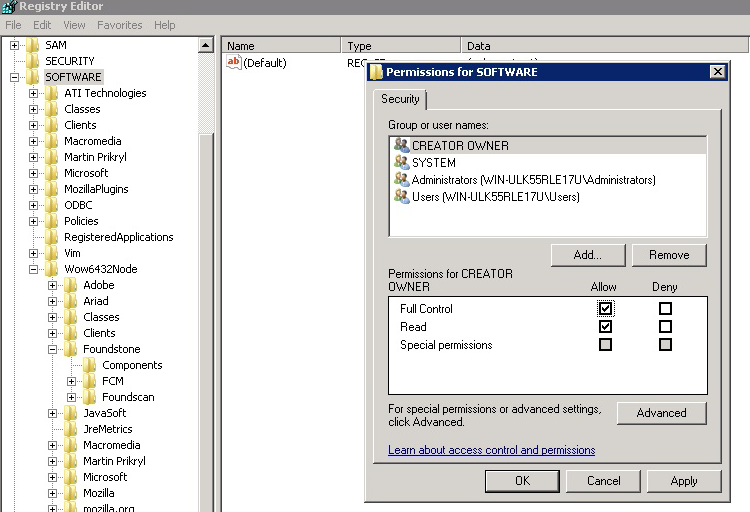
Note
Changes take effect immediately and a restart is not required.
- Go back to the API Settings page in the Manager. Click Save.