Prerequisite:
Download the latest firmware file from the download server for the Active Fail-Open kit.
Steps:
Connect to the web interface of the fail-open kit.
The Info configuration window appears.
Click on the Rescue tab.
The Rescue configuration window appears.
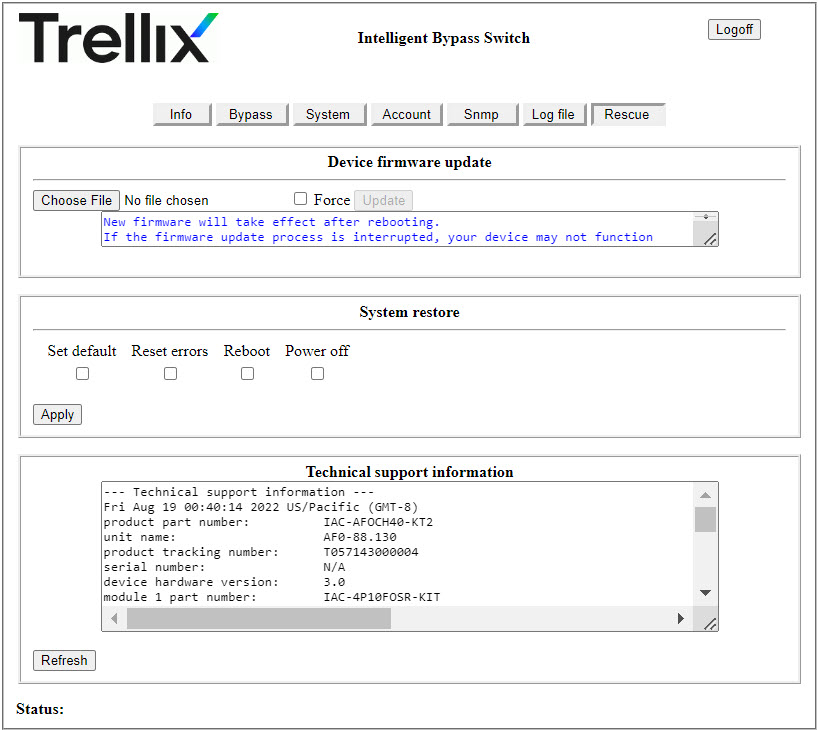
Click Choose File and select the downloaded firmware file.
Click Update.
Note
If you downgrade the firmware version, select the
Forcecheckbox before you click Update.The upgrade process takes about 3 minutes to complete.
The firmware upgrade requires a reboot of the system for the changes to take effect. After the upgrade, you will be prompted to reboot. Click OK to reboot the system.
Important
Upgrade to firmware version 0.2.4.1 from any version older than 0.2.2.4 is not supported. If you are using AFO version older than 0.2.2.4, upgrade to version 0.2.2.4 first. Then, upgrade from firmware version 0.2.2.4 to version 0.2.4.1.
Downgrade from firmware version 0.2.4.1 to any older version is not supported.
Upgrading from firmware version 0.2.2.4 to version 0.2.4.1
The process of upgrading from firmware version 0.2.2.4 to version 0.2.4.1 might include some additional steps as given below:
Repeat the firmware upgrade steps 1-4 as documented above and do a system reboot when prompted.
On reboot, you might run into an
Internal Server Errormessage over the browser. In such a scenario, do the following:Open a separate browser window and access the fail-open switch web interface using the following format:
https://<IPv4 address of the fail-open switch>A login window appears with an error message as displayed below-
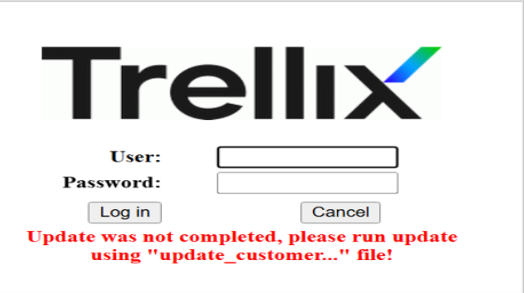
Login using the user name and password you configured for accessing the fail-open kit web interface (Default is
Trellix00andTrellix00).Perform another upgrade using steps 1-3 (as mentioned above).
After you have selected the firmware file, you must select the
Forcecheckbox before you click Update.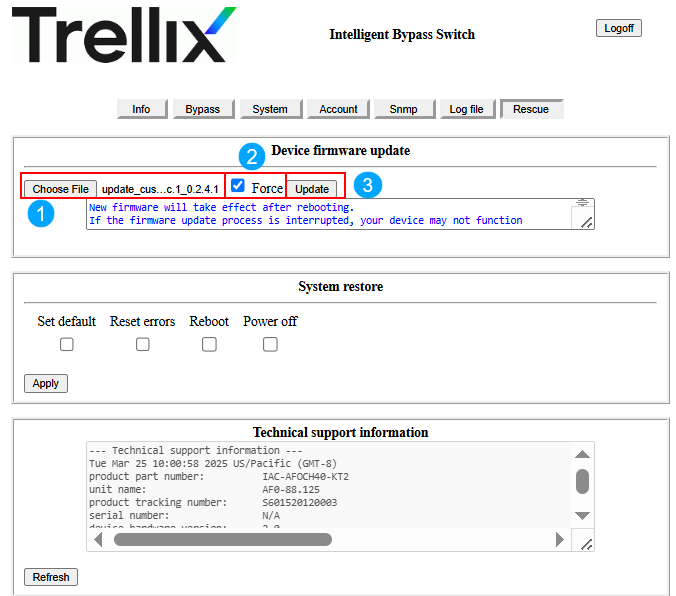
The firmware upgrade requires a reboot of the system for the changes to take effect. After the upgrade, you will be prompted to reboot. Click OK to reboot the system.
The usual login screen will appear upon reboot. Enter your credentials to access the fail-open switch web interface.