Pre-requisites:
Download the following firmware files from the download server for 1G copper, 1G fiber, or 10G fiber:
DTB
rootfs
ulmage
uboot
You need to update the files one after the other. You must update the uboot file in the last.
Steps:
Connect to the web interface of the fail-open kit.
The Info configuration window appears.
Click on the Rescue tab.
The Rescue configuration window appears.
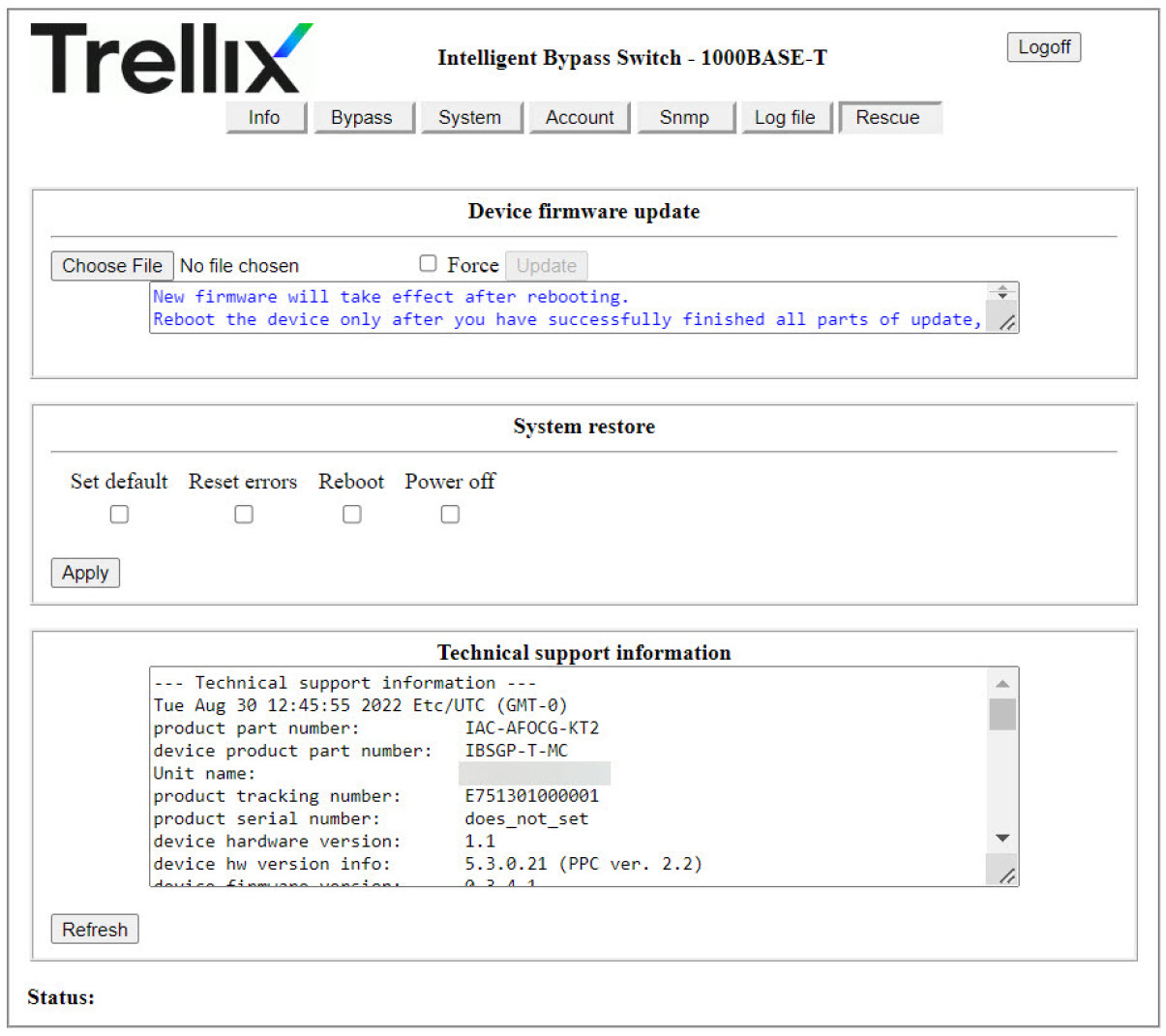
Click Choose File and select the
DTBfile.Click Update.
Note
If you downgrade the firmware version, select the Force checkbox before you click Update.
On successful update, you can see the Operation Succeeded message in the Status section of the web page. However, if the new image is same as the existing image, the Status section shows a Operation Failed message.
Repeat steps 3 and 4 for each of the
rootfs,ulmage, andubootfiles.After you update the
ubootfile, the device prompts for a reboot. Click OK for reboot. After successful reboot, the updated firmware is available on the fail-open kit.