Use the Alerts > Alerts > Alerts page to view a list of alerts and associated event types.
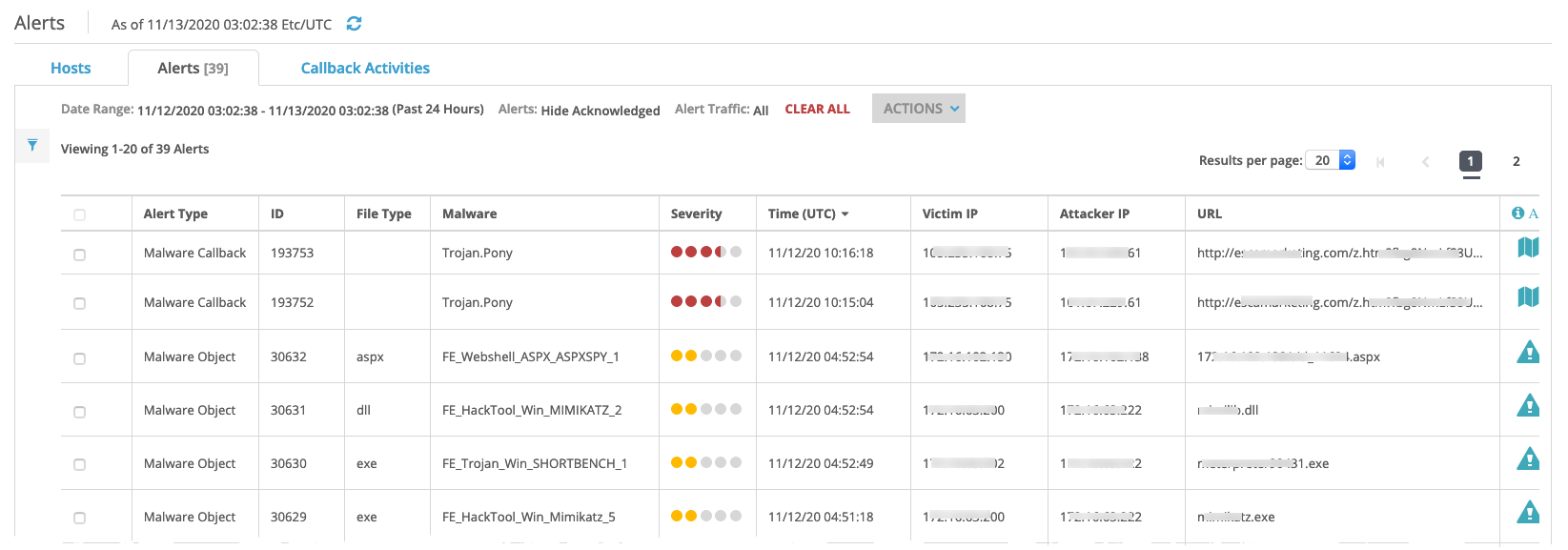
You can also use the Alerts page to view additional information about the event types.
In the Alert Type column, select an event by clicking on the Alert Type name.
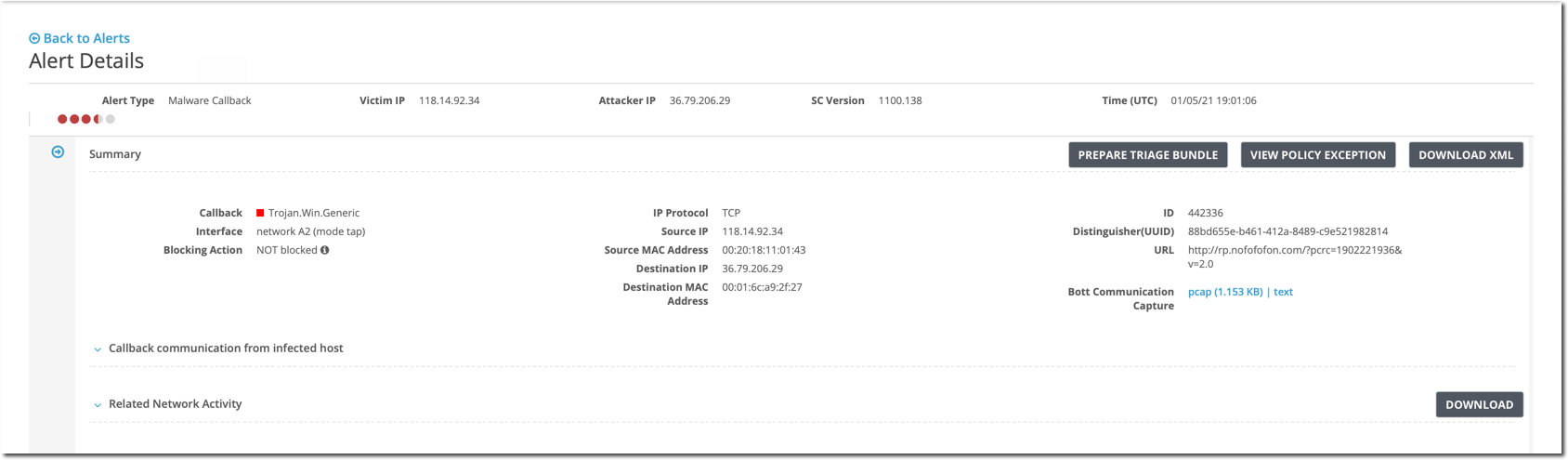
The Alert Details page displays showing more information about the event.
If the file type is unknown, it means the file type of the alert is missing or uncertain.
Note
To add an alert policy exception for the selected alert, click View Policy Exception and then Add Policy Exception. The Add Policy Exception dialog box appears with fields prepopulated with the configuration details for the selected alert. For details about alert policy exceptions and using the Add Policy Exception dialog box, see Alert policy exceptions.