A Cluster is a collection of Virtual IPS Sensors that protect a group of instances. The vIPS Clusters tab allows you to configure Clusters and the corresponding protected groups.
In the Manager to access the vIPS Clusters tab, go to Devices → <Admin Domain Name> → Global → Device Manager and select vIPS Clusters.
vIPS Clusters tab
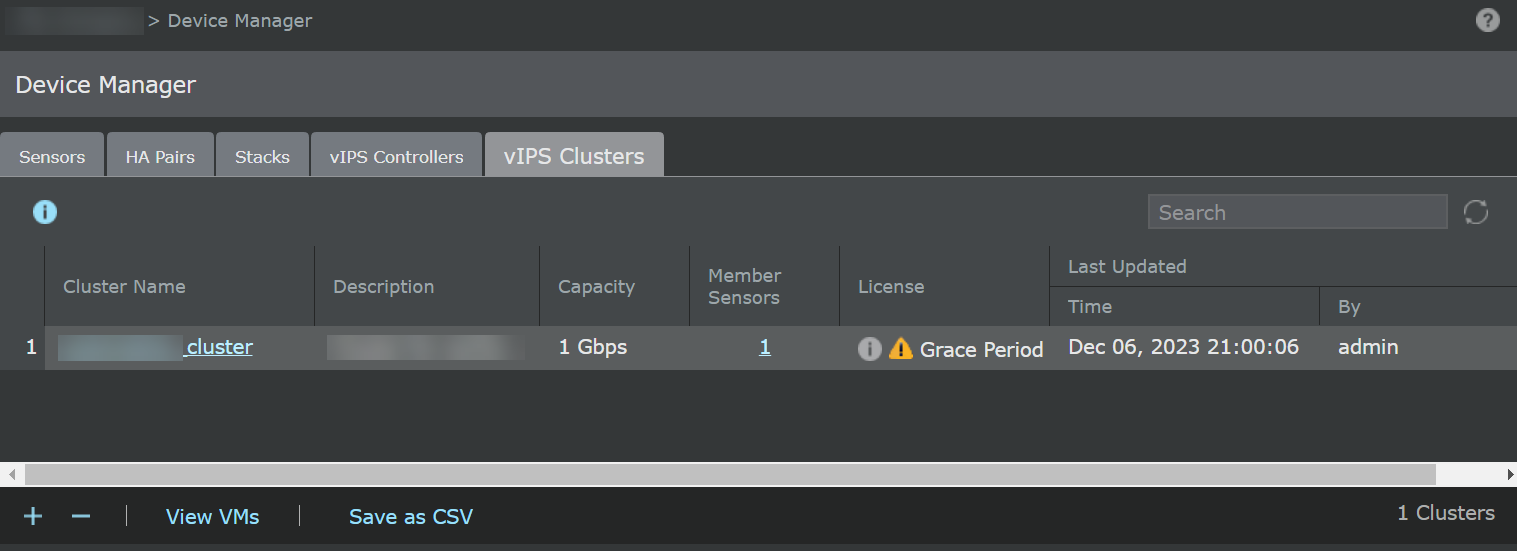
The following columns are available in the grid view of the vIPS Clusters tab:
Option | Definition | |
|---|---|---|
Cluster Name | Name of the cluster. | |
Description | Description of the cluster. | |
Capacity | Displays the total capacity of license required for all member Sensors in the cluster. | |
Member Sensors | Number of Member Sensors in the selected cluster.
| |
License | Displays the license(s) status of the cluster. Auto-assignment of license(s) to the device: If sufficient licenses(s) are available in the pool, the license(s) will be auto-assigned to the device. However, if enough license(s) are unavailable in the pool, the partial license(s) assignment will not be permitted.
Manual assignment of license(s) to the device: You can assign a license by clicking the The license(s) status can be one of the following options:
| |
Last Updated | Time — Displays when the cluster was last updated with date in <mmm-dd, yyyy> and time in <hh:mm:ss> format. By — User who modified the cluster. | |
| Refresh the status of all the clusters. | |
Search | Enter the keyword to search the required clusters. | |
| Create a new cluster. | |
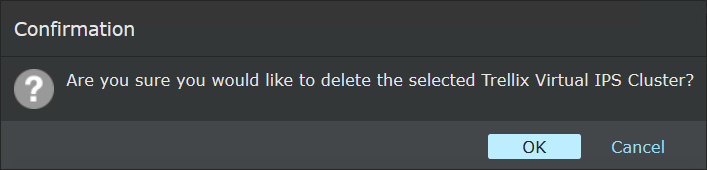
| Deletes a cluster. To delete a cluster:
| |
Save as CSV | Creates a .csv list of the list of clusters. | |
View VMs | All VMs in the AWS account are displayed. | |
<Number> Clusters | Displays all available clusters in the Manager. |
 icon. However, you cannot perform the license assignment if the cluster is empty. In such scenarios, the
  Required: The reason can be one of the following:
 Present: The sufficient license(s) are present and valid.
 Expired: The license(s) are assigned, but one or more license(s) are expired.
 Grace Period: The assigned license(s) have expired and are now running on a grace period.

 .
.
If you want to create a vIPS Cluster in a Public Cloud Manager, refer to the following sections:
For an AWS environment using a GWLB-based solution, see Create a Cluster in the Manager with traffic source as GWLB.
For an AWS environment using a Probe-based solution, see Create a Cluster in the Manager using a Probe-based solution for AWS.
For an Azure environment, see Create a vIPS Cluster for Azure.
For the GCP environment, see Create a Cluster in the Manager.