To export the current custom IPS rules from your IPS-enabled platform to an ASCII file named ips_custom_rules_export.txt, use the Custom Rules page.
Prerequisites
You are logged in to the Web UI of the IPS-enabled platform as Operator or Admin.
The IPS rules database on the appliance contains one or more custom IPS rules.
Procedure
To export custom IPS rules from the IPS rules database on your appliance to an ASCII text file:
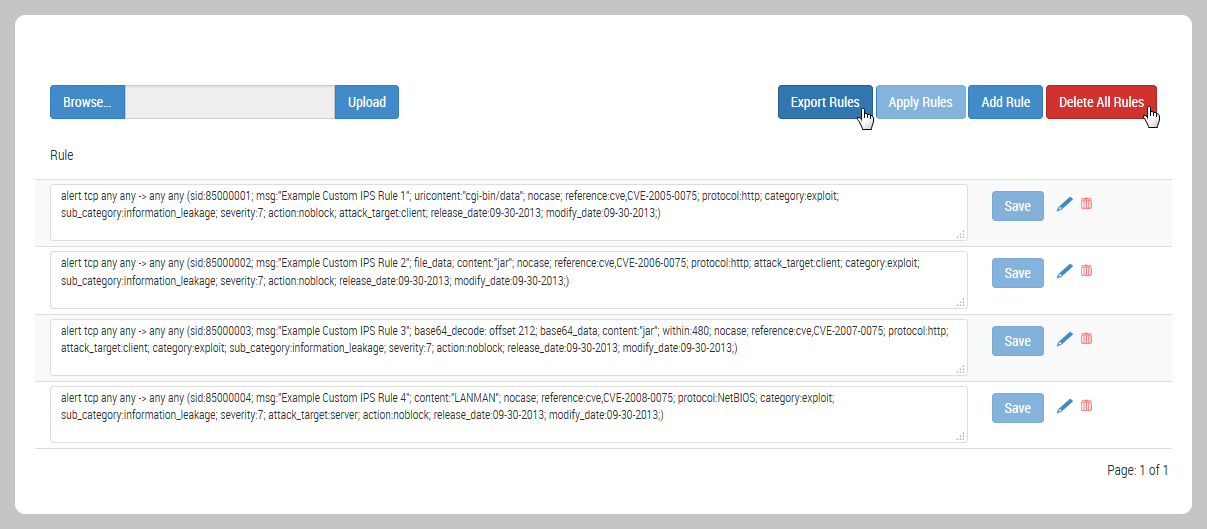
Choose IPS > Custom Rules.
The page lists the custom IPS rules in the IPS rules database on the appliance.
Click Export Rules.
Open or save the file named ips_custom_rules_export.txt.
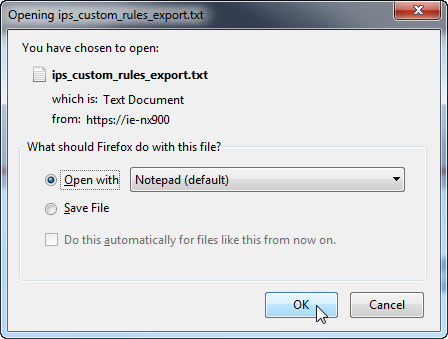
Choose to open the file or save it, and then click OK.