Download the migration package
atdtoivxmigration.msufrom Downloads portal using a valid grant number.Upload the package to your Intelligent Sandbox appliance through SFTP using an
atdadminaccount.Log on to the Intelligent Sandbox CLI as
cliadmin.Execute the following command:
install msu atdtoivxmigration.msu
A confirmation message is displayed.
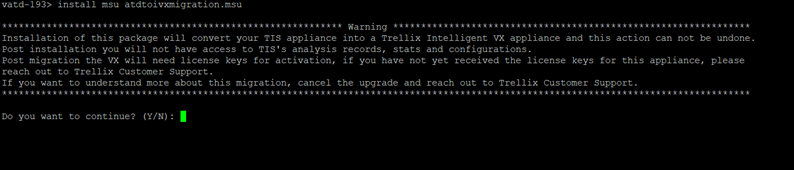
Click OK. The installation process begins after the appliance is rebooted.
Install Trellix IVX using command line interface
- Published on Sep 11, 2026
- 1 minute(s) read
Was this article helpful?