To display detailed information about a group of IPS ping sweep events listed in the IPS Events page, click the entry's expand icon (  ) next to the check box.
The following example shows the drill-down view of a one-to-many ping sweep event entry.
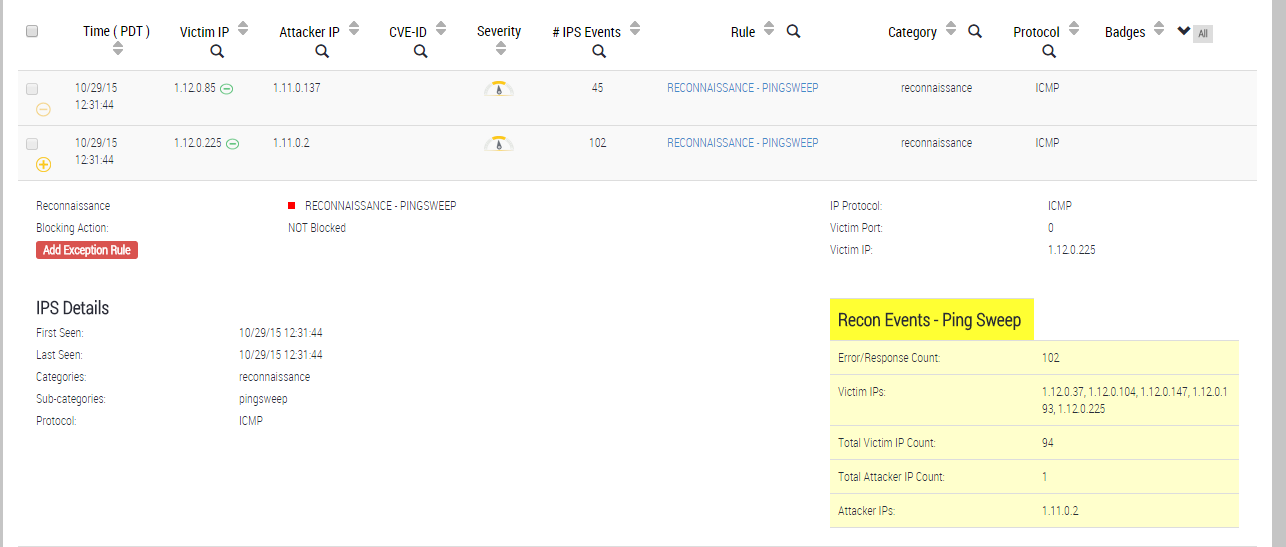
The following table describes the ping sweep-specific fields in the drill-down view of an IPS ping sweep event entry.
Field | Description |
|---|---|
IP Protocol | ICMP |
Victim Port | Port number last attacked on the victim. |
Victim IP | IP address of the victim. |
Recon Events - Ping Sweep | |
Error / Response Count | Number of ICMP sessions monitored for all events in the entry. |
Victim IPs | IP addresses of the most recent victims (up to 5 addresses). |
Total Victim IP Count | Number of victims identified. NOTE: This value might be an estimate. |
Total Attacker IP Count | Number of attackers identified. NOTE: This value might be an estimate. |
Attacker IPs | IP addresses of the most recent attackers (up to 5 addresses). |
Note
For most IPS ping sweep events, certain statistics are estimated values rather than exact counts. The following values are provided as reference information only:
Victim IP Count
Attacker IP Count
Analysis of ping sweep activity is a resource-intensive process. When it is necessary to conserve resources, the analysis process does not record all IP addresses involved in the ping sweep activity. In this case, the process must estimate the count of IP addresses or port numbers. To estimate the count, the process compares the current IP address or port count with the most recent IP addresses or port counts in cache memory.