Before you begin
To register the Manager with Trellix ePO - SaaS, perform the following steps:
Task
-
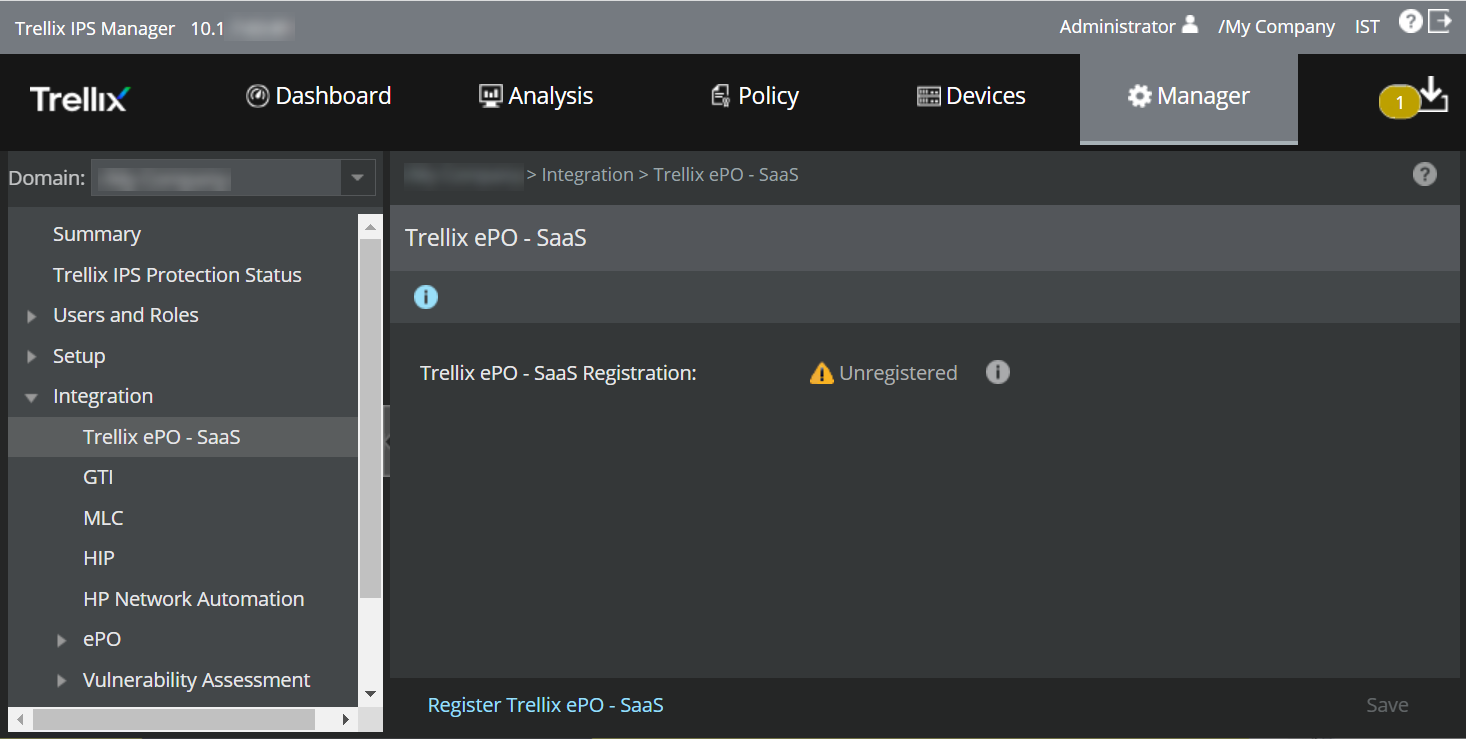
In the Manager, navigate to
Manager → <Admin Domain Name> → Integration → Trellix ePO - SaaS.
The Trellix ePO - SaaS page is displayed.
-
Click
Register Trellix ePO - SaaS.
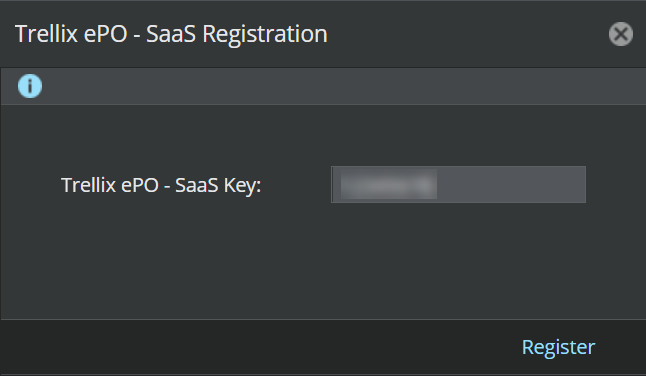
The Trellix ePO - SaaS Registration window opens.
-
Enter the
Trellix ePO - SaaS registration token in the
Trellix ePO - SaaS Key field and click
Register.
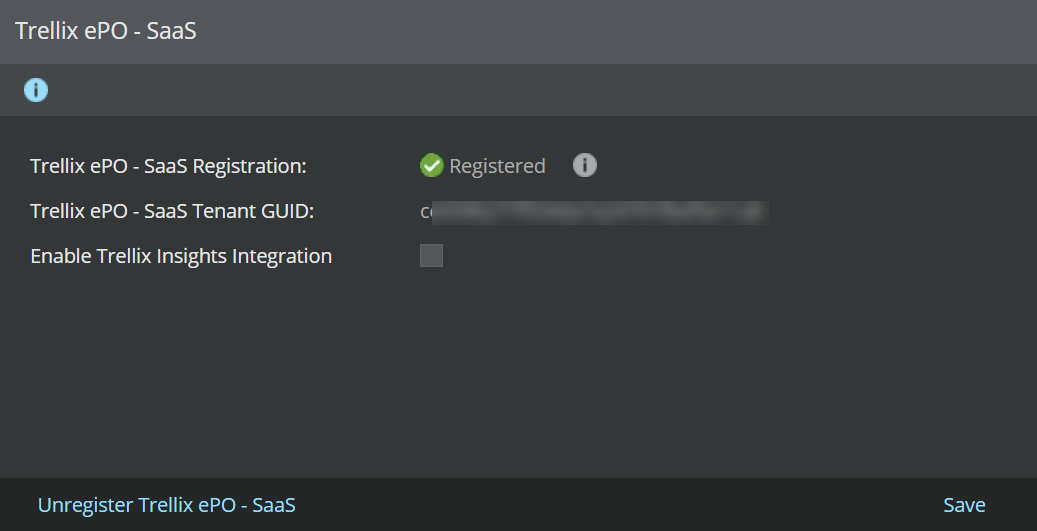
On successful registration, the Trellix ePO - SaaS page opens with the following details:
Option Description Trellix ePO - SaaS Registration Displays the Manager and Trellix ePO - SaaS registration status. Trellix ePO - SaaS Tenant GUID Displays the unique identifier assigned to the MVISION account. Enable Trellix Insights Integration Enables integration with Trellix Insights. Unregister Trellix ePO - SaaS Removes trust established between the Manager and Trellix ePO - SaaS.